Epson
Epson ColorWorks CW-C4030 Desktop Colour Label Printer | NEOTECH® UAE
Epson ColorWorks CW-C4030 Desktop Colour Label Printer | NEOTECH® UAE
Couldn't load pickup availability
Compact on-demand colour label printer with Epson PrecisionCore™ technology, pigment inks, up to 1200 × 1200 dpi resolution, integrated auto cutter and support for roll and fanfold label media.
The Epson ColorWorks CW-C4030 is part of Epson's ColorWorks C4000 Series of compact desktop colour label printers designed for businesses that need to produce colour labels on demand.
Instead of ordering large quantities of pre-printed labels, organizations can use a ColorWorks printer to produce the required label design, text, barcode and colour information when needed.
The CW-C4030 uses Epson PrecisionCore™ printhead technology and four individual pigment ink cartridges. It supports a variety of label formats and is suitable for applications where variable information, colour identification, product graphics or changing label designs are required.
The exact CW-C4030 regional configuration and black-ink version should be confirmed before ordering, as Epson's C4000 family includes different regional models and gloss-black or matte-black configurations.
Key Features
- Desktop on-demand colour label printer
- Epson PrecisionCore™ printhead technology
- Four-colour pigment ink system
- Individual ink cartridges
- Gloss black or matte black configuration depending on model
- Maximum print resolution up to 1200 × 1200 dpi
- Maximum printing width up to 108 mm
- Print speed up to 100 mm/sec under specified settings
- Integrated auto cutter
- Roll and fanfold media support
- Continuous and die-cut label support
- Black-mark media support
- 2.7-inch LCD control panel within the C4000 platform
- ESC/Label print language
- ZPL II emulation
- Designed for compact desktop installation
What Is the Epson ColorWorks CW-C4030?
The CW-C4030 is a digital colour label printer.
Unlike a conventional monochrome thermal barcode printer, it can print text, barcodes, graphics and multiple colours directly onto compatible inkjet label media.
A typical workflow may be:
Label Design / Business Application
↓
Variable Product or Customer Data
↓
Epson ColorWorks CW-C4030
↓
Colour Label Printed On Demand
↓
Cut / Apply Label
This approach can be useful when label information changes frequently or when organizations need relatively small or variable production batches.
Why Use an On-Demand Colour Label Printer?
Traditional pre-printed labels may require businesses to maintain separate stock for different products, colours, designs or variants.
On-demand printing can allow a company to maintain suitable blank label media and create the required colour label when needed.
Potential benefits include:
- Printing variable information
- Producing different designs from one printer
- Reducing dependence on multiple pre-printed label variants
- Printing smaller batches when required
- Updating label content more easily
- Combining colour graphics, text and barcodes
- Supporting product identification through colour
Whether this approach is commercially suitable depends on print volume, label material, ink usage, label size and production requirements.
PrecisionCore™ Printing Technology
The CW-C4030 belongs to Epson's C4000 platform using PrecisionCore™ printhead technology.
The printer supports resolutions including:
- 300 × 600 dpi
- 600 × 600 dpi
- 1200 × 600 dpi
- Up to 1200 × 1200 dpi
The appropriate setting depends on the required balance between print quality and production speed.
Higher resolution does not necessarily need to be selected for every label application.
Four-Colour Pigment Ink System
The CW-C4030 uses four individual pigment colour cartridges.
The C4000 platform uses:
- Black
- Cyan
- Magenta
- Yellow
For the CW-C4030 specifically, Epson's technical documentation identifies the applicable SJIC44P ink family.
The black configuration may be Gloss Black (BK) or Matte Black (MK) depending on the exact printer version.
This distinction should be checked before ordering replacement ink.
Gloss Black vs Matte Black
Selecting the correct black-ink version is important.
Gloss Black
May be preferable for compatible glossy and synthetic media where that ink/media combination is appropriate.
Matte Black
May be preferable where stronger black reproduction is required on compatible matte or plain media.
The correct choice depends on the actual label substrate and desired appearance.
The printer's exact black-ink configuration should therefore be established before ordering the printer or consumables.
Print Speed
The C4000 platform supports printing at up to 100 mm/sec at 300 × 600 dpi with a specified 102 mm printing width.
Actual production speed can vary according to:
- Print resolution
- Label dimensions
- Image complexity
- Print quality settings
- Media
- Data transfer
- Cutting requirements
- Application workflow
The maximum specification should therefore not be interpreted as the guaranteed speed for every label.
Printing Width
Maximum Printing Width: 108 mm
This makes the platform suitable for many product, package, identification and operational label formats.
Before ordering, the actual label width, printable area, liner dimensions and media construction should be checked.
Supported Label Media
The C4000 platform supports:
- Roll media
- Fanfold media
- Continuous labels
- Continuous media
- Die-cut labels
- Black-mark paper
- Black-mark labels
Roll media supports up to a 4-inch external roll diameter according to Epson's published C4000 specifications.
Media compatibility should be checked carefully because successful colour inkjet label printing depends on using a suitable printable surface.
Integrated Auto Cutter
The C4000 platform includes an automatic cutter.
This can be useful for applications using continuous media or where printed labels need to be separated automatically.
The cutter is a serviceable component and should be treated as a maintenance item rather than assuming unlimited cutter life.
Colour Matching
The ColorWorks C4000 platform provides colour-management functionality including support for ICC profiles and spot-colour matching tools.
This can help organizations work toward more consistent colour reproduction.
However, output can still be influenced by:
- Label material
- Surface finish
- Ink selection
- Printer settings
- Source artwork
- Colour profile
- Lighting conditions
Colour matching should therefore be tested with the intended production media when colour accuracy is important.
Print Languages and Integration
The C4000 platform supports:
ESC/Label
ZPL II Emulation
ZPL II emulation may help in environments transitioning from compatible label-printing workflows, but emulation should not automatically be interpreted as identical behaviour to every Zebra printer or every existing ZPL label format.
Existing templates and applications should be tested before deployment.
Epson also provides software development and integration resources for supported environments.
Applications
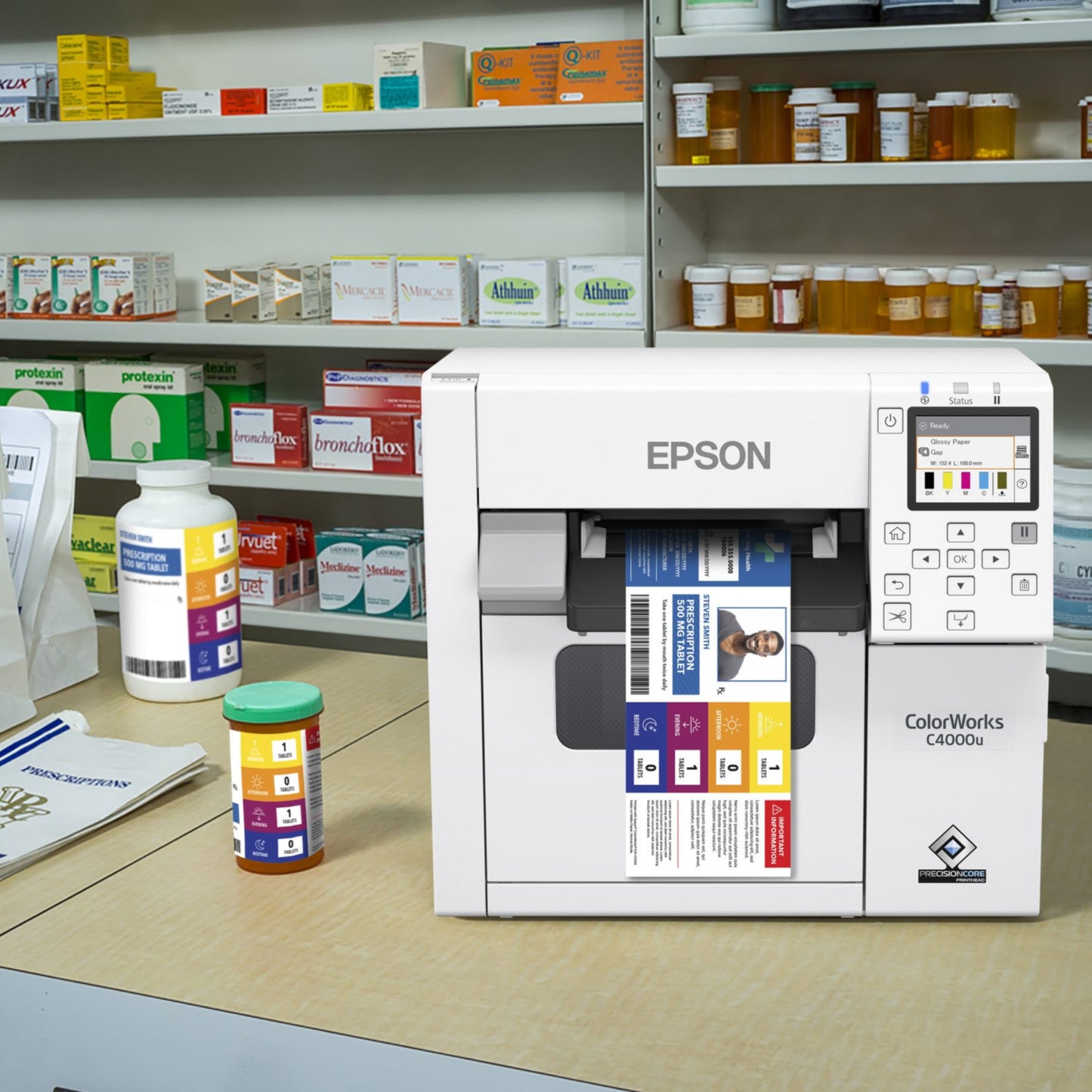
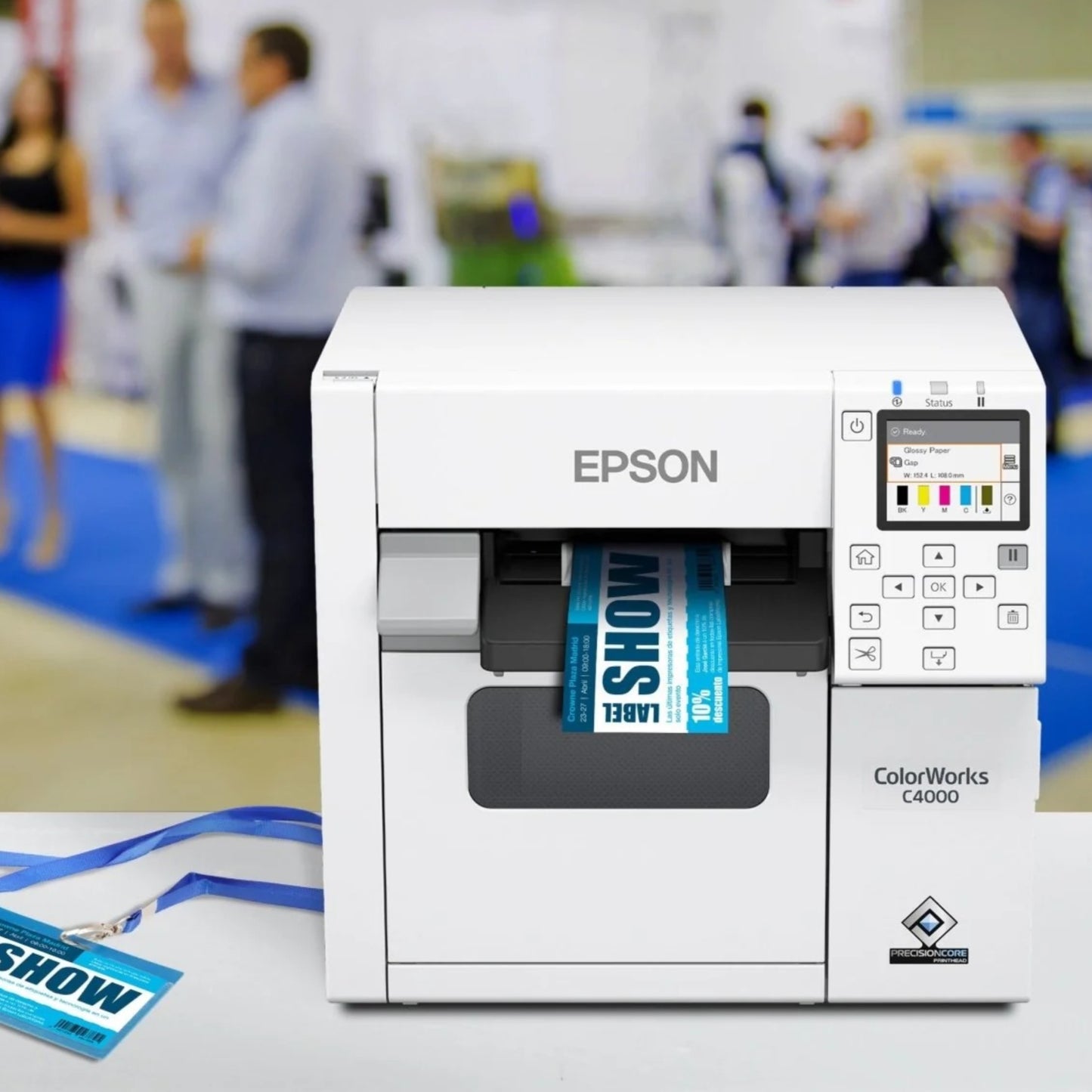
The Epson CW-C4030 may be considered for:
- Product labels
- Food and beverage labels
- Packaging labels
- Shelf labels
- Pharmaceutical and healthcare identification
- Chemical labels
- Visitor badges
- Identification labels
- Inventory labels
- Promotional labels
- Variable-data labels
- Small-batch product labels
- Manufacturing identification
- Retail labelling
Suitability depends on the label media, environment, regulatory requirements and application software.
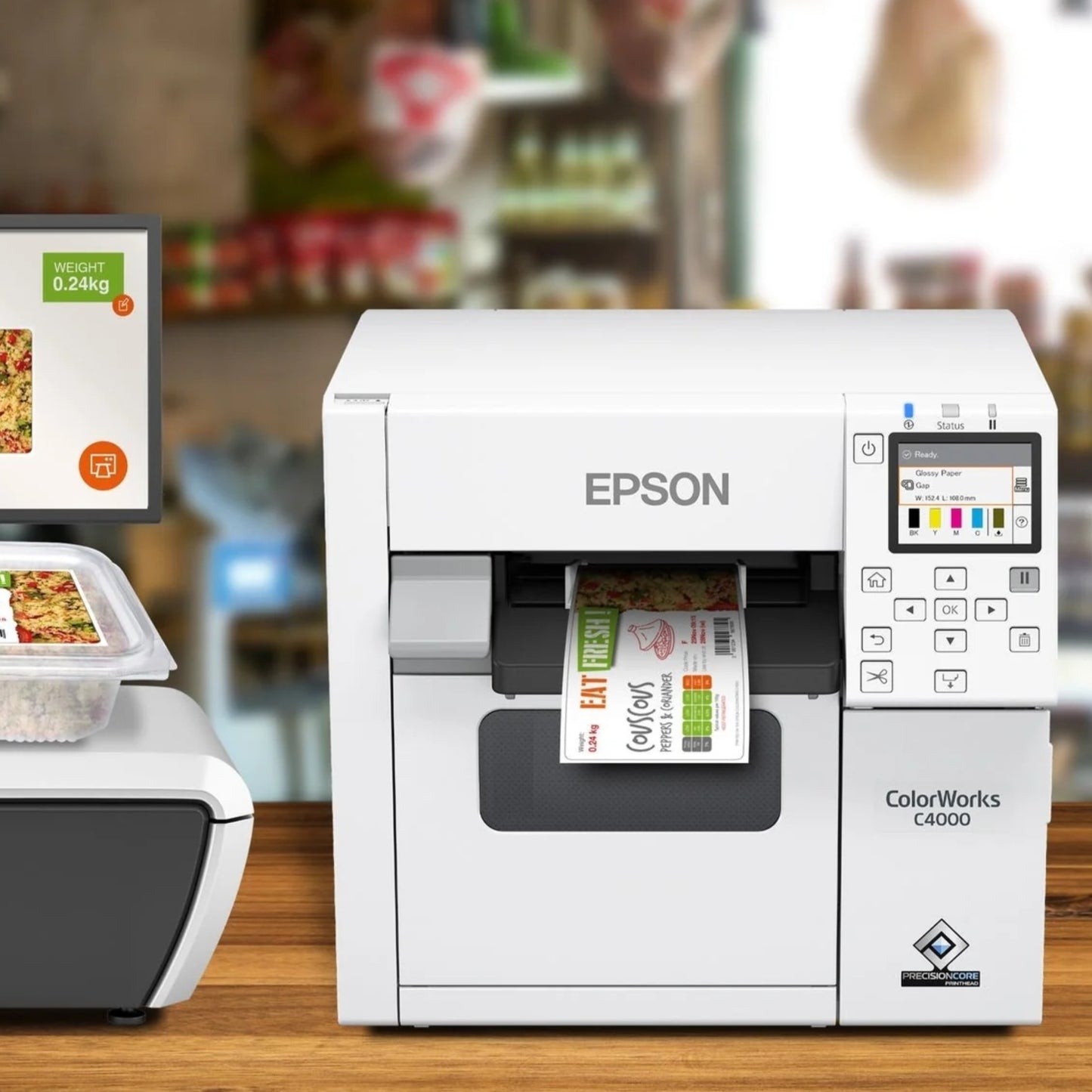
Food and Beverage Labelling
Colour label printing can be useful for food-related applications involving:
- Product identification
- Branding
- Ingredients
- Nutritional information
- Variant identification
- Batch-related information
Organizations remain responsible for ensuring that required regulatory information, media and ink suitability meet the requirements of their particular product and jurisdiction.
Chemical and Industrial Labelling
Colour can help distinguish warnings, product categories or other information on industrial labels.
For chemical or regulated labels, customers should verify the complete requirements for:
- Label substrate
- Adhesive
- Ink durability
- Chemical resistance
- Environmental exposure
- Required label dimensions
- Regulatory standards
The printer alone does not establish regulatory compliance.
Technical Specifications
Brand: Epson
Product Family: ColorWorks C4000 Series
Model: CW-C4030
Product Type: Desktop Colour Label Printer
Printing Technology: Epson PrecisionCore™
Ink Technology: Pigment Ink
Ink Configuration: Four Individual Colour Cartridges
Colours: Black, Cyan, Magenta, Yellow
CW-C4030 Ink Family: Epson SJIC44P Series
Black Ink Options: Gloss Black or Matte Black, depending on exact configuration
Maximum Print Resolution: 1200 × 1200 dpi
Maximum Printing Width: 108 mm
Maximum Published Speed: Up to 100 mm/sec at specified 300 × 600 dpi conditions
Print Languages: ESC/Label, ZPL II Emulation
Media Feed: Roll / Fanfold
Media Types: Continuous, Die-Cut and Black-Mark Media
Maximum Roll Outside Diameter: 4 Inches
Auto Cutter: Included
Display: 2.7-Inch LCD within the C4000 platform
Power Supply: External
Approximate Printing Power Consumption: 28 W
Approximate Standby Power Consumption: 3 W
Operating Temperature: 5°C to 35°C
Operating Humidity: 20% to 80% RH
C4000 Platform Dimensions: Approximately 310 × 285 × 283 mm
Specifications can vary by regional C4000 model and exact configuration.
Consumables
For the CW-C4030, Epson's technical documentation identifies the SJIC44P series of individual pigment ink cartridges.
The appropriate cartridges include:
- Black — exact BK or MK version according to printer configuration
- Cyan
- Magenta
- Yellow
The printer also uses a maintenance box as part of its ink-management system.
Always confirm the complete consumable part number against the exact printer before ordering.
Things to Verify Before Ordering
Exact Model: CW-C4030
Regional Product Configuration
Gloss Black or Matte Black Version
Required Label Width
Required Label Length
Roll or Fanfold Media
Die-Cut or Continuous Media
Label Surface / Inkjet Compatibility
Required Adhesive
Required Print Resolution
Expected Daily / Monthly Print Volume
Required Colour Accuracy
Barcode Requirements
Application Software
Driver Compatibility
ESC/Label or ZPL II Workflow
Connectivity Requirements
Required Consumables
SJIC44P Ink Compatibility
Maintenance Box Requirement
Exact Package Contents
Current Availability and Lead Time
Who Should Consider the CW-C4030?
The Epson CW-C4030 may be appropriate for organizations that:
- Need colour labels on demand
- Produce multiple label designs
- Require variable information
- Want text, graphics and barcodes on the same label
- Produce small-to-medium batches
- Need a compact desktop colour label printer
- Require up to approximately 4-inch printing width
- Need roll or fanfold label support
Who May Need Another Solution?
Another printer may be more appropriate where:
- Only monochrome barcode labels are required
- Very high-volume continuous production is required
- Labels are substantially wider than the C4000 platform supports
- Industrial environmental requirements exceed the desktop printer's intended use
- A peel-and-present workflow is mandatory
- Extremely high production speed is the primary requirement
- A larger ColorWorks industrial platform is required
The appropriate printer should be selected according to the complete workflow rather than colour capability alone.
Building a Complete Colour Label Printing Solution
A practical installation may include:
Label Design / Business Software
Epson ColorWorks CW-C4030
Correct Epson Ink Cartridges
Maintenance Box
Compatible Inkjet Label Media
Correct Label Adhesive for the Application
Barcode Verification, Where Required
The label material is just as important as the printer when planning a reliable colour-label workflow.
FAQ - Epson ColorWorks CW-C4030
Q: Is the Epson CW-C4030 a colour label printer?
A: Yes. It is part of Epson's ColorWorks C4000 family of desktop on-demand colour label printers.
Q: What is the maximum print resolution?
A: The C4000 platform supports up to 1200 × 1200 dpi, with other resolution settings available depending on the required speed and print quality.
Q: What is the maximum printing width?
A: Epson specifies a maximum printing width of 108 mm for the C4000 platform.
Q: Does the CW-C4030 use individual ink cartridges?
A: Yes. It uses individual pigment cartridges for black, cyan, magenta and yellow. Epson identifies the SJIC44P ink family for the CW-C4030.
Q: Does it support both matte black and gloss black ink?
A: The C4000 platform is available in different black-ink configurations. The exact CW-C4030 version should be checked before ordering the printer or replacement black ink.
Q: Does it have an automatic cutter?
A: Yes. An auto cutter is included in the C4000 platform specification.
Q: Can it print die-cut labels?
A: Yes. The supported media types include die-cut, continuous and applicable black-mark media.
Q: Can it print fanfold labels?
A: Yes. Epson specifies both roll and fanfold media support.
Q: Does it support ZPL?
A: The C4000 platform supports ZPL II emulation. Existing ZPL workflows should still be tested because emulation does not guarantee identical behaviour with every template or application.
Related Products
Epson ColorWorks C4000 Series
Epson ColorWorks CW-C4000e
Epson ColorWorks C6000 Series
Epson ColorWorks C6500 Series
Epson ColorWorks Ink Cartridges
Epson ColorWorks Maintenance Boxes
Inkjet Colour Label Media
Helpful Internal Links
NEOTECH® UAE
Why NEOTECH® UAE?
NEOTECH® encourages customers to evaluate a colour label printer as part of a complete printing system rather than choosing only by print resolution or speed.
For the Epson CW-C4030, important considerations include the exact regional model, gloss or matte black configuration, label material, label dimensions, adhesive, expected print volume, application software and correct SJIC44P consumables.
Testing the intended label material and design before a larger deployment can help establish whether the complete combination is suitable.
Learn First. Decide Second. Buy Only If It Is Right for Your Needs.
The NEOTECH® Learning Center is free and open to everyone. You do not need to be a NEOTECH® customer to access or benefit from our educational content. Learn at your own pace, explore the information freely, and make informed decisions based on your own needs. There is no obligation or pressure to purchase from NEOTECH®.
There is no obligation or pressure to purchase. Customers are encouraged to verify the exact Epson model, black-ink configuration, label dimensions, media surface, adhesive, software, consumables and complete printing requirements before ordering.
Delivery – UAE
NEOTECH® supports product requirements within the United Arab Emirates.
Exact CW-C4030 configuration, consumables, media requirements, quantity, availability and lead time should be confirmed before ordering.
Contact NEOTECH® UAE
Website: https://www.neotech.ae/
Email: support@neotech.ae
Address: Store 13, Computer Bldg, Al Fahidi, Bur Dubai, Dubai 44245, United Arab Emirates
Disclaimer - NEOTECH® UAE
Epson, ColorWorks, PrecisionCore and associated product names are trademarks or product identifiers of Seiko Epson Corporation and their respective owners.
Product information is provided for educational, product-identification and procurement-support purposes. Specifications, regional configurations, interfaces, consumables and package contents can vary.
Customers should verify the exact CW-C4030 configuration, compatible SJIC44P consumables, black-ink version and intended label media before ordering. Suitability for regulated food, healthcare, pharmaceutical, chemical or other specialized labelling applications depends on the complete media, ink, software, label design and applicable requirements.
Last Updated: 02 September 2026 (GST, UTC+4)