Generic (OEM)
Barcode Printer Platen Roller Replacement | NEOTECH® UAE
Barcode Printer Platen Roller Replacement | NEOTECH® UAE
Couldn't load pickup availability
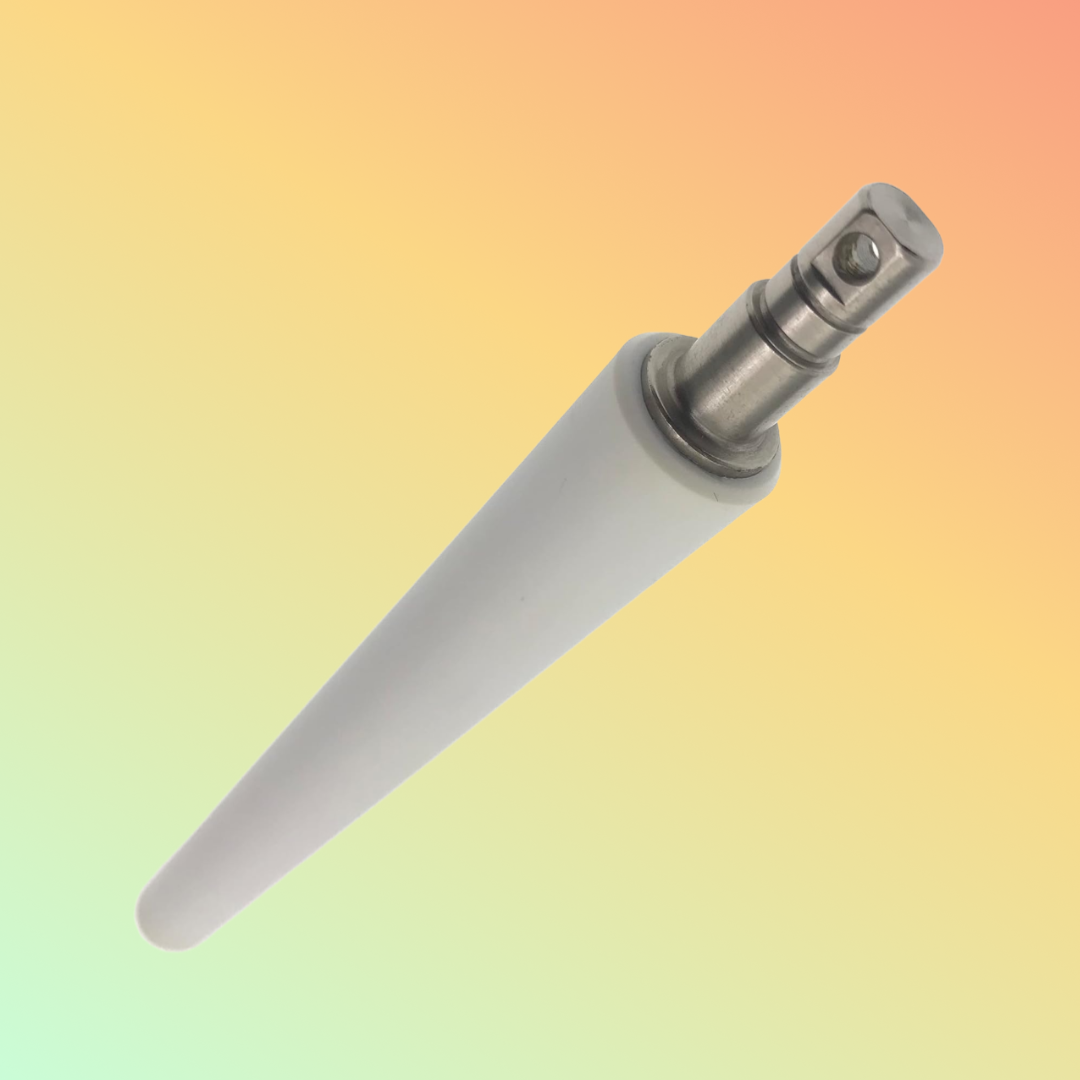
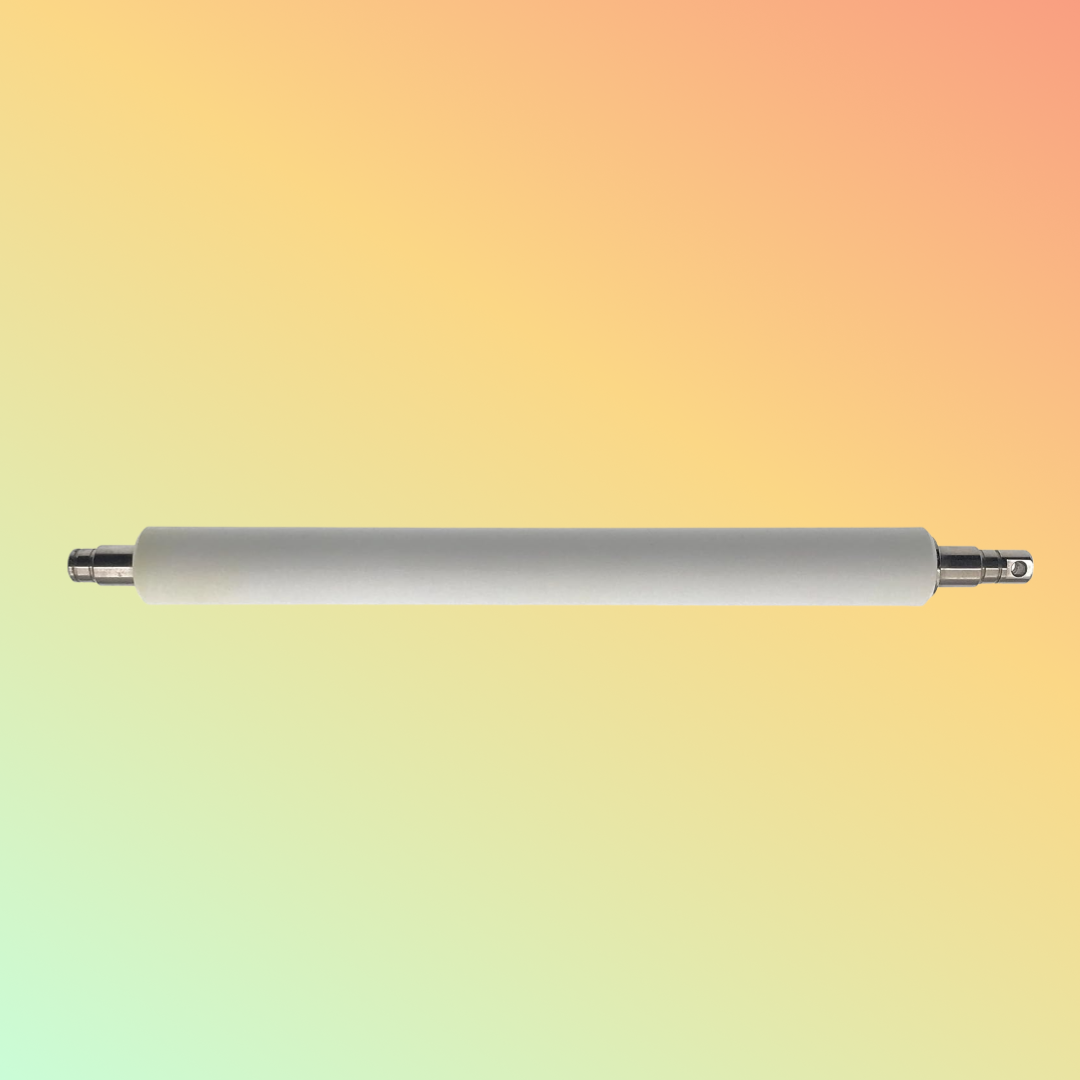
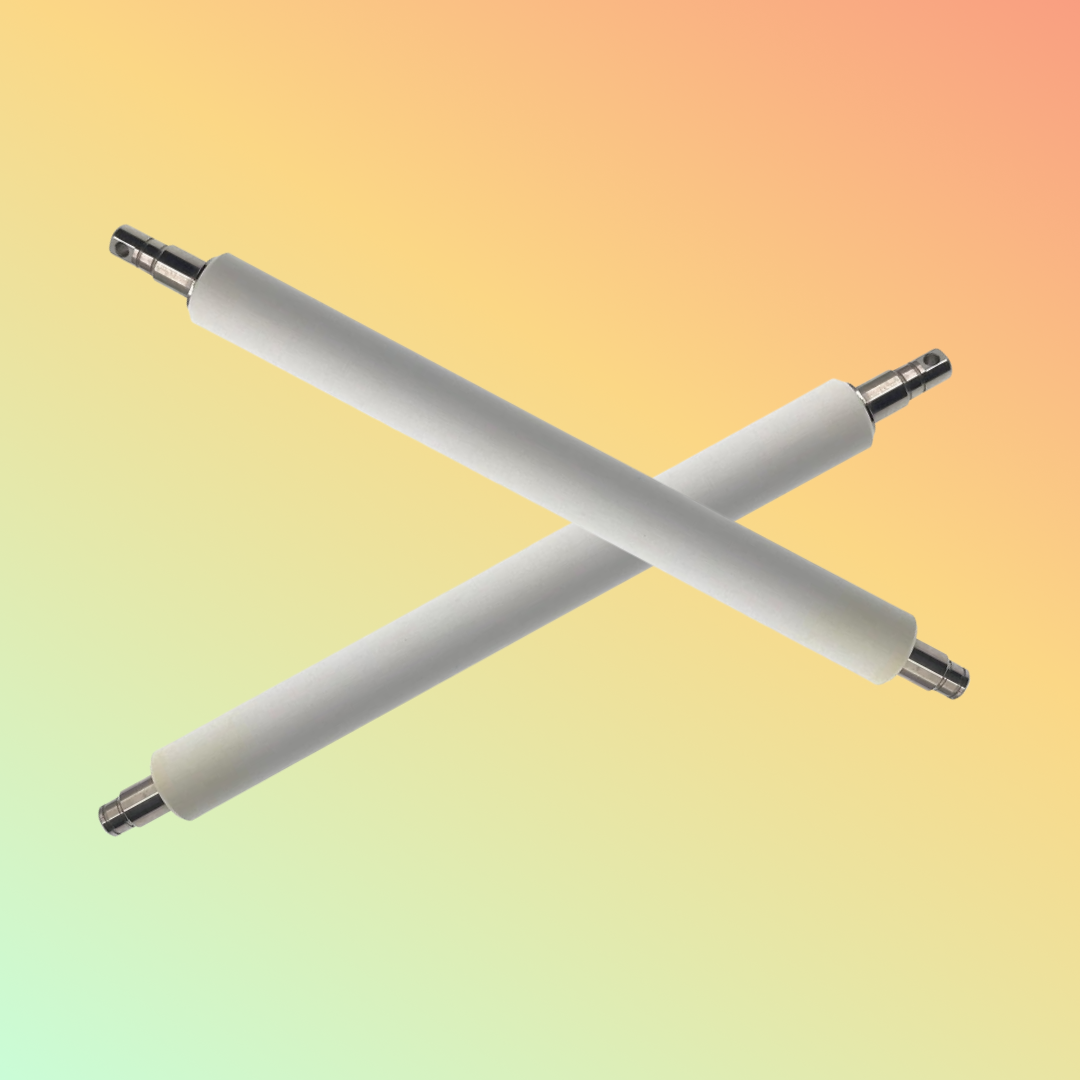
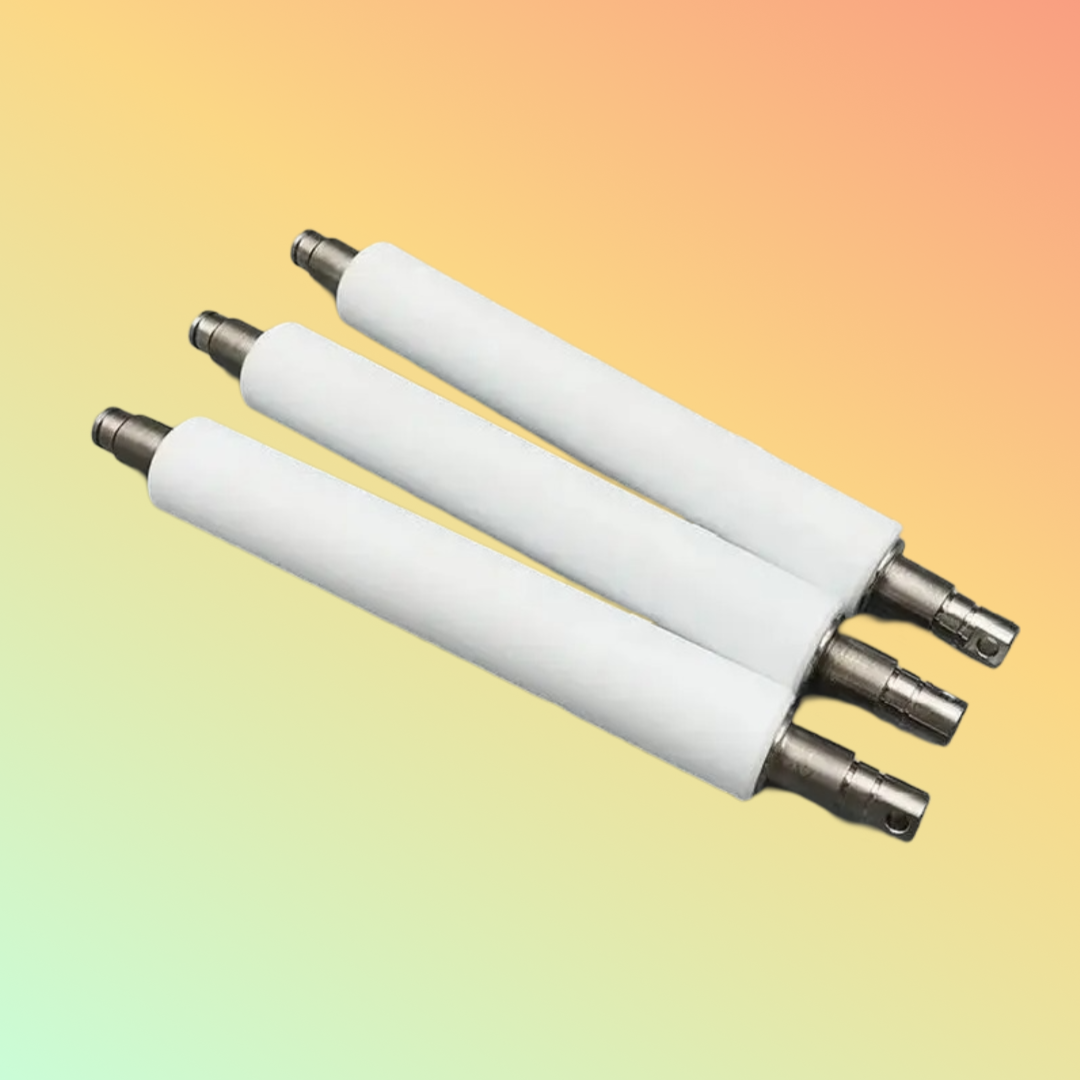
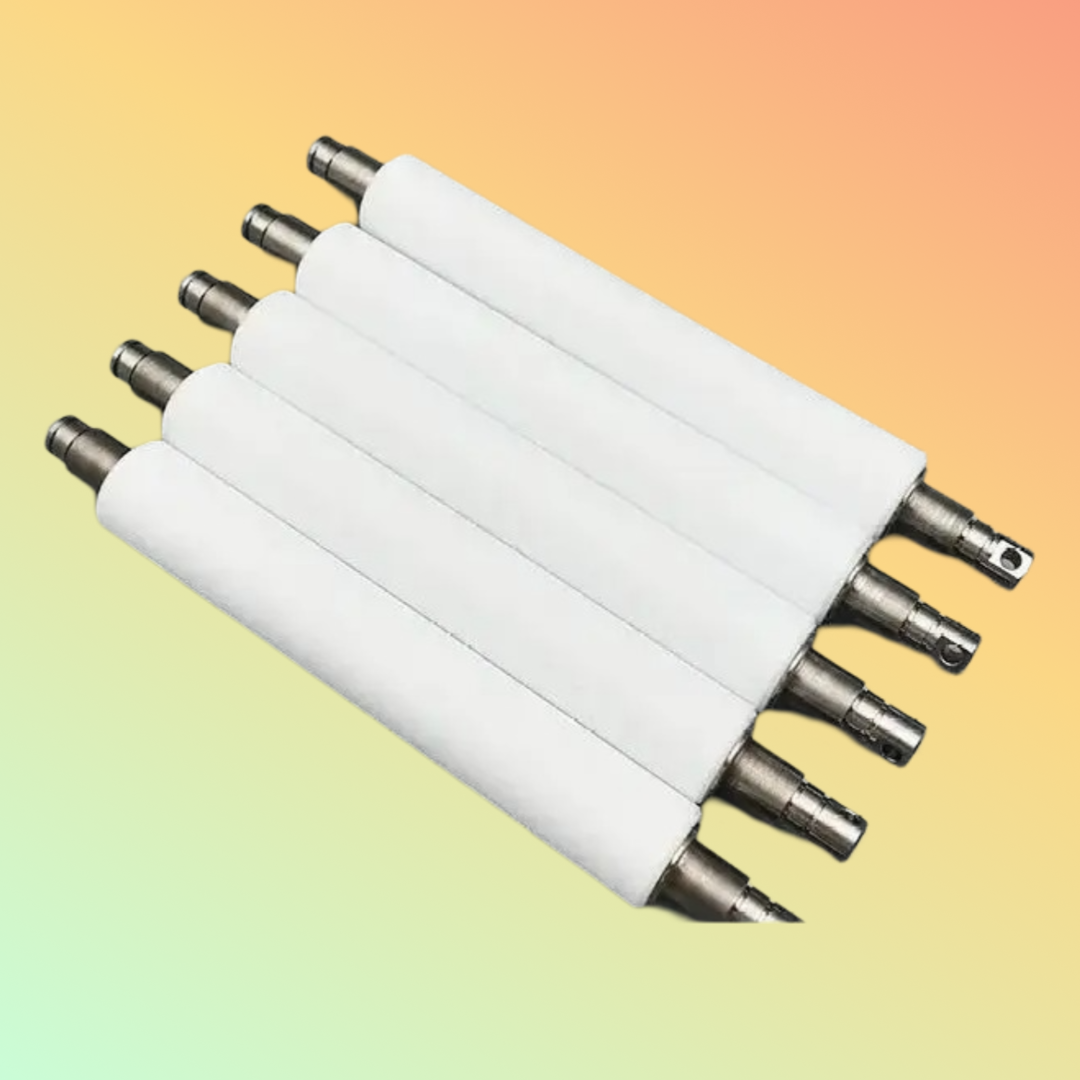
Replacement platen rollers for compatible thermal barcode and label printers. Verify the exact printer model, part number, print width and roller configuration before ordering.
A barcode printer platen roller is an important component within a thermal label printer. It supports the media as it passes beneath the printhead and helps maintain consistent contact between the label or liner and the thermal printing mechanism.
Over time, a platen roller can become worn, hardened, glazed, contaminated, cracked or physically damaged. These conditions may contribute to media-feeding problems, uneven printing or reduced print quality.
Replacement platen rollers are available for selected thermal barcode and label printers from manufacturers such as Zebra, Honeywell, Intermec, Godex, Argox, TSC, Datamax and others.
However, platen rollers are not universal parts.
The exact replacement must be matched to the printer model, print width, printer generation and applicable manufacturer part number before ordering.
Key Features
- Replacement platen roller for compatible barcode and label printers
- Available for selected desktop, industrial and commercial thermal printers
- Supports smooth media movement through the printing mechanism
- Helps maintain proper contact between media and printhead
- Available in different widths, diameters and mechanical configurations
- Suitable for compatible direct thermal and thermal-transfer printers
- Replacement option for worn or physically damaged platen rollers
- Exact printer compatibility must be confirmed before ordering
- Manufacturer and third-party replacement options may vary by model
- Individual part numbers may be available for specific printer families
What Is a Platen Roller?
The platen roller is normally positioned beneath the thermal printhead.
During printing, the label or receipt media passes between:
Thermal Printhead
↓
Label / Media
↓
Platen Roller
The platen roller helps move the media through the printer while maintaining suitable contact between the media and printhead.
Its condition can therefore influence:
- Media feeding
- Print consistency
- Label movement
- Print alignment
- Barcode quality
- Print density
- Overall printer operation
Why Exact Compatibility Matters
A platen roller should not be selected simply because it is described as a:
“Zebra platen roller”
or
“Honeywell platen roller.”
Manufacturers produce many printer families with different:
- Print widths
- Roller diameters
- Shaft designs
- Bearings
- Gears
- Mounting arrangements
- Printer generations
- DPI configurations
- Media paths
Two rollers may appear similar but still be mechanically incompatible.
For this reason, NEOTECH® recommends identifying the exact printer model and replacement part number whenever possible.
Compatible Printer Brands
Replacement platen rollers may be available for selected models from brands including:
- Zebra
- Honeywell
- Intermec
- Godex
- Argox
- TSC
- Datamax
- SATO
- Bixolon
- Citizen
- Other thermal printer manufacturers
This does not mean one platen roller fits all of these brands.
Each replacement must be selected specifically for the required printer.
Zebra Printer Platen Rollers
Zebra manufactures many desktop, mid-range and industrial thermal label printers.
Different Zebra families can require different platen rollers.
Examples of printer families that may use model-specific platen rollers include:
- ZD Series
- GK / GX Series
- ZT Series
- ZM Series
- 105SL Series
- Other Zebra thermal printers
The exact Zebra printer model and platen roller part number should be confirmed before ordering.
Honeywell / Intermec Platen Rollers
Honeywell and legacy Intermec industrial printers can also require model-specific platen roller assemblies.
Compatibility may depend on:
- Printer model
- Print width
- Printer generation
- Resolution
- Media configuration
Customers maintaining older Intermec equipment should provide the complete printer identification information where possible.
Godex Platen Rollers
Godex desktop and industrial thermal printers use different platen roller designs depending on model.
Customers should provide:
- Exact Godex model
- Printer resolution
- Existing roller dimensions where required
- Existing part number where available
Do not select a Godex roller only from appearance.
Argox Platen Rollers
Argox printers can also require different roller assemblies according to the printer series.
The exact model should be confirmed before procurement.
TSC Platen Rollers
TSC manufactures multiple desktop and industrial printer families.
A roller from one TSC series should not automatically be assumed compatible with another.
Verify the printer model and correct spare-part reference.
Datamax Platen Rollers
Legacy Datamax and Honeywell Datamax printers may require specific platen rollers depending on the printer family and configuration.
Customers maintaining older Datamax printers should provide the exact model and existing spare-part information whenever possible.
Signs of a Worn Platen Roller
Possible signs that a platen roller requires inspection include:
- Labels slipping during printing
- Uneven media movement
- Repeated feeding problems
- Wrinkling or skewing
- Uneven print density
- Print becoming lighter in specific areas
- Inconsistent barcode output
- Visible flat spots
- Cracks in the roller surface
- Hardened or polished roller surface
- Adhesive contamination
- Physical cuts or grooves
- Media failing to advance correctly
These symptoms do not automatically confirm that the platen roller is defective.
Other printer components should also be checked.
Poor Print Quality Does Not Always Mean the Roller Is Faulty
Before replacing the platen roller, inspect other possible causes including:
- Dirty thermal printhead
- Worn printhead
- Incorrect printhead pressure
- Unsuitable labels
- Incorrect ribbon
- Ribbon and label incompatibility
- Print darkness setting
- Excessive print speed
- Media sensor problems
- Printer calibration
- Label adhesive contamination
- Drive-system problems
- Incorrect media loading
Correct diagnosis can prevent unnecessary replacement of a functioning component.
Platen Roller and Printhead Relationship
The printhead and platen roller work together during thermal printing.
The printhead generates controlled heat while the platen roller supports and moves the media beneath it.
Damage or contamination on either component may affect the printed result.
When troubleshooting recurring print-quality problems, it can be useful to inspect both:
Printhead condition
and
Platen roller condition
rather than replacing one component automatically.
Direct Thermal Printing
In direct thermal printing:
Printhead
↓
Heat-sensitive label material
↓
Platen roller
No thermal-transfer ribbon is normally required.
The roller still plays an important role in media movement and contact through the printing mechanism.
Thermal Transfer Printing
In thermal-transfer printing:
Printhead
↓
Thermal-transfer ribbon
↓
Label material
↓
Platen roller
Heat from the printhead transfers the ribbon material onto the label.
The condition of the printhead, ribbon, labels and platen roller can all influence final print quality.
Platen Roller Material
Thermal-printer platen rollers commonly use an elastomer or rubber-like surface around a shaft or roller assembly.
Exact materials, hardness and construction can vary by manufacturer and printer model.
NEOTECH® does not recommend selecting a replacement solely according to:
- Color
- Diameter
- Length
- Visual appearance
Mechanical and material compatibility should be confirmed against the exact printer.
Installation Considerations
Platen roller replacement procedures differ between printer models.
A general process may involve:
- Power off the printer.
- Disconnect power where appropriate.
- Open the printer.
- Remove labels and ribbon where required.
- Locate the existing platen roller.
- Release the applicable retaining mechanism.
- Remove the roller carefully.
- Compare the replacement with the original part.
- Install the correctly matched replacement.
- Confirm the roller rotates correctly.
- Reload media and ribbon.
- Power on the printer.
- Calibrate the media if required.
- Perform a test print.
- Check label feeding and barcode quality.
This is general guidance only.
Always follow the applicable manufacturer procedure for the exact printer model.
Cleaning a Platen Roller
Some feeding or print-quality problems may be caused by contamination rather than physical roller damage.
Possible contaminants include:
- Label adhesive
- Dust
- Paper residue
- Ribbon residue
- Dirt
- Media coating
Use only cleaning materials and methods appropriate for the exact printer and roller.
Avoid sharp objects or aggressive chemicals that may damage the roller surface.
When Should a Platen Roller Be Replaced?
There is no single replacement interval applicable to every barcode printer.
Replacement may be appropriate when:
- The roller is physically damaged
- Surface cracking is visible
- Flat spots have developed
- The roller has become excessively hardened
- Deep cuts or grooves are present
- Media feeding remains inconsistent after cleaning
- The manufacturer recommends replacement
- Correct troubleshooting identifies the roller as the cause
Replacement should be based on condition and printer performance rather than an arbitrary schedule.
Technical Specifications
Product Type: Barcode Printer Platen Roller / Replacement Roller
Application: Thermal Barcode and Label Printers
Printer Technology: Direct Thermal / Thermal Transfer depending on printer
Brand Compatibility: Model-specific
Print Width Compatibility: Depends on printer model
Roller Diameter: Depends on printer model
Roller Length: Depends on printer model
Shaft Configuration: Depends on printer model
Material: Depends on manufacturer and replacement specification
Part Number: Model-specific
Installation: Printer maintenance replacement component
Product Condition: Confirm before ordering
Applications
Replacement platen rollers may be required in printers used for:
- Barcode labels
- Shipping labels
- Inventory labels
- Product labels
- Asset labels
- Healthcare labels
- Manufacturing labels
- Logistics labels
- Retail labels
- Warehouse labels
- Serial-number labels
- Identification labels
Industries
Thermal printers using platen rollers are commonly found in:
- Warehousing
- Logistics
- Manufacturing
- Retail
- Healthcare operations
- Distribution
- Transportation
- E-commerce fulfillment
- Inventory management
- Supply chain
- Food distribution
- Asset management
The correct platen roller is determined by the printer, not by the industry.
Purpose of Use
A replacement platen roller is intended to replace a worn, damaged or unsuitable existing roller in a compatible thermal barcode or label printer.
The objective is to restore the correct mechanical media path when the platen roller has been identified as requiring replacement.
A new platen roller should not be treated as a guaranteed solution to every feeding or print-quality problem.
Compatibility
Before ordering, provide as much of the following information as possible:
Printer Brand
Exact Printer Model
Printer Part / Configuration Number
Printer Resolution
Existing Platen Roller Part Number
Printer Serial Number where useful
Print Width
Photograph of Printer Identification Label
Photograph of Existing Roller where necessary
This information can help identify the appropriate replacement.
How to Identify the Correct Platen Roller
The most useful identification sequence is:
1. Printer manufacturer
2. Exact printer model
3. Exact platen roller part number
4. Printer configuration / resolution
5. Existing roller information
Where the part number is unknown, a clear photograph of the printer identification label can assist with compatibility review.
Things to Verify Before Ordering
Printer Manufacturer
Exact Printer Model
Printer Resolution / DPI
Existing Platen Roller Part Number
Print Width
Roller Dimensions where required
Shaft / Gear Configuration
Printer Generation
Direct Thermal / Thermal Transfer Configuration
Current Printer Fault
Printhead Condition
Media Type
Ribbon Type where applicable
Required Product Condition
Required Quantity
Current Availability
Do not order solely from the description “Platen Roller for Barcode Printers.”
Who Should Consider a Replacement Platen Roller?
A replacement may be appropriate where:
- The existing roller is visibly damaged
- The roller has flat spots
- The surface has become cracked
- Media movement is inconsistent
- Adhesive damage cannot be properly corrected
- Correct troubleshooting identifies the roller
- The printer remains economically worthwhile to maintain
- The correct replacement part has been identified
Who May Not Need a New Platen Roller?
A new platen roller may not be necessary where:
- The roller only requires cleaning
- The printhead is actually damaged
- The label stock is unsuitable
- The ribbon is incorrect
- Printer calibration is wrong
- Media sensors are causing the problem
- Printhead pressure is incorrectly configured
- Drive components are damaged
- Another printer component is responsible for media feeding
Proper troubleshooting should come before replacement.
Building a Complete Thermal Printing System
Reliable thermal label printing depends on several components working together:
Barcode / Label Software
↓
Thermal Printer
↓
Correct Printhead
↓
Compatible Ribbon where required
↓
Compatible Label Material
↓
Platen Roller
↓
Correct Printer Settings
↓
Readable Printed Label
A fault in any part of this chain can affect print quality or media feeding.
FAQ - Barcode Printer Platen Roller
Q: What is a barcode printer platen roller?
A: It is the roller positioned beneath the thermal printhead that supports and moves label media through a compatible thermal printer.
Q: Is a platen roller universal?
A: No. Platen rollers differ by printer model, width, diameter, shaft design and mechanical configuration.
Q: Can one platen roller fit Zebra, Honeywell, Godex and TSC printers?
A: No universal compatibility should be assumed. Replacement rollers are available for selected models from these manufacturers, but each roller must be matched to the exact printer.
Q: How do I identify the correct platen roller?
A: Start with the printer manufacturer, exact model and existing platen roller part number. Printer identification photographs can also help when the part number is unknown.
Q: Can a damaged platen roller affect print quality?
A: Yes. A worn or damaged roller can contribute to media-feeding and print-consistency problems. However, print quality can also be affected by the printhead, labels, ribbon and printer settings.
Q: Can a platen roller cause labels to slip?
A: A worn, contaminated or damaged roller may contribute to feeding problems, but other mechanical and media-related causes should also be checked.
Q: Should I replace the platen roller when replacing the printhead?
A: Not automatically. Inspect the roller condition and replace it when required or when recommended for the applicable maintenance procedure.
Q: How often should a platen roller be replaced?
A: There is no universal replacement interval. Usage, media, maintenance and operating conditions affect wear.
Q: Can I clean the platen roller instead of replacing it?
A: Cleaning may help when contamination is the issue. Physical damage, cracking, deep grooves, hardening or flat spots may require replacement.
Q: Are all replacement platen rollers original manufacturer parts?
A: No. Replacement parts may be manufacturer-branded or third-party compatible products. The exact manufacturer and product condition should be confirmed before ordering.
Q: Does installing a new platen roller guarantee better printing?
A: No. Correct print quality depends on the entire printing system, including printhead condition, media, ribbon, calibration and printer settings.
Related Products
Thermal Printer Printheads
Barcode Printer Spare Parts
Zebra Printer Platen Rollers
Honeywell Printer Platen Rollers
Godex Printer Platen Rollers
TSC Printer Platen Rollers
Argox Printer Platen Rollers
Thermal Transfer Ribbons
Barcode Labels
Direct Thermal Labels
Printhead Cleaning Supplies
Helpful Internal Links
NEOTECH® UAE
https://www.neotech.ae/
Why NEOTECH® UAE?
NEOTECH® encourages customers to identify the exact printer model and manufacturer part number before ordering replacement printer components.
For platen rollers, physical appearance alone is not a reliable way to determine compatibility.
When the correct part number is unknown, customers can provide the printer identification information for compatibility review before ordering.
Learn First. Decide Second. Buy Only If It Is Right for Your Needs.
The NEOTECH® Learning Center is free and open to everyone. You do not need to be a NEOTECH® customer to access or benefit from our educational content. Learn at your own pace, explore the information freely, and make informed decisions based on your own needs. There is no obligation or pressure to purchase from NEOTECH®.
There is no obligation or pressure to purchase. Customers are encouraged to verify the exact printer model, platen roller part number, print width, printer configuration and compatibility before ordering.
Delivery – UAE
NEOTECH® supports product requirements within the United Arab Emirates.
Availability depends on the exact printer model, platen roller part number, required product condition, quantity and sourcing availability.
Contact NEOTECH® UAE
Website: https://www.neotech.ae/
Email: support@neotech.ae
Address: Store 13, Computer Bldg, Al Fahidi, Bur Dubai, Dubai 44245, United Arab Emirates
Disclaimer - NEOTECH® UAE
Zebra, Honeywell, Intermec, Godex, Argox, TSC, Datamax, SATO, Bixolon, Citizen and associated product names are trademarks or product identifiers of their respective owners.
This page provides general educational, product-identification and procurement-support information for thermal barcode printer platen rollers. It does not represent that one universal platen roller is compatible with all manufacturers or printer models.
Compatibility, dimensions, material, shaft configuration, manufacturer, product condition, warranty and part number vary according to the exact replacement roller.
Customers should verify the printer model and correct platen roller part number before ordering. NEOTECH® does not describe a replacement part as genuine, original or manufacturer-authorized unless the supplied product and supporting sourcing documentation substantiate that description.
Last Updated: 31 August 2026 (GST, UTC+4)