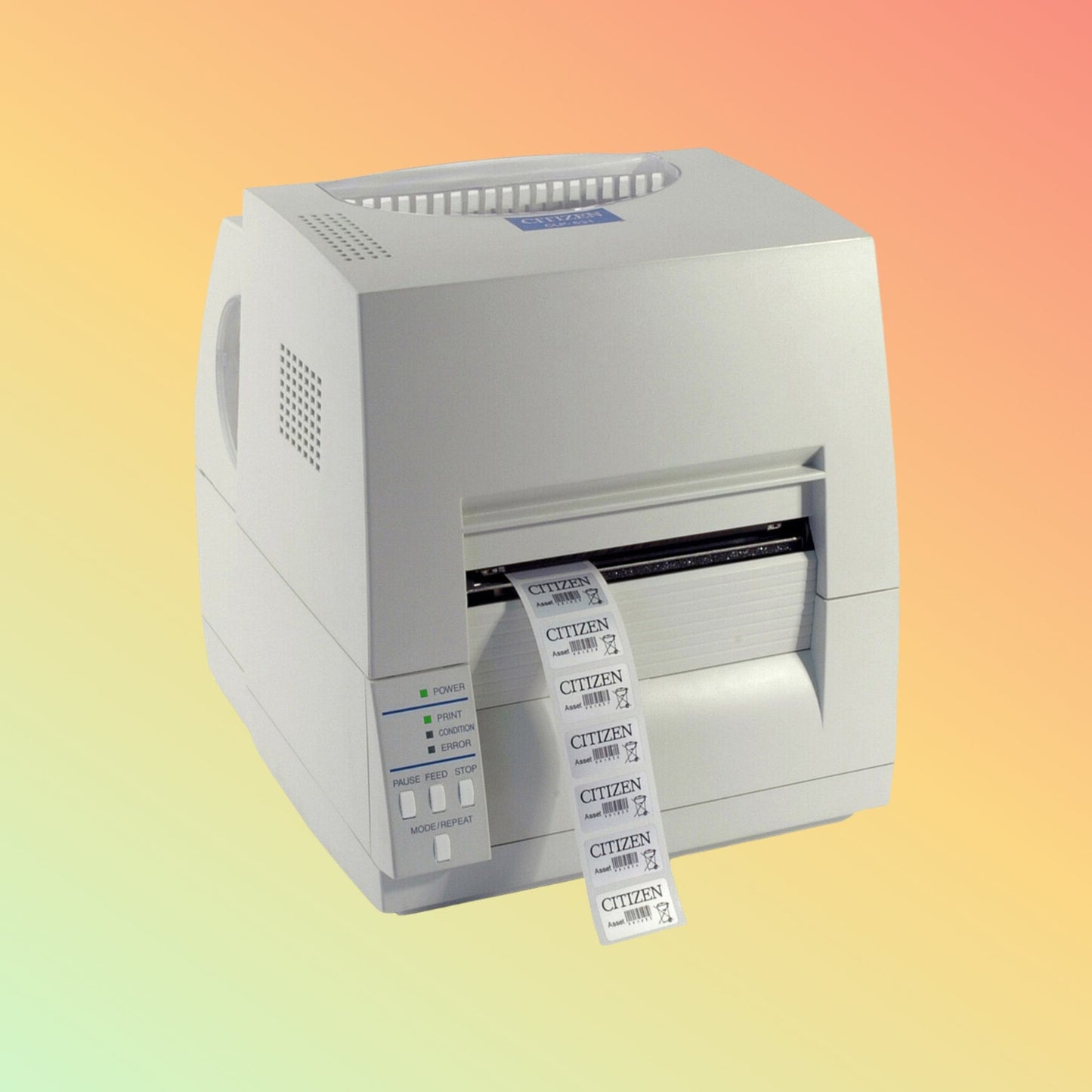
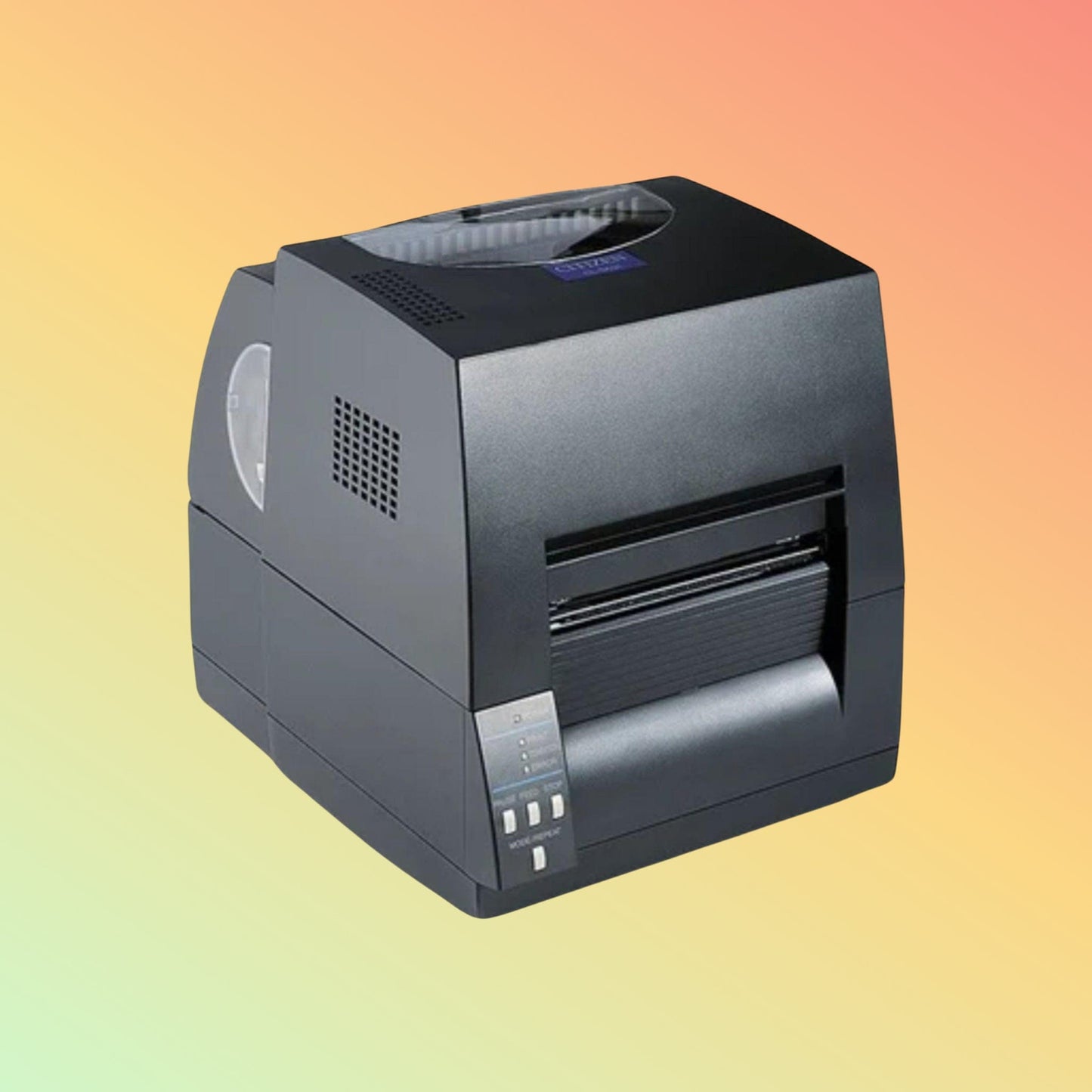
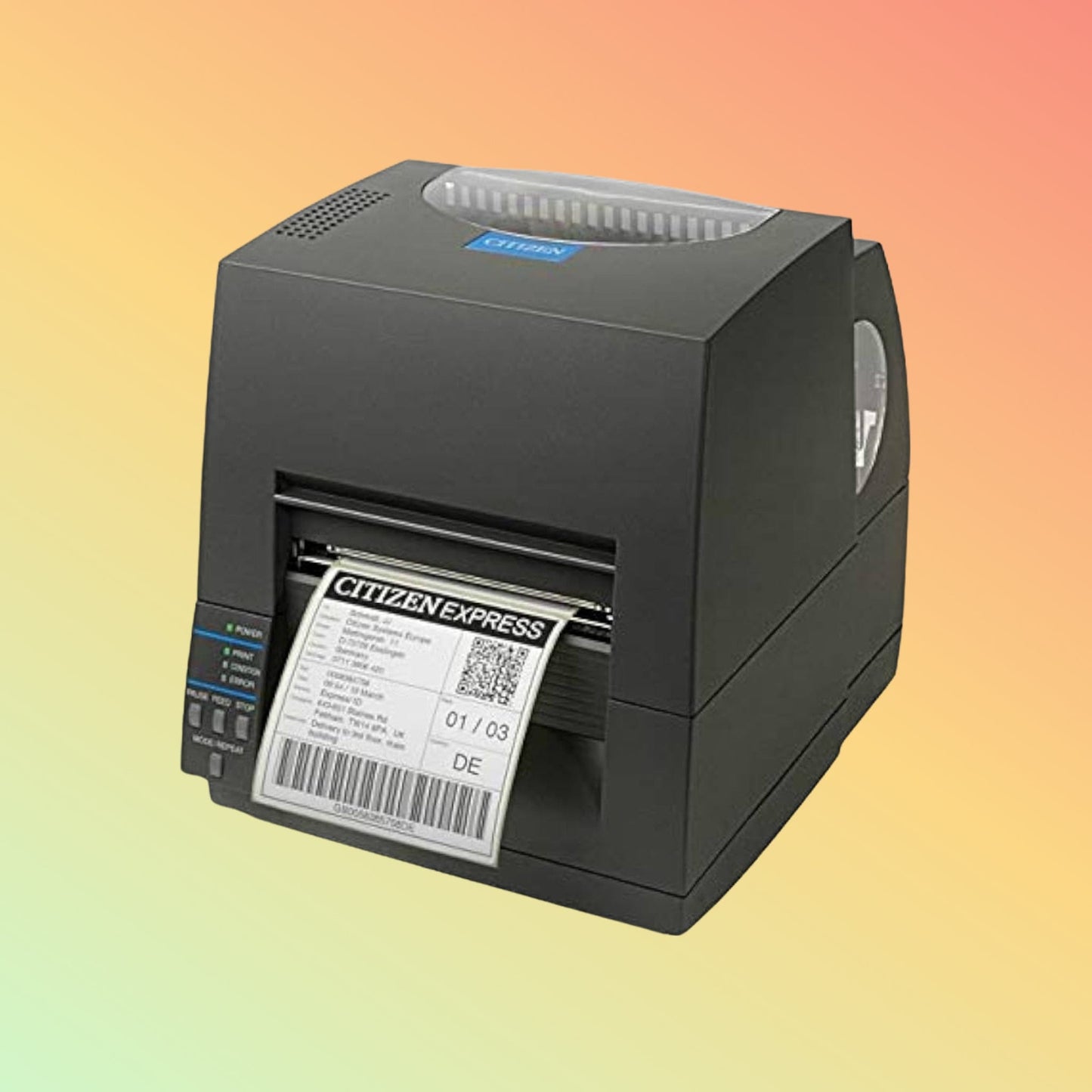
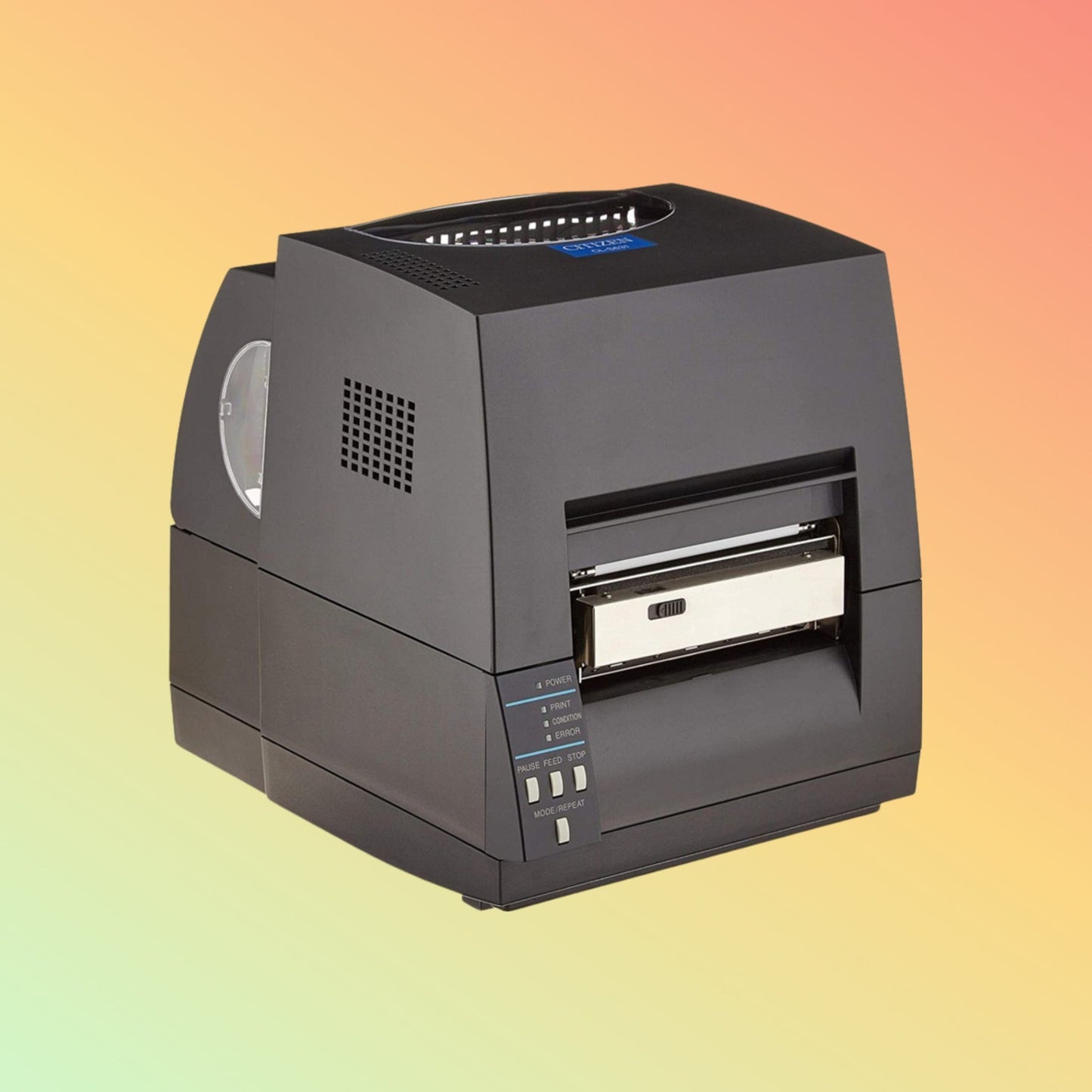
Citizen
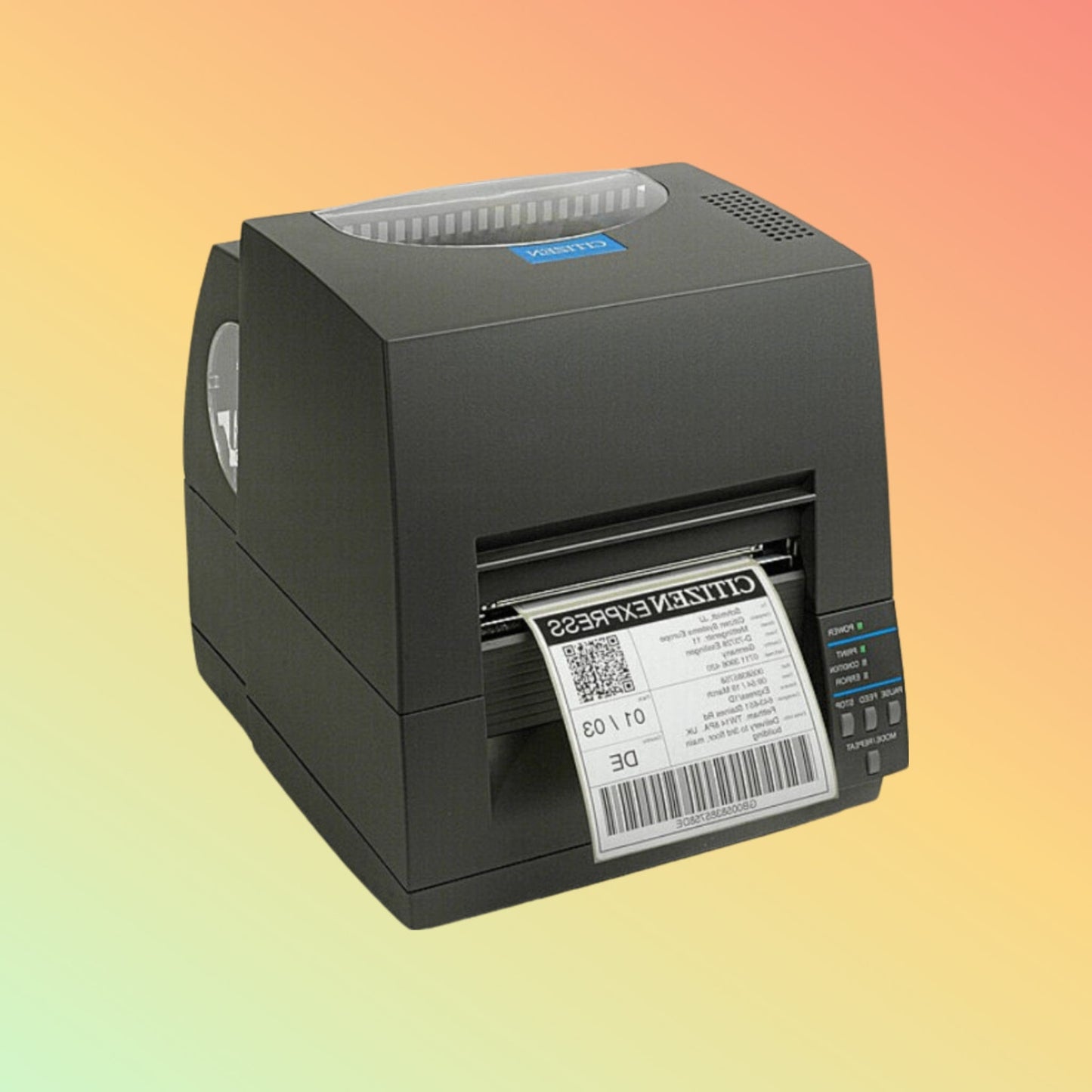
Citizen CL-S621II-EPUBK-C 203 dpi Thermal Transfer Label Printer with Ethernet & Cutter | NEOTECH® UAE
Citizen CL-S621II-EPUBK-C 203 dpi Thermal Transfer Label Printer with Ethernet & Cutter | NEOTECH® UAE
Couldn't load pickup availability
Professional 4-Inch Direct Thermal & Thermal Transfer Barcode Printer with 203 dpi, Premium Ethernet, USB, Serial Connectivity, Factory-Configured Cutter and Up to 360 m Ribbon Capacity
Brand: Citizen
Model: CL-S621II
SKU / MPN: CL-S621II-EPUBK-C
Configuration: 203 dpi, Premium Ethernet, Cutter, Grey/Black
Product Overview
The Citizen CL-S621II-EPUBK-C is a specific network-enabled and cutter-equipped configuration of the Citizen CL-S621II professional desktop barcode label printer.
This configuration combines 203 dpi resolution, direct thermal and thermal transfer printing, Premium Ethernet networking and an integrated cutter, making it particularly suitable for businesses that need a network-connected label printer capable of automatically separating printed media.
The CL-S621II platform delivers printing speeds up to 150 mm/s / 6 inches per second, a maximum 104 mm / 4-inch print width, support for media up to approximately 118 mm wide, and thermal-transfer ribbons up to 360 metres long.
Citizen's Hi-Lift™ metal mechanism, ARCP™ automatic ribbon tensioning system, Hi-Open™ case and Cross-Emulation™ architecture provide a robust desktop platform for retail, warehouse, logistics, manufacturing and general barcode-labeling environments.
The important distinction with this SKU is configuration:
CL-S621II-EPUBK-C = 203 dpi + Premium Ethernet + Cutter
It should therefore be treated separately from the standard USB/serial CL-S621II configuration when customers specifically require network connectivity and automatic media cutting.
Professional Highlights
- Citizen CL-S621II professional desktop label printer
- Exact SKU / MPN: CL-S621II-EPUBK-C
- 203 dpi / 8 dots per mm
- Direct thermal printing
- Thermal transfer printing
- Up to 150 mm/s / 6 ips
- Maximum print width 104 mm / 4 inches
- Media width approximately 12.5–118 mm
- Premium Ethernet configuration
- USB connectivity
- Serial connectivity
- Cutter-equipped configuration
- Guillotine-type cutter platform
- Up to 360 m thermal-transfer ribbons
- Inside- or outside-wound ribbon support
- Wax, wax/resin and resin ribbon support
- ARCP™ automatic ribbon tension adjustment
- Hi-Lift™ all-metal print mechanism
- Hi-Open™ vertically opening case
- Front media exit
- Internal power supply
- Adjustable gap sensor
- Notch detection
- Reflective black-mark detection
- Citizen Cross-Emulation™
- Zebra® ZPL2® emulation
- Datamax® DMX emulation
- Eltron® EPL2® support
- Suitable for roll and applicable fanfold labeling workflows
- Windows driver support
- macOS CUPS driver available
- Linux CUPS driver available
Exact Configuration - CL-S621II-EPUBK-C
This page is specifically for:
Citizen CL-S621II-EPUBK-C
This configuration is identified as:
CL-S621II Type II, Direct Thermal & Thermal Transfer, 203 dpi, Premium LAN / Ethernet, Cutter, Grey/Black
This distinction is important because Citizen CL-S621II printers are available in several interface and accessory configurations.
Do not assume that another CL-S621II part number includes the same Ethernet and cutter configuration.
Premium Ethernet Connectivity
The CL-S621II-EPUBK-C is specifically configured with Ethernet connectivity.
The CL-S621II platform supports:
10/100 Base-T Ethernet
on applicable network configurations.
Network connectivity can be particularly useful where a printer needs to serve:
- Multiple workstations
- Packing stations
- Warehouse applications
- ERP systems
- Inventory systems
- Manufacturing applications
- Centralized label-printing software
Network configuration, IP addressing and software access must be correctly configured for the customer's environment.
Cutter-Equipped Configuration
The “-C” configuration identifies this SKU as a cutter-equipped version.
Citizen specifies a guillotine-type cutter for the CL-S621II platform.
A cutter can be particularly useful for:
- Continuous media
- Custom-length labels
- Tickets
- Tags
- Individually separated printed media
The correct media must be selected for cutter use.
Adhesive-backed labels should be configured carefully because repeatedly cutting directly through exposed adhesive can contaminate or shorten the service life of a cutter mechanism.
Thermal Transfer Printing
The CL-S621II supports thermal transfer printing using compatible ribbon and label material.
This printing method can be selected where greater label durability is required.
Potential applications include:
- Product labels
- Inventory labels
- Asset labels
- Manufacturing labels
- Warehouse identification
- Carton labels
- Long-life barcode labels
The appropriate combination of wax, wax/resin or resin ribbon and label material should be selected according to the application.
Direct Thermal Printing
The same printer can also operate in:
Direct Thermal
mode.
Direct thermal printing does not require a ribbon and is commonly suitable for:
- Shipping labels
- Courier labels
- Dispatch labels
- Temporary inventory labels
- Shorter-life barcode labels
- Other heat-sensitive thermal media
This dual-printing capability allows one printer platform to support different label-life requirements.
203 dpi Resolution
The CL-S621II provides:
203 dpi / 8 dots per mm
resolution.
This is suitable for many general-purpose:
- Barcode labels
- Shipping labels
- Product labels
- Inventory labels
- Warehouse labels
- Carton labels
- Text
- Logos
- QR Codes
- Data Matrix codes
For very small text or unusually dense barcode applications, a suitable 300 dpi printer may be more appropriate.
Up to 150 mm/s Print Speed
Citizen specifies a maximum print speed of:
150 mm per second / 6 inches per second
for the CL-S621II.
Actual throughput depends on factors such as:
- Label design
- Media
- Ribbon
- Print darkness
- Barcode complexity
- Network traffic
- Application
- Driver settings
104 mm Maximum Print Width
The maximum printable width is:
104 mm / 4 inches
This makes the CL-S621II suitable for a wide range of standard desktop barcode-label applications.
Media Width
Citizen specifies a media-width range of approximately:
12.5–118 mm / 0.5–4.6 inches
The physical media can therefore be wider than the maximum 104 mm printable area.
Media Thickness
Supported media thickness is approximately:
63.5–254 μm
The actual media should be selected according to printing method, cutter requirement, label application and environmental conditions.
Media Length
Citizen specifies supported media lengths from approximately:
6.35 mm to 2539.74 mm
depending on configuration and operating conditions.
For unusual continuous-media applications, confirm the exact format with the required cutter workflow.
Large Internal Media Capacity
The CL-S621II provides relatively generous media capacity for a desktop printer.
Citizen specifies internal media rolls up to approximately:
127 mm / 5 inches
This helps reduce the frequency of media changes in regular business use.
Up to 360 m Ribbon Capacity
For thermal-transfer printing, the CL-S621II accommodates ribbons up to:
360 metres
with approximately:
25 mm / 1-inch ribbon core
and up to approximately:
74 mm maximum outside diameter.
Longer ribbon capacity can reduce interruptions compared with compact printers designed around shorter ribbons.
Inside & Outside Wound Ribbons
The CL-S621II supports applicable:
- Inside-wound ribbons
- Outside-wound ribbons
The winding direction is selectable.
This provides greater flexibility when sourcing compatible thermal-transfer consumables.
Wax, Wax/Resin & Resin Ribbons
Depending on the label material and required durability, the printer can use appropriate:
- Wax ribbons
- Wax/resin ribbons
- Resin ribbons
The correct ribbon cannot be selected from the printer model alone.
Ribbon chemistry should be matched to:
- Label material
- Required durability
- Print darkness
- Abrasion exposure
- Environmental conditions
ARCP™ Ribbon Control
Citizen's ARCP™ automatic ribbon tension adjustment is designed to maintain suitable ribbon tension and help reduce wrinkling during thermal-transfer printing.
This is particularly useful for businesses regularly using wide labels or long thermal-transfer print runs.
Hi-Lift™ Metal Mechanism
The printer incorporates Citizen's:
Hi-Lift™ metal mechanism with wide-opening printhead
This provides convenient access when changing:
- Labels
- Tags
- Thermal-transfer ribbon
and contributes to the printer's professional desktop construction.
Hi-Open™ Case
The Hi-Open™ case opens vertically.
This design avoids substantially increasing the printer's footprint when the cover is opened.
It can be useful at compact:
- Warehouse stations
- Packing desks
- Retail counters
- Production workstations
- Labeling stations
Front Media Exit
Printed media exits from the front of the CL-S621II.
This keeps the operating workflow concentrated around the front of the printer and complements its space-efficient desktop design.
Adjustable Media Sensors
The CL-S621II provides fully adjustable sensing for:
- Gaps
- Notches
- Reflective black marks
Correct sensor positioning and calibration are important when changing media formats.
USB Connectivity
In addition to the Ethernet configuration, the CL-S621II platform provides:
USB 2.0 Full Speed
connectivity.
USB can be useful for local connection to a compatible computer even where the printer is primarily deployed as a network printer.
Serial Connectivity
The platform also provides:
RS-232C Serial
connectivity.
Serial communication can be useful for:
- Industrial systems
- Legacy applications
- Existing POS environments
- Manufacturing equipment
- Specialized business systems
Correct serial communication parameters must be configured on both the printer and host system.
Cross-Emulation™
Citizen's Cross-Emulation™ architecture helps the CL-S621II work within established label-printing environments.
Supported printer languages/emulations include:
- Datamax® DMX
- Zebra® ZPL2®
- Eltron® EPL2®
- Citizen CBI™ BASIC Interpreter
Cross-Emulation can simplify migration from certain existing label-printer environments.
It should not be interpreted as a guarantee that every manufacturer-specific command or existing label template will operate identically without testing.
Barcode Printing
The CL-S621II supports common linear barcode applications for:
- Product identification
- Logistics
- Warehousing
- Manufacturing
- Inventory
- Retail
- Shipping
The barcode format, dimensions and print quality should be validated with the actual scanner/application where readability is business-critical.
2D Barcode Printing
The platform supports applicable 2D barcode formats including:
- QR Code
- Data Matrix
- PDF417
- MaxiCode
- Aztec
The printer creates these codes from data supplied by the host application; it does not scan or validate the encoded information.
Windows Support
Citizen currently provides Windows drivers for environments including:
- Windows 10
- Windows 11
- Applicable Windows Server versions
The current Citizen driver should be used for new installations.
macOS Support
Citizen provides a:
macOS CUPS driver
for the CL-S621II.
Application and label-format compatibility should still be tested with the intended workflow.
Linux Support
Citizen also provides:
CUPS Linux driver support
for the CL-S621II.
Linux application compatibility depends on the complete software and printing environment.
SAP Applications
Citizen provides an applicable:
SAP Smart Forms driver
for the CL-S621II platform.
Organizations integrating the printer into SAP environments should verify the complete system and label workflow before deployment.
Retail Applications
Potential retail uses include:
- Product labels
- Price labels
- Barcode labels
- Inventory identification
- Goods-receiving labels
- Stockroom labels
Warehouse & Logistics Applications
The CL-S621II-EPUBK-C is particularly useful where network connectivity is needed at a fixed labeling workstation.
Potential applications include:
- Shipping labels
- Dispatch labels
- Carton labels
- Picking labels
- Packing labels
- Warehouse barcode labels
- Inventory labels
- Receiving labels
- Tracking labels
Manufacturing Applications
Thermal-transfer capability and network connectivity can support:
- Component labels
- Work-in-progress labels
- Product identification
- Manufacturing barcodes
- Production tracking
- Packaging labels
The media and ribbon should be selected according to the required durability.
Cutter Applications
The cutter-equipped CL-S621II-EPUBK-C can be especially useful for:
- Continuous media
- Tags
- Tickets
- Custom-length thermal media
- Individually separated print jobs
If the application uses ordinary die-cut adhesive labels, the need for a cutter should be evaluated carefully because pre-cut labels normally separate naturally from their backing.
Technical Specifications
Brand: Citizen
Model: CL-S621II
SKU / MPN: CL-S621II-EPUBK-C
Product Type: Desktop Barcode Label Printer
Configuration: Premium Ethernet + Cutter
Printing Technology: Thermal Transfer + Direct Thermal
Resolution: 203 dpi
Maximum Print Speed: 150 mm/s / 6 ips
Maximum Print Width: 104 mm / 4 inches
Media Width: Approximately 12.5–118 mm
Media Thickness: Approximately 63.5–254 μm
Maximum Internal Roll Diameter: Approximately 127 mm / 5 inches
Maximum Ribbon Length: 360 m
Ribbon Core: Approximately 25 mm / 1 inch
Maximum Ribbon Outside Diameter: Approximately 74 mm
Ribbon Types: Wax, Wax/Resin, Resin
Ribbon Winding: Inside or outside wound
Media Sensors: Adjustable gap, notch and reflective black mark
Ethernet: Included in this configuration
USB: USB 2.0 Full Speed
Serial: RS-232C
Cutter: Included in this configuration
Cutter Type: Guillotine-type platform
Case: Hi-Open™ industrial ABS
Mechanism: Hi-Lift™ metal mechanism
Ribbon System: ARCP™ automatic tension adjustment
Control Panel: 4 buttons and 4 LEDs
Memory
Flash Memory: 16 MB total, with approximately 4 MB available to the user
RAM: 32 MB total, with approximately 8 MB available to the user
Dimensions
Approximately:
231 × 289 × 270 mm
Weight
Approximately:
4.5 kg
CL-S621II-EPUBK-C vs Standard CL-S621II
The underlying print engine is the same CL-S621II platform, but the configuration is important.
CL-S621II-EPUBK-C
- 203 dpi
- Thermal transfer + direct thermal
- Premium Ethernet
- USB
- Serial
- Cutter
- Network-oriented deployment
Standard CL-S621II USB/Serial Configuration
- 203 dpi
- Thermal transfer + direct thermal
- USB
- Serial
- Ethernet may be optional rather than installed
- Cutter may be optional rather than installed
If the customer specifically requires LAN + Cutter, the exact CL-S621II-EPUBK-C configuration avoids assuming that these options are fitted to a standard unit.
CL-S621II vs CL-S631II
The main consideration is resolution.
CL-S621II
203 dpi
Suitable for general:
- Barcode labels
- Shipping labels
- Warehouse labels
- Product labels
- Inventory labels
CL-S631II
300 dpi
May be preferable for:
- Smaller text
- Smaller barcodes
- High-density labels
- Fine graphics
- More detailed label layouts
The higher-resolution model is not automatically necessary for ordinary barcode labeling.
Thermal Transfer vs Direct Thermal
Thermal Transfer
Consider thermal transfer when label durability is important or the selected media requires ribbon printing.
Direct Thermal
Consider direct thermal when:
- Ribbon-free operation is preferred
- Label life is relatively short
- Compatible heat-sensitive media is appropriate
Shipping labels are a common example.
Purpose of Use
The CL-S621II-EPUBK-C is particularly suitable where the business needs:
- 4-inch barcode-label printing
- 203 dpi resolution
- Thermal transfer
- Direct thermal
- Ethernet network connectivity
- USB and serial connectivity
- Automatic media cutting
- Long thermal-transfer ribbons
- Flexible media sensing
- Established printer-language emulation
- Professional desktop construction
Things to Verify Before Ordering
Please confirm:
- Exact SKU: CL-S621II-EPUBK-C
- Quantity
- Ethernet requirement
- Cutter requirement
- Label dimensions
- Label material
- Direct thermal or thermal-transfer printing
- Ribbon material
- Cutter-compatible media
- Barcode format
- Software/application
- Operating system
- Existing printer language/template
- Network environment
- Package contents
- Regional power cable
- Current availability
- Applicable UAE warranty
Who Should Consider the CL-S621II-EPUBK-C?
This configuration may be suitable for:
- Warehouses
- Logistics companies
- Manufacturers
- Distribution operations
- Retail businesses
- Packing stations
- Networked labeling stations
- Businesses using continuous media
- Operations requiring automatic cutting
- Businesses requiring both direct thermal and thermal-transfer printing
Who May Need a Different Configuration?
A different printer or CL-S621II configuration may be preferable if:
- Ethernet is unnecessary
- A cutter is unnecessary
- 300 dpi is required
- RFID encoding is required
- Heavy industrial continuous printing is required
- Very high-volume 24/7 operation is expected
- Wi-Fi is required instead of wired Ethernet
- A label peeler is more useful than a cutter
There is little benefit in paying for a cutter if the customer's normal workflow uses standard die-cut adhesive labels and never requires automatic cutting.
Compatibility
Compatibility depends on:
- Printer interface
- Network configuration
- Operating system
- Driver
- Label software
- Printer command language
- Existing templates
- Media dimensions
- Media sensor configuration
- Ribbon/media combination
- Cutter-compatible media
For an existing Zebra or Datamax workflow, provide the current printer model and label format so the migration requirement can be reviewed.
How to Use
- Position the printer on a stable indoor work surface.
- Connect the appropriate power cable.
- Load the required direct thermal or thermal-transfer media.
- Install the correct ribbon when using thermal-transfer mode.
- Adjust the media guides and sensor position.
- Connect the Ethernet network cable.
- Configure the required network settings.
- Install the Citizen driver or configure the required printer emulation.
- Set the correct media dimensions and printing method.
- Configure cutter operation where required.
- Print a test label.
- Check label positioning and print darkness.
- Test the cutter with the intended media.
- Verify barcode readability with the actual scanning workflow.
- Complete application testing before production deployment.
Why NEOTECH® UAE?
NEOTECH® focuses on verifying the exact Citizen configuration, because CL-S621II part numbers can differ materially in their installed interfaces and accessories.
- Exact CL-S621II SKU verification
- Ethernet configuration checking
- Cutter requirement guidance
- 203 dpi versus 300 dpi guidance
- Thermal transfer versus direct thermal selection
- Label and ribbon compatibility guidance
- Network integration requirement review
- Zebra/Datamax migration guidance
- Cutter-media suitability checking
- Transparent availability and lead-time communication
- UAE-focused quotation and delivery support
- No pressure to purchase options that are unnecessary
Learn First. Decide Second.
Request a Quote or Order in the UAE
Looking for the Citizen CL-S621II-EPUBK-C 203 dpi Ethernet Label Printer with Cutter?
For an accurate quotation, please provide:
- Quantity
- Exact SKU requirement
- Label size
- Label material
- Direct thermal or thermal-transfer requirement
- Ribbon requirement
- Ethernet/network requirement
- Cutter application
- Software/application
- Existing printer model, if replacing one
- Sample label where available
For price, availability or a formal quotation:
Email: support@neotech.ae
Learn First. Decide Second.
Delivery - UAE
Delivery is available within the United Arab Emirates.
Order Cut-Off: 14:00 GST
Handling: 1–2 business days where applicable
Standard Transit: Approximately 3–5 business days after handling
Typical Total Delivery: Approximately 4–7 business days for confirmed available products
For non-stock or special-order configurations, delivery may extend to approximately 10–15 working days or up to 25 working days after payment/order confirmation, depending on supplier/manufacturer availability.
The exact CL-S621II-EPUBK-C Ethernet + Cutter configuration and current availability should be confirmed before ordering.
FAQ - Citizen CL-S621II-EPUBK-C
Q: What is the Citizen CL-S621II-EPUBK-C?
A: It is a specific CL-S621II 203 dpi direct thermal and thermal-transfer printer configuration equipped with Premium Ethernet and a cutter.
Q: Is CL-S621II-EPUBK-C a 203 dpi printer?
A: Yes.
Q: Is it thermal transfer?
A: Yes. It supports thermal-transfer printing.
Q: Can it also print direct thermal labels?
A: Yes.
Q: Does CL-S621II-EPUBK-C include Ethernet?
A: Yes. This SKU is specifically identified as a Premium Ethernet configuration.
Q: Does this configuration include a cutter?
A: Yes. The “-C” configuration is identified as the cutter-equipped version.
Q: What type of cutter does the CL-S621II platform use?
A: Citizen specifies a guillotine-type cutter for the CL-S621II platform.
Q: Does it also have USB?
A: Yes. The CL-S621II platform provides USB 2.0 connectivity.
Q: Does it support RS-232 serial connectivity?
A: Yes.
Q: What is the maximum print speed?
A: Up to approximately 150 mm/s or 6 inches per second.
Q: What is the maximum print width?
A: 104 mm / 4 inches.
Q: What media width does it support?
A: Approximately 12.5–118 mm.
Q: How long a thermal-transfer ribbon can it use?
A: Up to approximately 360 metres.
Q: Can it use wax ribbon?
A: Yes, with appropriate media.
Q: Can it use wax/resin ribbon?
A: Yes.
Q: Can it use resin ribbon?
A: Yes, with suitable label material.
Q: Can it use inside- and outside-wound ribbons?
A: Yes. Citizen specifies selectable inside- or outside-wound ribbon operation.
Q: Does it support Zebra ZPL?
A: Yes. Citizen provides Zebra ZPL2 emulation through the CL-S621II's Cross-Emulation architecture.
Q: Does it support Datamax emulation?
A: Yes.
Q: Does it support EPL2?
A: Yes. Citizen documents Eltron EPL2 support for the CL-S621II.
Q: Can it print QR Codes and Data Matrix codes?
A: Yes, through supported printer/application workflows.
Q: Is the cutter useful for ordinary die-cut labels?
A: Not necessarily. Standard die-cut labels already have individual label boundaries. A cutter is particularly useful for continuous media, tags, tickets and applications requiring automatic separation.
Q: Can the cutter cut through adhesive labels?
A: The intended media and cut position should be carefully selected. Repeatedly cutting through exposed adhesive can contaminate the cutter, so the media configuration should be reviewed before deployment.
Q: Does Citizen provide Windows 11 drivers?
A: Yes. Citizen currently lists a Windows driver supporting Windows 11.
Q: Does it support macOS?
A: Citizen provides a macOS CUPS driver.
Q: Does it support Linux?
A: Citizen provides a CUPS Linux driver.
Q: What should I verify before ordering?
A: Confirm the exact CL-S621II-EPUBK-C SKU, Ethernet and cutter requirements, label dimensions, printing method, ribbon/media combination, cutter suitability, software compatibility, quantity, package contents, availability and applicable UAE warranty.
Related Products
- Citizen CL-S621II USB & Serial Label Printer
- Citizen CL-S621II Ethernet Label Printer
- Citizen CL-S631II 300 dpi Label Printer
- Citizen Thermal Transfer Label Printers
- 4-Inch Ethernet Barcode Printers
- Barcode Label Printers with Cutter
- Thermal Transfer Ribbons
- Barcode Labels
Helpful Internal Links
- Citizen Label Printers UAE
- Barcode Label Printers UAE
- Ethernet Label Printers UAE
- Thermal Transfer Printers UAE
- Label Printers with Cutter UAE
- 4-Inch Barcode Printers UAE
- Barcode Labels UAE
- Thermal Transfer Ribbons UAE
- Auto-ID Solutions UAE
Contact - NEOTECH® UAE
For Citizen CL-S621II-EPUBK-C configuration verification, media compatibility or quotation:
Email: support@neotech.ae
Address: Store 13, Computer Building, Al Fahidi, Bur Dubai, Dubai 44245, UAE
Disclaimer - NEOTECH® UAE
Citizen, CL-S621II, Cross-Emulation™, Hi-Lift™, Hi-Open™, ARCP™ and related names are trademarks or product identifiers of their respective owners.
This page is specifically for the Citizen CL-S621II-EPUBK-C, identified as a 203 dpi direct thermal/thermal-transfer CL-S621II configuration with Premium Ethernet and cutter. Other CL-S621II part numbers can have different installed interfaces and accessories.
Printer-language emulation can assist migration but does not guarantee identical operation with every existing printer command, label template or application. Business-critical integrations should be tested before deployment.
Cutter suitability depends on the media and intended cut position. Label media, ribbon, software, network compatibility, package contents, current availability and applicable UAE warranty should be confirmed before ordering.
Last Updated: 30 September 2026 (GST, UTC+4)