Godex
Godex Thermal Printhead Replacement | NEOTECH® UAE
Godex Thermal Printhead Replacement | NEOTECH® UAE
Couldn't load pickup availability
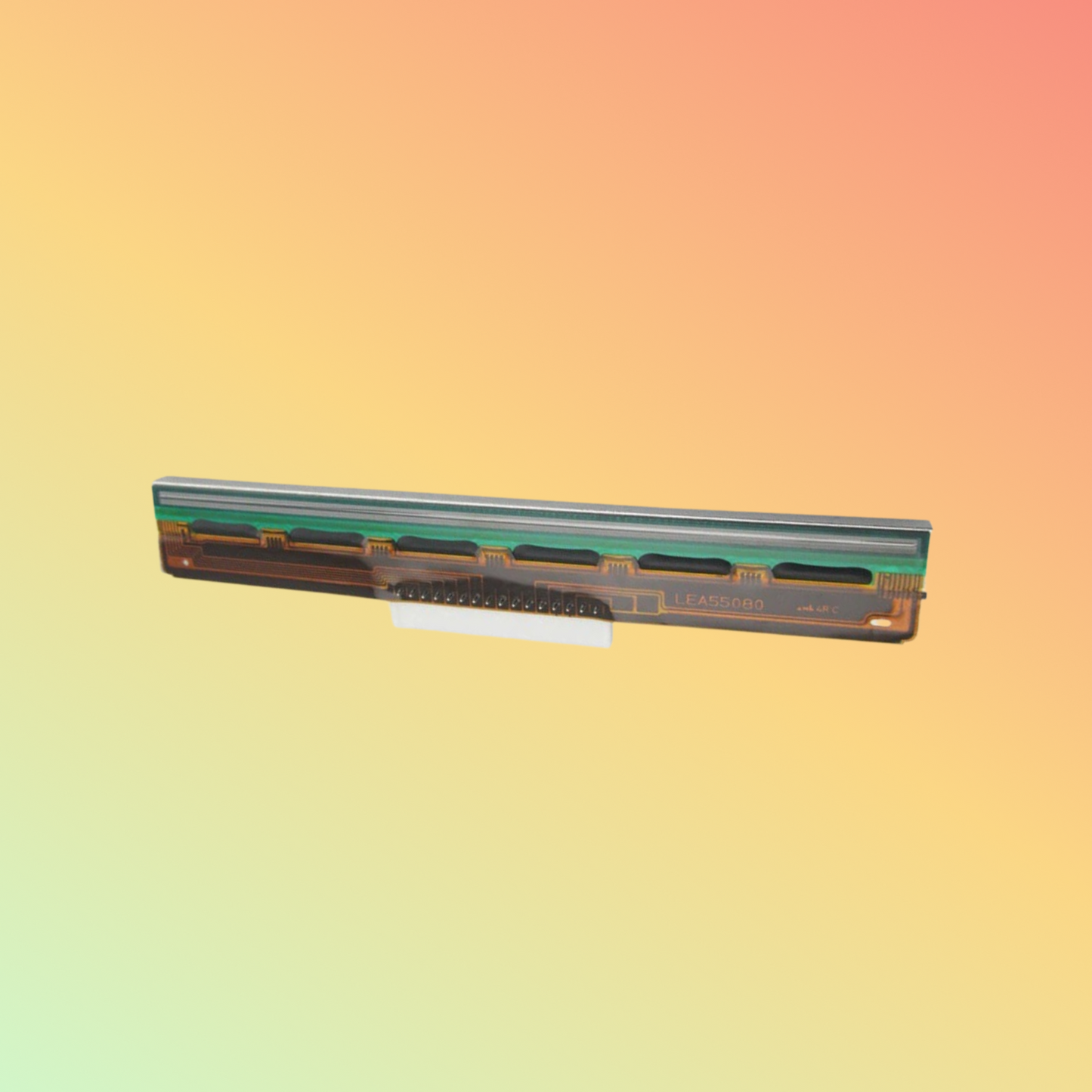
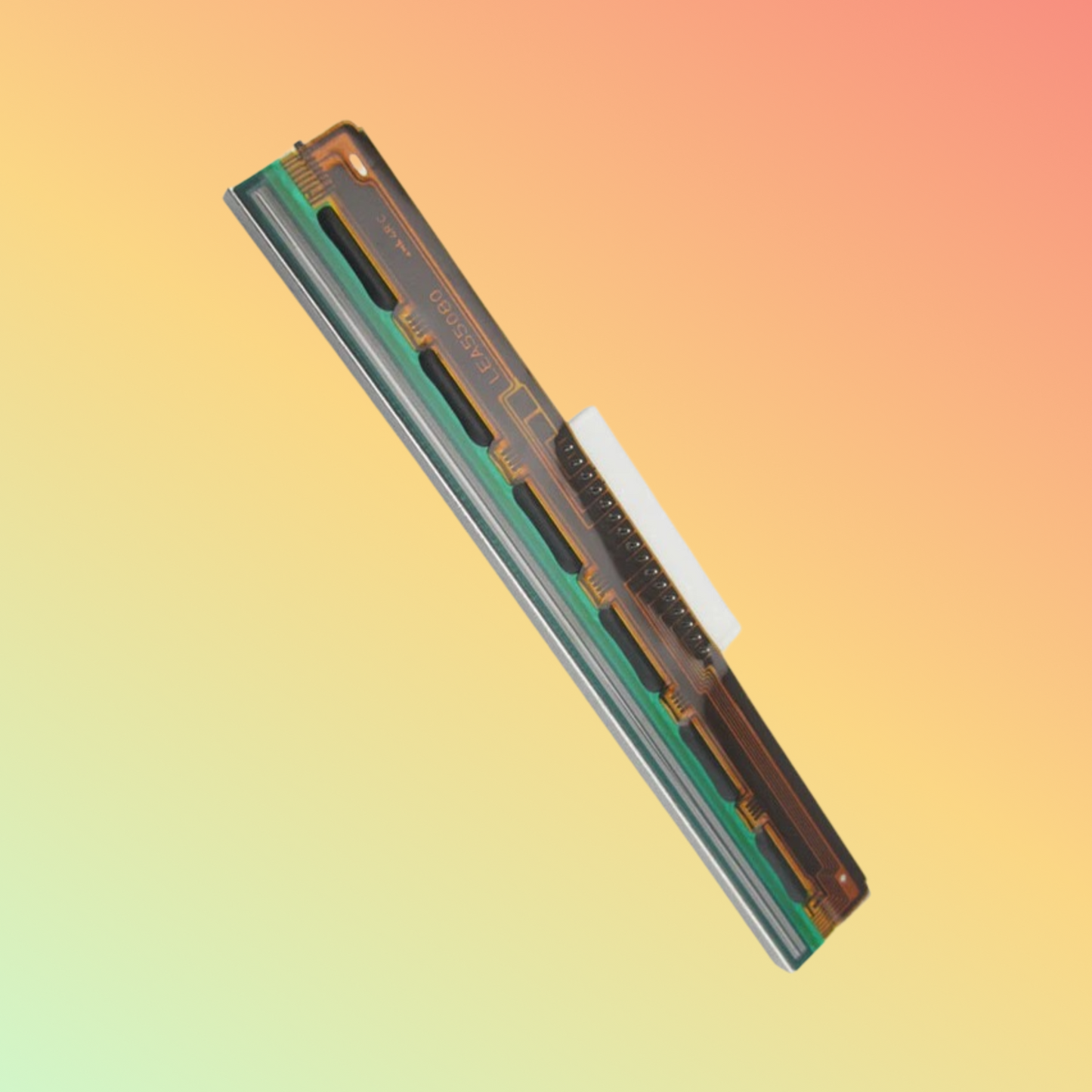
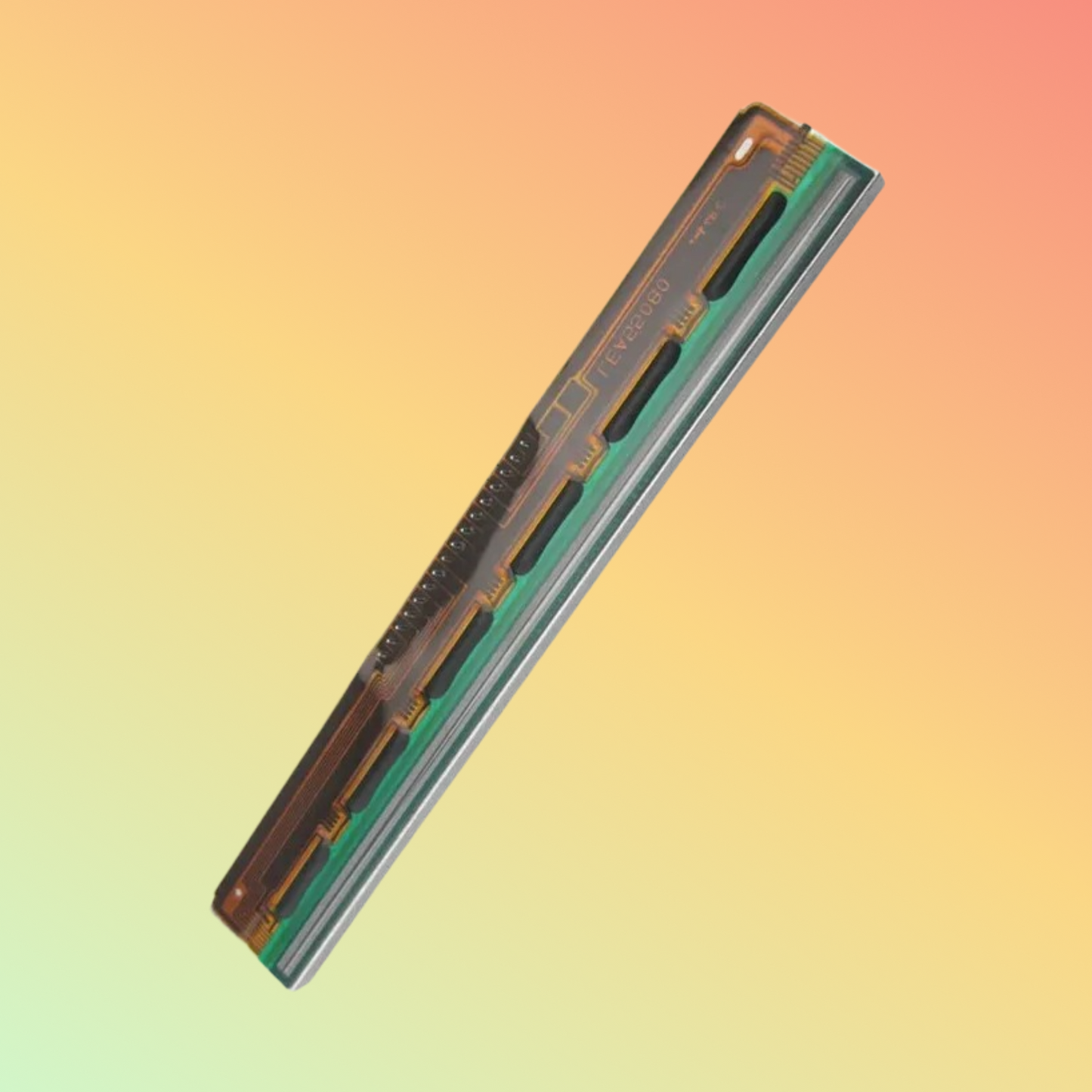
Replacement thermal printhead for compatible Godex label printers. Verify the exact printer model, resolution and printhead part number before ordering.
A Godex thermal printhead replacement can help restore printing performance when the existing printhead in a compatible Godex label printer has become worn, damaged or unable to produce consistent output.
Godex manufactures multiple printer families with different print resolutions, print widths and printhead configurations. For this reason, a replacement printhead should not be selected simply because it is described as suitable for a “Godex printer.”
The correct replacement should be identified using the exact printer model, print resolution and printhead part number wherever possible.
This page provides general product and compatibility guidance for customers looking for replacement printheads for Godex thermal label printers.
Key Features
- Replacement thermal printhead for compatible Godex printers
- Available configurations may vary by printer model
- Different DPI resolutions may require different printheads
- Suitable for compatible barcode and label printing
- Can help restore print quality when a worn printhead is correctly diagnosed
- Applicable to direct thermal and/or thermal-transfer printers depending on the exact Godex model
- Intended for printer maintenance and replacement applications
- Exact compatibility must be confirmed before ordering
What Is a Godex Printhead?
The printhead is the component in a thermal printer that generates heat in a controlled pattern to create the printed image.
Depending on the printer, this heat either:
Activates heat-sensitive media directly
or
Transfers material from a thermal-transfer ribbon onto the label
The printhead therefore plays an important role in producing:
Text
Barcodes
Graphics
Serial numbers
Product information
Identification labels
Shipping labels
Inventory labels
When a printhead becomes worn or damaged, visible printing defects can begin to appear.
Why Exact Printer Compatibility Matters
Godex produces different label-printer models and different resolution configurations.
A replacement printhead may vary according to:
Printer model
Printer generation
203 dpi / 300 dpi / other resolution
Print width
Printhead connector
Mechanical mounting
Printer revision
Manufacturer part number
Two printheads may look similar but still be electrically or mechanically different.
For this reason, NEOTECH® does not recommend ordering a Godex printhead from appearance alone.
Technical Information
Brand Compatibility: Godex
Product Type: Replacement Thermal Printhead
Resolution: Depends on exact printer model and printhead configuration
Print Width: Depends on exact printer model
Printing Technology: Direct Thermal and/or Thermal Transfer depending on printer
Installation: Replacement component
Part Number: Must be verified for the required printer
Condition: Confirm before ordering
Compatibility: Exact Godex model and printer configuration must be verified
203 DPI and 300 DPI Printheads Are Different
Print resolution is one of the most important compatibility factors.
Godex printers may be available in different resolution configurations, including models using 203 dpi or 300 dpi printheads.
A 203 dpi printhead should not automatically be replaced with a 300 dpi printhead or vice versa.
Even when the printer family name appears similar, the replacement components can be different.
Before ordering, verify the resolution shown in the printer specifications, configuration label, existing printhead information or applicable Godex documentation.
What Does DPI Mean?
DPI means dots per inch.
A thermal printhead contains many small heating elements.
A 203 dpi printhead has approximately 203 printing dots across each inch.
A 300 dpi printhead contains more dots per inch and can provide finer printing detail when supported by the printer.
Higher DPI is not automatically better for every application.
The printer electronics, mechanics, firmware and printhead must be designed for the required resolution.
Direct Thermal Printing
Direct thermal printing uses heat-sensitive media.
The printhead heats selected areas of the label surface to create the printed image.
A thermal-transfer ribbon is normally not required.
Direct thermal media can be useful for applications where the expected label lifespan and environmental conditions are appropriate.
Thermal Transfer Printing
Thermal-transfer printing uses a ribbon positioned between the printhead and label material.
Heat from the printhead transfers material from the ribbon onto the label.
Depending on the chosen ribbon and label combination, thermal transfer can be appropriate for applications requiring different media types or longer-lasting printed information.
Whether a replacement printhead supports a particular printing method depends on the exact Godex printer configuration.
When Might a Printhead Need Replacement?
Possible symptoms associated with printhead wear or damage can include:
Persistent white vertical lines
Missing sections of printed barcodes
Uneven print density
Incomplete text
Unprinted dots or lines
Print quality that remains poor after appropriate cleaning
Visible physical damage
Repeated printing defects in the same location
These symptoms can indicate printhead problems, but they can also have other causes.
Poor Printing Does Not Always Mean a Failed Printhead
Before replacing a printhead, check other possible causes.
These can include:
Dirty printhead surface
Dust or adhesive residue
Unsuitable label media
Incorrect thermal-transfer ribbon
Ribbon and label incompatibility
Incorrect darkness setting
Excessive or insufficient printhead pressure
Incorrect print speed
Damaged platen roller
Poor media alignment
Printer configuration
Driver or software settings
Replacing the printhead unnecessarily may not solve the problem if the actual cause is another printer component or consumable.
Printhead Cleaning
Regular cleaning can help maintain thermal printing performance.
The appropriate maintenance procedure depends on the printer model.
General precautions include:
Turn the printer off before maintenance where required.
Allow the printhead to cool after printing.
Avoid touching the print line with fingers.
Do not use sharp objects on the printhead.
Use only appropriate cleaning materials.
Remove adhesive, dust and label residue carefully.
Follow the applicable Godex maintenance instructions for the exact printer model.
Installation Considerations
Printhead replacement should be performed carefully.
A general replacement process may involve:
- Power off the printer.
- Disconnect power where appropriate.
- Allow the existing printhead to cool.
- Open the print mechanism.
- Release the existing printhead according to the printer design.
- Disconnect the printhead carefully.
- Install the correctly matched replacement.
- Secure all connectors and mounting points.
- Reload media and ribbon where applicable.
- Perform a test print.
- Check print alignment and density.
- Confirm barcode readability where applicable.
This is general information only.
The exact Godex service procedure should be followed for the specific printer model.
Print Quality After Replacement
A new printhead does not automatically guarantee perfect print quality.
Output can still depend on:
Print resolution
Label material
Ribbon formulation
Ribbon width
Printer darkness setting
Print speed
Printhead pressure
Platen condition
Media cleanliness
Printer calibration
Label design
Barcode dimensions
Proper configuration of the complete printing system is important.
Applications
Compatible Godex printers and replacement printheads may be used for:
Barcode labels
Product labels
Shipping labels
Inventory labels
Asset labels
Price labels
Warehouse labels
Manufacturing labels
Logistics labels
Serial-number labels
Retail identification
General business labeling
The specific application depends on the Godex printer, resolution, media and software being used.
Industries
Godex thermal printers may be used in environments including:
Warehousing
Logistics
Retail
Manufacturing
Distribution
Healthcare operations
Inventory management
Transportation
Food distribution
Supply chain
General business labeling
Printer and printhead suitability should be based on the technical requirements of the application rather than the industry name alone.
Compatibility
Because this is a general Godex printhead page, compatibility must be established before ordering.
Please provide:
Exact Godex printer model
Printer resolution
Printer serial number where useful
Existing printhead part number
Photograph of the printer identification label
Photograph of the existing printhead identification where available
Print width
Direct thermal or thermal-transfer configuration
This information can help reduce the possibility of selecting an incorrect replacement.
Things to Verify Before Ordering
Printer Brand: Godex
Exact Printer Model
Printer Resolution / DPI
Exact Existing Printhead Part Number
Print Width
Printer Revision
Direct Thermal or Thermal Transfer
Printer Serial Number where applicable
Connector Configuration
Required Product Condition
Current Printer Fault
Platen Roller Condition
Ribbon Type where applicable
Label Material
Required Quantity
Current Availability
Do not order a replacement solely from the description “Print Head for Godex.”
The exact printer configuration should be established first.
Who Should Consider a Replacement Printhead?
A replacement printhead may be appropriate where:
The existing Godex printer is otherwise operational
The installed printhead is worn or damaged
The exact replacement part has been identified
Persistent missing print lines remain after proper cleaning
The printer remains commercially worthwhile to maintain
The required printhead is compatible with the printer's resolution and configuration
Who May Not Need a New Printhead?
A replacement printhead may not be necessary where:
The printhead is only dirty
The ribbon is unsuitable
The labels are incompatible
The platen roller is damaged
Printer settings are incorrect
Print density is incorrectly configured
The media path is contaminated
The printer requires another mechanical repair
The printer is no longer economical to maintain
Proper troubleshooting before purchasing a replacement can prevent unnecessary cost.
How to Help Identify the Correct Godex Printhead
If you are uncertain about the correct printhead, provide clear photographs of:
1. Printer model label
2. Printer serial/configuration label
3. Existing printhead
4. Existing printhead part-number label, if visible
Also provide the required printing resolution where known.
This is more reliable than selecting a replacement based only on the physical appearance of the part.
Building a Complete Thermal Label Printing System
A thermal printing system works as a combination of components:
Label / Barcode Software
↓
Godex Printer
↓
Correct Printhead Resolution
↓
Compatible Ribbon where required
↓
Compatible Label Material
↓
Correct Printer Settings
↓
Readable Printed Label
A problem in any one of these areas can affect final print quality.
FAQ - Godex Thermal Printhead Replacement
Q: Can one printhead fit every Godex printer?
A: No. Godex printers can use different printheads depending on the printer model, resolution, print width and configuration.
Q: How do I know which Godex printhead I need?
A: Check the exact printer model, DPI resolution and existing printhead part number. A photograph of the printer identification label can also help with identification.
Q: Can I install a 300 dpi printhead in a 203 dpi Godex printer?
A: This should not be assumed. Different resolutions generally require the correct printer and printhead configuration. Always use the replacement specified for the exact model.
Q: Does replacing the printhead fix faded printing?
A: It may if the printhead is worn or damaged, but faded printing can also result from media, ribbon, printer settings, contamination or platen problems.
Q: Does a Godex printhead work with direct thermal labels?
A: That depends on the specific Godex printer. Some compatible printers support direct thermal printing, while others may also support thermal transfer.
Q: Does the replacement printhead include a warranty?
A: Warranty terms depend on the exact product, supplier and supplied condition. Confirm the applicable warranty before ordering.
Q: Is every Godex printhead an original Godex part?
A: No. Replacement printheads may be offered as manufacturer parts or third-party compatible products. The exact brand and condition of the supplied printhead should be confirmed before purchase.
Q: Is printhead replacement plug-and-play?
A: This should not be assumed. Installation and any required adjustment depend on the exact printer model and service procedure.
Q: Can I identify the correct part from a photograph?
A: A photograph can help, but the printer model, DPI and exact part number provide stronger compatibility information.
Related Products
Godex Label Printers
Godex Printer Spare Parts
Thermal Printer Printheads
Platen Rollers
Thermal Transfer Ribbons
Direct Thermal Labels
Barcode Labels
Printhead Cleaning Supplies
Barcode Scanners
Helpful Internal Links
NEOTECH® UAE
https://www.neotech.ae/
Why NEOTECH® UAE?
NEOTECH® encourages customers to identify the exact printer model, resolution and printhead part number before purchasing replacement printer parts.
This is especially important for thermal printheads because components with similar appearance may have different resolutions, electrical connections or mechanical configurations.
Learn First. Decide Second. Buy Only If It Is Right for Your Needs.
The NEOTECH® Learning Center is free and open to everyone. You do not need to be a NEOTECH® customer to access or benefit from our educational content. Learn at your own pace, explore the information freely, and make informed decisions based on your own needs. There is no obligation or pressure to purchase from NEOTECH®.
There is no obligation or pressure to purchase. Customers are encouraged to verify the exact printer model, printhead part number, DPI resolution, print width and printer compatibility before ordering.
Delivery – UAE
NEOTECH® supports product requirements within the United Arab Emirates.
Availability depends on the exact Godex printer model, printhead part number, required resolution, supplied condition and quantity.
Contact NEOTECH® UAE
Website: https://www.neotech.ae/
Email: support@neotech.ae
Address: Store 13, Computer Bldg, Al Fahidi, Bur Dubai, Dubai 44245, United Arab Emirates
Disclaimer - NEOTECH® UAE
Godex and associated printer model names are trademarks or product identifiers of their respective owner.
This page provides general educational, product-identification and procurement-support information for Godex-compatible thermal printheads. It does not represent one specific Godex printhead part number.
Compatibility, resolution, dimensions, installation requirements, manufacturer, product condition and warranty can vary according to the exact replacement part.
Customers should confirm the printer model, DPI, existing printhead part number and required configuration before ordering. NEOTECH® does not describe a replacement as genuine or original Godex unless the supplied product and sourcing documentation support that claim.
Last Updated: 29 August 2026 (GST, UTC+4)