NEOPOS
NEOPOS NP-R1200 White Intel Core i5 Dual-Screen POS Terminal | NEOTECH® UAE
NEOPOS NP-R1200 White Intel Core i5 Dual-Screen POS Terminal | NEOTECH® UAE
Couldn't load pickup availability
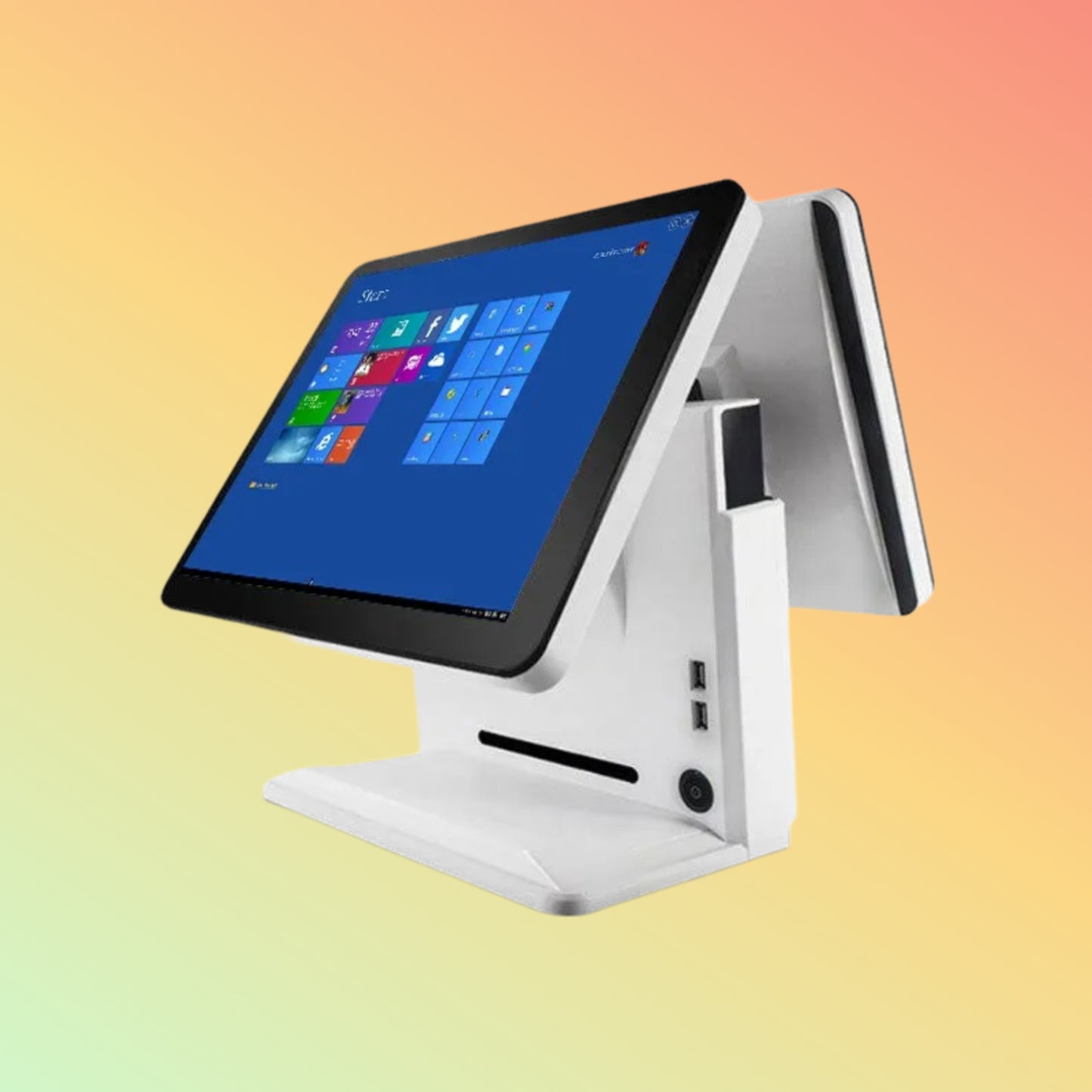
15-Inch Capacitive Touch POS with 11.6-Inch Customer Display, Intel Core i5-3210M, 8GB DDR3 and 128GB SSD
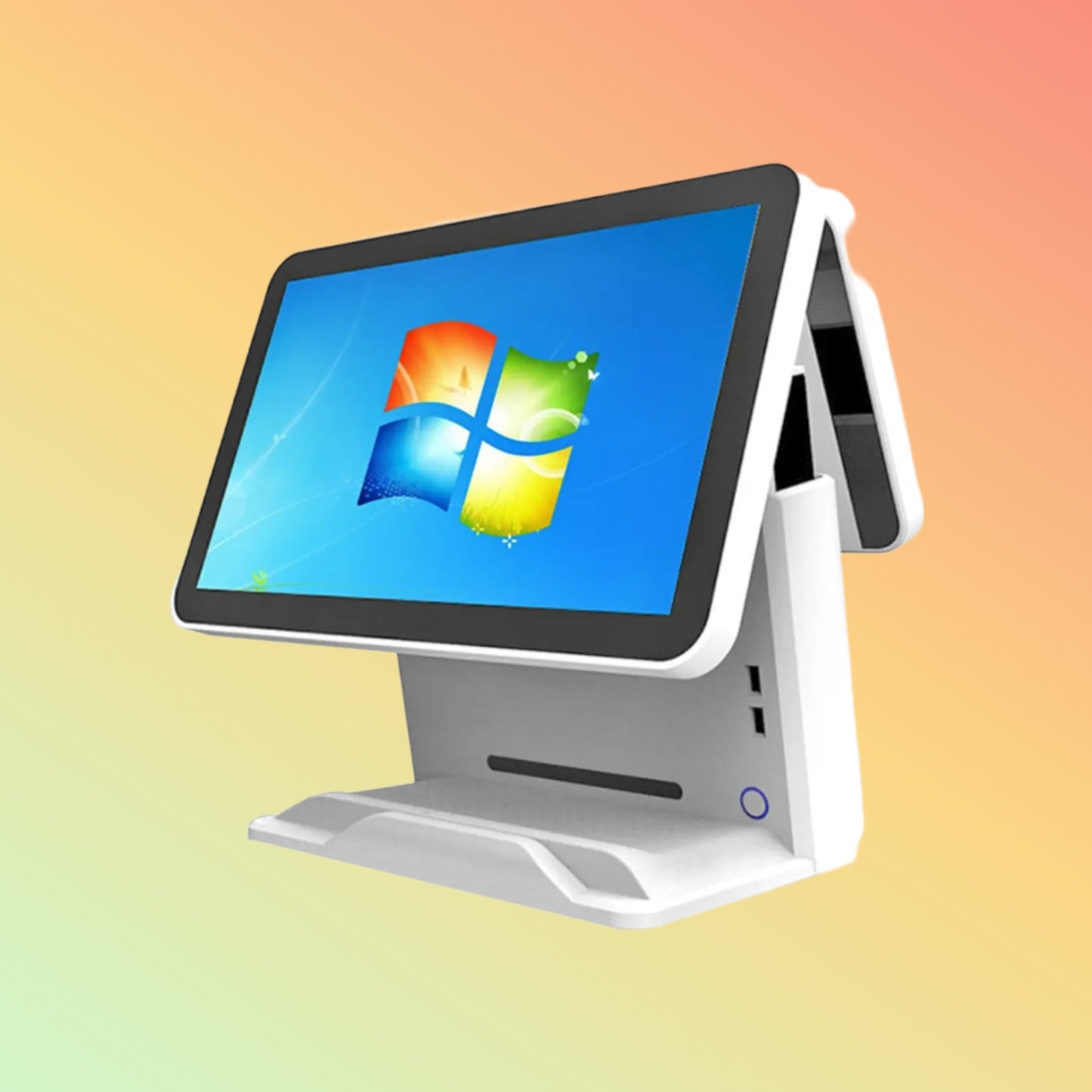
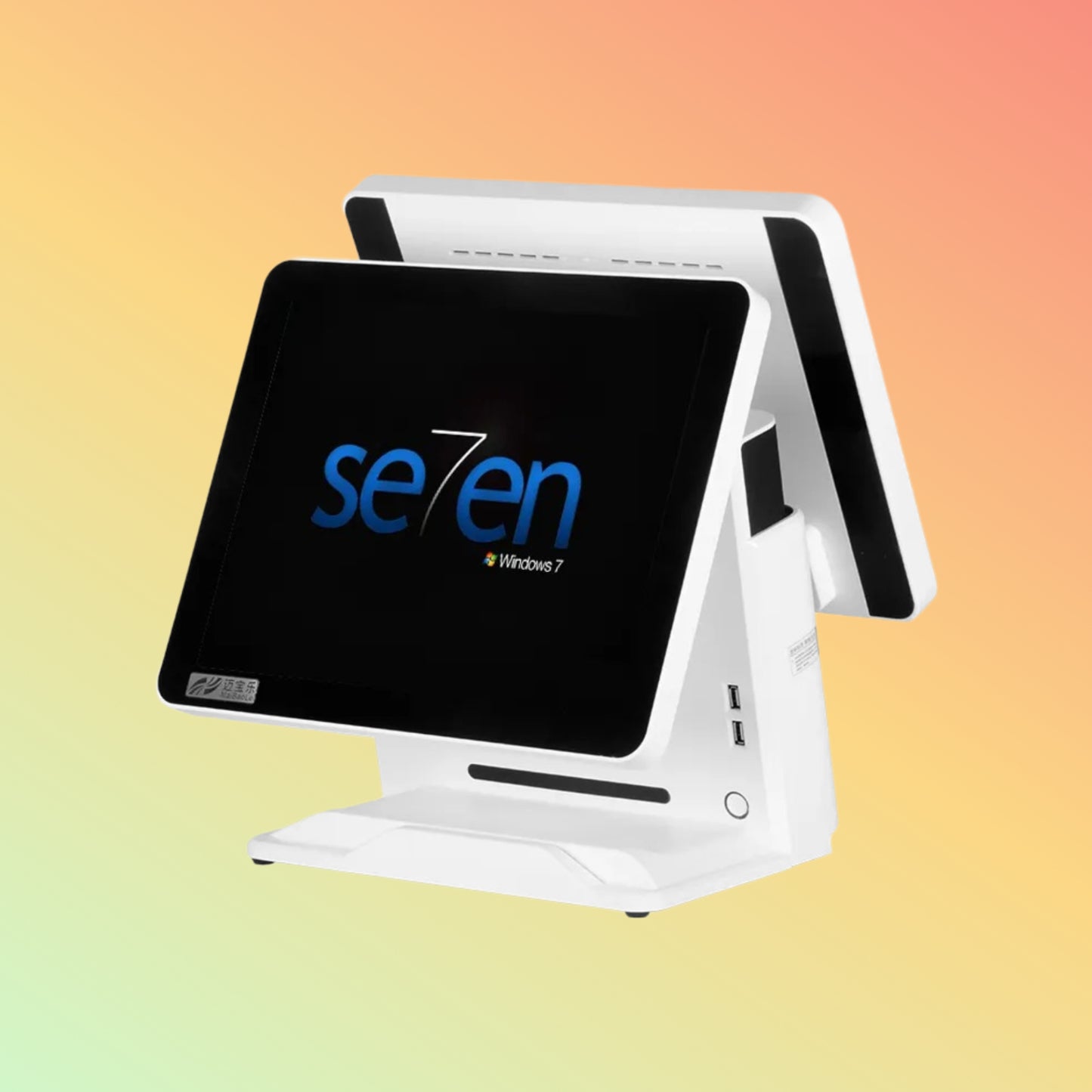
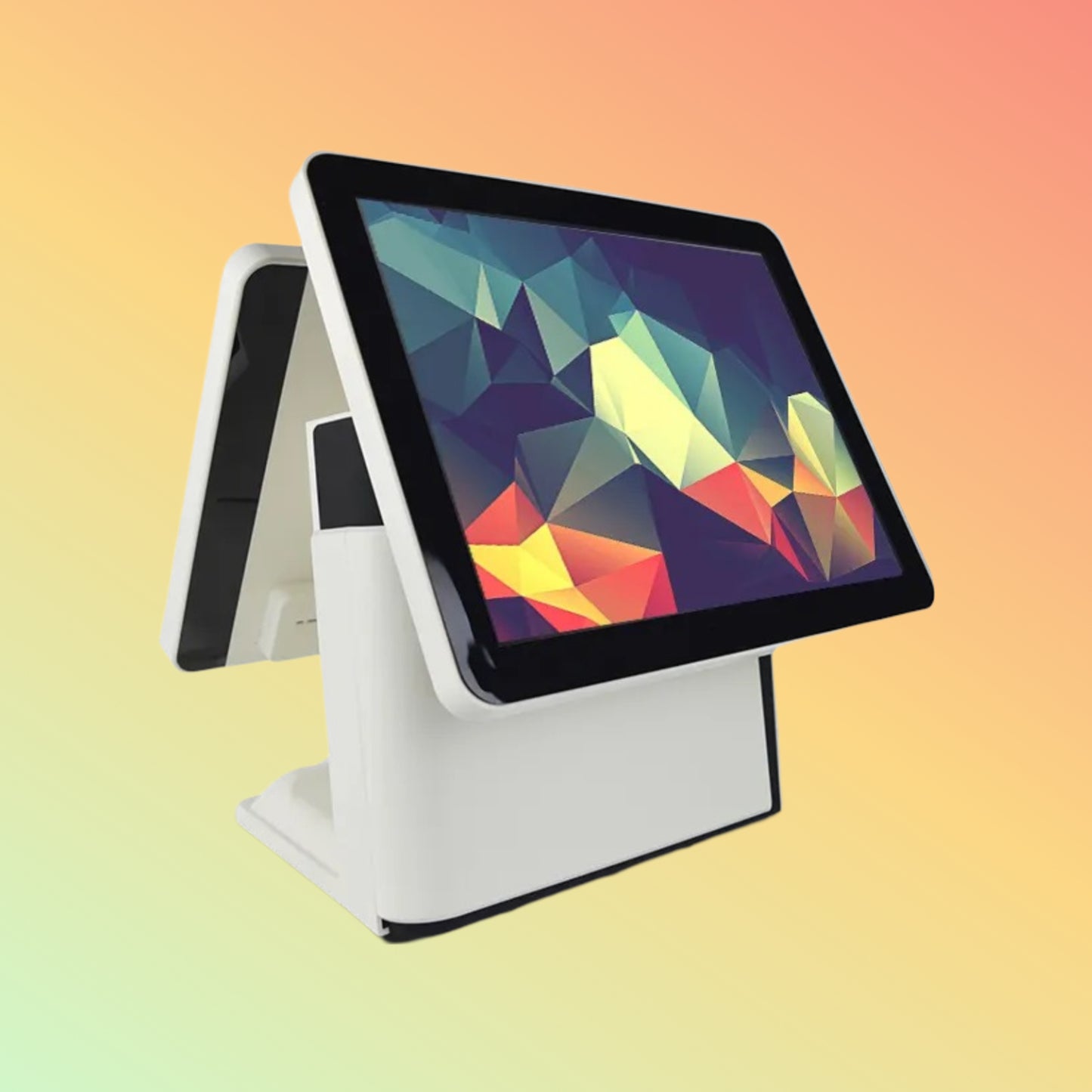
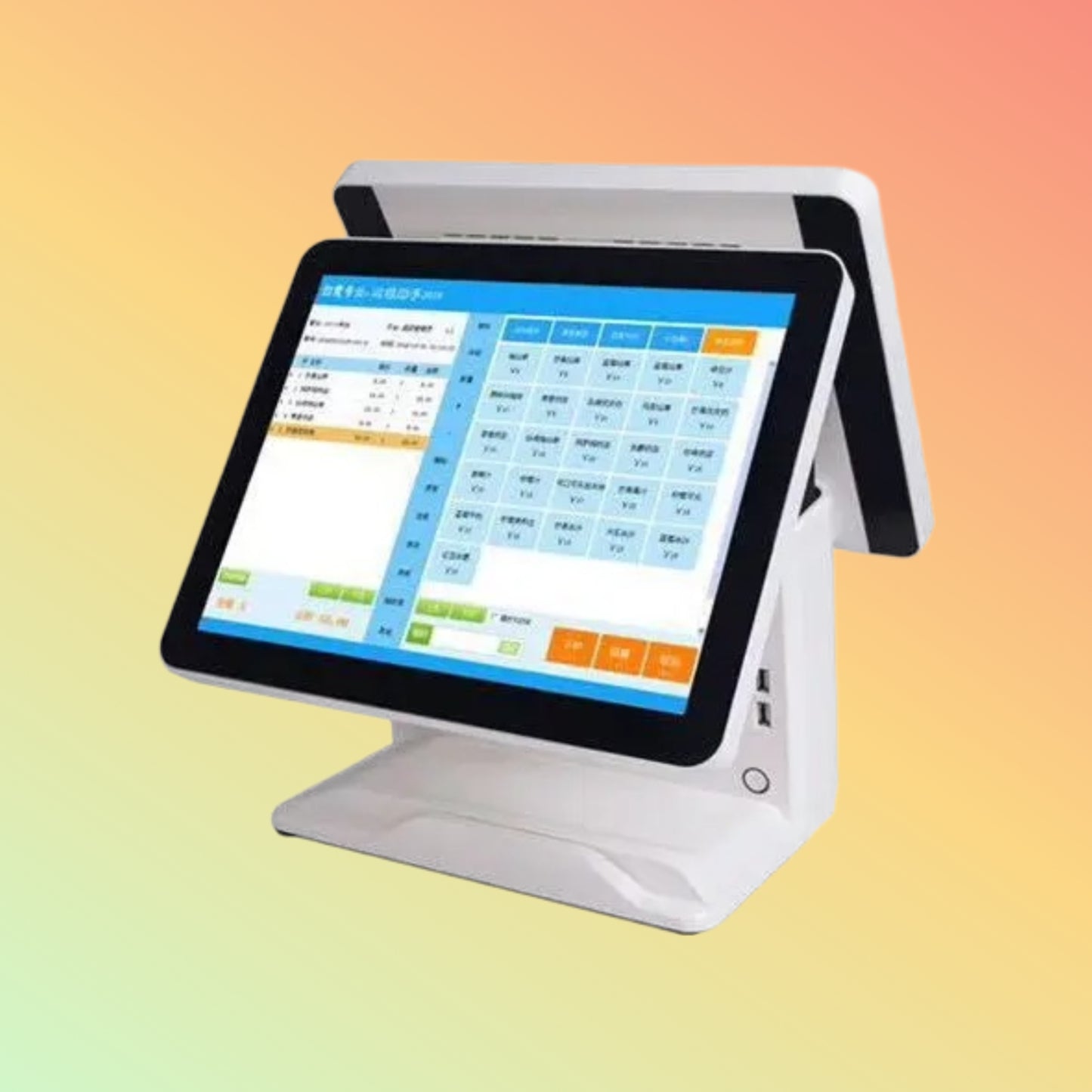
The NEOPOS NP-R1200 White Dual-Screen POS Terminal is an all-in-one point-of-sale computer designed for retail, restaurant, café, hospitality and service-counter applications.
This white configuration combines a 15-inch capacitive touchscreen for staff operation with an 11.6-inch customer-facing display, allowing compatible POS software to provide separate operator and customer views.
The system is configured with an Intel Core i5-3210M processor, 8GB DDR3 RAM and 128GB SSD, providing an established Windows-based hardware platform for compatible POS and business applications.
Its dual-display arrangement makes the NP-R1200 particularly useful for businesses that want customers to view transaction totals, order information or other supported customer-facing content during checkout.
Professional Highlights
✅ Dual-Screen POS Design — 15-inch operator touchscreen plus 11.6-inch customer-facing display
✅ Intel Core i5-3210M — 2-core, 4-thread processor operating at 2.50GHz with Turbo frequency up to 3.10GHz
✅ 8GB DDR3 RAM — Suitable for compatible established POS and business applications
✅ 128GB SSD — Solid-state storage for the operating system and application software
✅ 15-Inch Capacitive Touchscreen — 1024 × 768 operator display for touch-based POS interfaces
✅ 11.6-Inch Customer Display — Separate secondary screen for compatible customer-facing content
✅ Multiple Connectivity Options — USB, HDMI, VGA, Ethernet and audio interfaces listed for this configuration
✅ White Countertop Design — Suitable for businesses preferring a light-coloured POS workstation
Product Description
The NEOPOS NP-R1200 combines the main POS computer, operator touchscreen and secondary customer display into a single countertop workstation.
The primary 15-inch 1024 × 768 capacitive touchscreen provides the staff interface, while the 11.6-inch secondary display can present customer-facing information generated by compatible software.
Inside, this configuration uses the Intel Core i5-3210M, together with 8GB DDR3 memory and a 128GB SSD.
This combination is intended primarily for established POS, billing, restaurant and retail applications rather than modern processor-intensive computing workloads.
Intel Core i5-3210M Processor
This NP-R1200 configuration uses the Intel Core i5-3210M, a 3rd Generation Intel Core processor based on the Ivy Bridge architecture.
Processor Details:
- Intel Core i5-3210M
- 2 processor cores
- 4 processing threads
- 2.50GHz base frequency
- Up to 3.10GHz maximum Turbo frequency
- 3MB Intel Smart Cache
- Intel HD Graphics 4000 integrated graphics
The i5-3210M is now a legacy/discontinued Intel processor.
This is important for buyers to understand: the NP-R1200 should be evaluated as an established-generation POS platform, not compared directly with current-generation Core i5 computers based only on the “Core i5” name.
For existing POS applications with modest hardware requirements, this platform may remain practical. For new long-term deployments or demanding applications, software requirements should be checked carefully before purchase.
8GB DDR3 Memory
This configuration includes 8GB DDR3 RAM.
Memory is used by the operating system, POS application and other running services.
8GB can be suitable for many established POS workloads, but actual requirements depend on:
- POS software
- Database size
- Number of applications
- Browser usage
- Cloud applications
- Peripheral software
- Operating system
Always check the POS software vendor's recommended hardware requirements.
128GB SSD Storage
The system includes a 128GB SSD.
Solid-state storage can provide faster system responsiveness than older mechanical hard drives for tasks such as:
- System startup
- Application loading
- POS software operation
- Database access
- General Windows use
Available usable capacity will be lower after Windows, applications and system files are installed.
Businesses storing large databases, images, reports or additional applications should confirm whether 128GB provides sufficient capacity.
15-Inch Capacitive Touchscreen
The primary operator display is specified as:
- 15-inch display
- Capacitive touch technology
- 1024 × 768 resolution
- 4:3 display format
The 4:3 format is commonly used with traditional POS interfaces because it provides a compact workspace for product buttons, transaction lines and checkout controls.
Actual usability depends on the POS application's interface and supported resolution.
11.6-Inch Customer-Facing Display
The NP-R1200 includes an 11.6-inch secondary customer-facing display.
Depending on the installed POS software, this display may be used for:
- Transaction totals
- Purchased-item information
- Order confirmation
- Promotional messages
- Advertising
- Loyalty information
- Customer-facing application content
The customer display does not independently generate this information.
The operating system and POS application must support and correctly configure the secondary display.
Dual-Screen POS Workflow
A dual-screen POS can provide a clearer separation between staff and customer information.
The employee operates the main touchscreen while the secondary display faces the customer.
A typical workflow may be:
- Staff enters or scans products using the primary POS interface.
- The POS application processes the transaction.
- Supported transaction information appears on the customer display.
- The customer reviews the relevant information.
- Payment is completed using the business's separate supported payment method.
- A receipt can be printed using a compatible receipt printer.
Exact functionality depends on the installed software and connected peripherals.
Connectivity
The existing NP-R1200 white configuration lists:
- 4 × USB 2.0
- 2 × USB 3.0
- 1 × HDMI
- 1 × VGA
- 1 × RJ45 Ethernet/LAN
- 1 × Audio Out
- 1 × Microphone Input
These connections can support compatible POS peripherals and external equipment.
Port availability should be physically confirmed if a specific interface is essential to the project.
Compatible POS Peripherals
Depending on interface, drivers and software, the NP-R1200 may be used with compatible:
- Barcode scanners
- Thermal receipt printers
- Cash drawers
- Label printers
- External customer displays
- Keyboard and mouse
- RFID readers
- Weighing scales
- Payment terminals
- Other USB or network POS devices
Peripheral compatibility should always be verified individually.
Having the correct physical connector does not automatically guarantee driver, electrical or software compatibility.
Ethernet Networking
The listed RJ45 Ethernet connection allows the terminal to communicate with compatible wired networks.
Potential network applications include:
- Cloud POS
- Local POS server
- Inventory database
- ERP system
- Network receipt printers
- Back-office systems
- Internet-based applications
For fixed checkout installations, wired Ethernet can provide a straightforward alternative to relying on wireless networking.
Wi-Fi and Bluetooth
Wi-Fi and Bluetooth were previously advertised on this product page.
However, these features should not be assumed solely from the NP-R1200 model name.
If wireless connectivity is required, confirm whether the exact physical unit includes the appropriate Wi-Fi and/or Bluetooth hardware before ordering.
This avoids purchasing the terminal based on an optional or configuration-dependent feature.
Operating System
This configuration has historically been associated with Windows 10 Pro.
However, Windows 10 reached the end of standard Microsoft support in October 2025.
For an existing installation, customers should check their organization's security and software-support requirements.
For a new deployment, confirm:
- Required Windows version
- POS software compatibility
- Driver availability
- Peripheral compatibility
- Licensing
- Security-update requirements
Do not assume Windows 11 compatibility simply because the system uses an Intel Core i5 processor. The exact hardware and software requirements should be checked before changing operating systems.
Applications
The NEOPOS NP-R1200 may be considered for:
- Retail stores
- Restaurants
- Cafés
- Bakeries
- Grocery stores
- Convenience stores
- Supermarkets
- Fashion outlets
- Specialty retail
- Hotel counters
- Reception desks
- Membership counters
- Service businesses
- General billing applications
Retail POS Applications
For retail environments, the NP-R1200 can act as the central POS workstation for compatible applications involving:
- Checkout
- Product lookup
- Barcode-based sales
- Inventory access
- Customer records
- Loyalty applications
- Receipt generation
Additional peripherals such as a barcode scanner, receipt printer, cash drawer and payment terminal may be required depending on the business workflow.
Restaurant and Café Applications
In restaurant and café environments, the terminal may be used for:
- Order entry
- Billing
- Table management
- Product selection
- Customer-facing order information
- Receipt printing
- Restaurant POS applications
The NP-R1200 itself does not provide restaurant-management software.
Required functionality depends on the software selected by the business.
Purpose of Use
The NEOPOS NP-R1200 White is intended for businesses requiring an established Windows-based fixed POS terminal with separate operator and customer displays.
Its principal configuration combines:
Intel Core i5-3210M + 8GB DDR3 + 128GB SSD + 15-Inch Capacitive Touchscreen + 11.6-Inch Customer Display
The terminal should be selected according to software requirements rather than processor branding alone.
Compatibility
Before ordering, verify compatibility with:
- Required POS software
- Operating system
- Receipt printer
- Barcode scanner
- Cash drawer
- Payment terminal
- Weighing scale
- Label printer
- ERP software
- Accounting software
- Customer-display application
- Network environment
- USB devices
NEOTECH® recommends checking both the minimum and recommended hardware requirements published by the POS software provider.
Things to Verify Before Ordering
Please confirm:
- Exact model: NEOPOS NP-R1200
- White colour requirement
- Intel Core i5-3210M processor
- 8GB DDR3 RAM
- 128GB SSD
- 15-inch capacitive touchscreen
- 1024 × 768 primary resolution
- 11.6-inch secondary display
- Required secondary-display resolution
- Operating-system requirement
- Windows licence status
- POS software compatibility
- Ethernet requirement
- Wi-Fi requirement
- Bluetooth requirement
- Required USB ports
- HDMI requirement
- VGA requirement
- Receipt-printer compatibility
- Barcode-scanner compatibility
- Cash-drawer requirements
- Payment-terminal requirements
- Exact included accessories
- Current UAE availability
- Applicable warranty
Who Should Consider the NP-R1200?
The NP-R1200 may be suitable for businesses that:
- Require a fixed countertop POS
- Prefer a white terminal
- Need dual displays
- Use established Windows POS software
- Require a 15-inch touchscreen
- Want customer-facing transaction information
- Need multiple USB connections
- Have software compatible with this generation of hardware
Businesses deploying new processor-intensive software or requiring a long hardware lifecycle should also compare current-generation POS systems before making a decision.
How to Use
- Place the terminal securely on a stable counter.
- Connect the correct supplied power adapter.
- Connect the required network connection.
- Attach compatible POS peripherals.
- Install or configure the required operating system where applicable.
- Install compatible POS software.
- Configure the primary touchscreen.
- Configure the secondary customer display within Windows and the POS application.
- Test all connected peripherals before live operation.
- Keep the display and terminal clean and maintain adequate ventilation around the equipment.
Delivery – UAE
Delivery is available within the UAE.
Order Cut-Off: 14:00 GST
Handling: 1–2 business days where applicable
Standard Transit: Approximately 3–5 business days after handling
Typical Total Delivery: Approximately 4–7 business days for confirmed available products
If the required configuration is unavailable, becomes out of stock when the order is placed, or requires special procurement, delivery may extend to approximately 10–15 working days or up to 25 working days after payment/order confirmation, depending on supplier availability.
Current availability should be confirmed before ordering.
FAQ - NEOPOS NP-R1200 White
Q: What is the NEOPOS NP-R1200 White?
A: It is a dual-screen all-in-one POS computer with a 15-inch operator touchscreen and an 11.6-inch customer-facing display.
Q: Which processor is installed in this configuration?
A: This configuration is specified with the Intel Core i5-3210M processor.
Q: Is the Core i5-3210M a 3rd Generation Intel processor?
A: Yes. It belongs to Intel's 3rd Generation Core processor family based on the Ivy Bridge architecture.
Q: How many cores does the i5-3210M have?
A: It has 2 physical cores and supports 4 processing threads.
Q: What is its processor speed?
A: The i5-3210M has a 2.50GHz base frequency and can operate up to 3.10GHz using Intel Turbo Boost under appropriate conditions.
Q: Is the Intel Core i5-3210M a current processor?
A: No. It is a legacy processor and has been discontinued by Intel. Buyers should therefore evaluate the terminal according to their actual POS software requirements rather than comparing the Core i5 name directly with current-generation processors.
Q: How much RAM is installed?
A: This configuration includes 8GB DDR3 memory.
Q: How much storage does it have?
A: This configuration includes a 128GB SSD.
Q: Is the main display touchscreen?
A: Yes. The 15-inch primary display uses capacitive touch technology.
Q: What is the primary display resolution?
A: The existing configuration specifies 1024 × 768 resolution.
Q: Does it have a second display?
A: Yes. An 11.6-inch customer-facing secondary display is included in this configuration.
Q: Is the customer display also touchscreen?
A: It should be treated as a customer-facing display rather than a second touchscreen unless the exact physical configuration specifically confirms touch capability.
Q: What can the customer display show?
A: Compatible POS software may use it for transaction totals, purchased items, order information, promotions or other customer-facing content.
Q: Does the NP-R1200 include POS software?
A: POS software should not be assumed to be included unless specifically stated in the quotation.
Q: Does it include Windows 10 Pro?
A: This configuration has historically been listed with Windows 10 Pro. The exact installation and licence status should be confirmed for the unit being ordered.
Q: Can I use Windows 11?
A: Do not assume Windows 11 support solely from the Core i5 branding. The exact hardware, Microsoft requirements, drivers and POS software compatibility should be checked first.
Q: Does it have Ethernet?
A: Yes. The listed configuration includes an RJ45 LAN connection.
Q: Does it have Wi-Fi?
A: Wi-Fi should be confirmed on the exact unit before ordering. It is not being represented as universally included with every NP-R1200.
Q: Does it have Bluetooth?
A: Bluetooth should also be verified for the exact supplied configuration.
Q: Can I connect a barcode scanner?
A: Yes, a compatible USB barcode scanner can generally be connected where supported by the operating system and POS application.
Q: Can I connect a receipt printer?
A: Compatible receipt printers can be used according to their interface, driver and software requirements.
Q: Can I connect a cash drawer?
A: A compatible cash drawer can normally be integrated through an appropriate receipt printer or supported POS interface. Confirm the intended setup before ordering.
Q: Does the POS terminal process card payments itself?
A: No. Payment processing requires an appropriate payment terminal, acquiring service and compatible payment environment.
Q: Is this the white NP-R1200?
A: Yes. This page specifically covers the white dual-screen configuration.
Q: Is there also a black NP-R1200?
A: Yes. NEOTECH® maintains a separate listing for the black NP-R1200 configuration because colour and listed hardware/interface details may differ.
Related Products
- NEOPOS NP-R1200 Black Dual-Screen POS Terminal
- NEOPOS Dual-Screen POS Systems
- Touchscreen POS Terminals
- POS Receipt Printers
- Barcode Scanners
- Cash Drawers
- Customer Displays
- Payment Terminal Accessories
Helpful Internal Links
- NEOPOS POS Systems UAE
- POS Systems UAE
- Dual-Screen POS Terminals
- Touchscreen POS Computers
- Restaurant POS Hardware
- Retail POS Hardware
- POS Receipt Printers UAE
- Barcode Scanners UAE
- Cash Drawers UAE
Contact - NEOTECH® UAE
For configuration verification, POS software requirements, peripheral compatibility, availability or quotation:
Email: support@neotech.ae
Address: Store 13, Computer Building, Al Fahidi, Bur Dubai, Dubai 44245, UAE
Disclaimer - NEOTECH® UAE
NEOPOS and related product names are trademarks of their respective owners.
This page describes the white NEOPOS NP-R1200 configuration currently identified with Intel Core i5-3210M, 8GB DDR3 memory, 128GB SSD, 15-inch capacitive touchscreen and 11.6-inch customer-facing display.
The NP-R1200 is an established-generation POS platform. Hardware specifications, interfaces, operating system, wireless connectivity, secondary-display configuration and included accessories may vary between production batches or supplied configurations.
POS software, payment terminals, receipt printers, barcode scanners, cash drawers and other peripherals are not automatically included unless expressly stated.
Customers should verify the exact physical configuration, software requirements, operating-system compatibility, peripheral compatibility, package contents, current availability and applicable warranty before ordering.
Last Updated: 26 September 2026 (GST, UTC+4)