NOGTEK
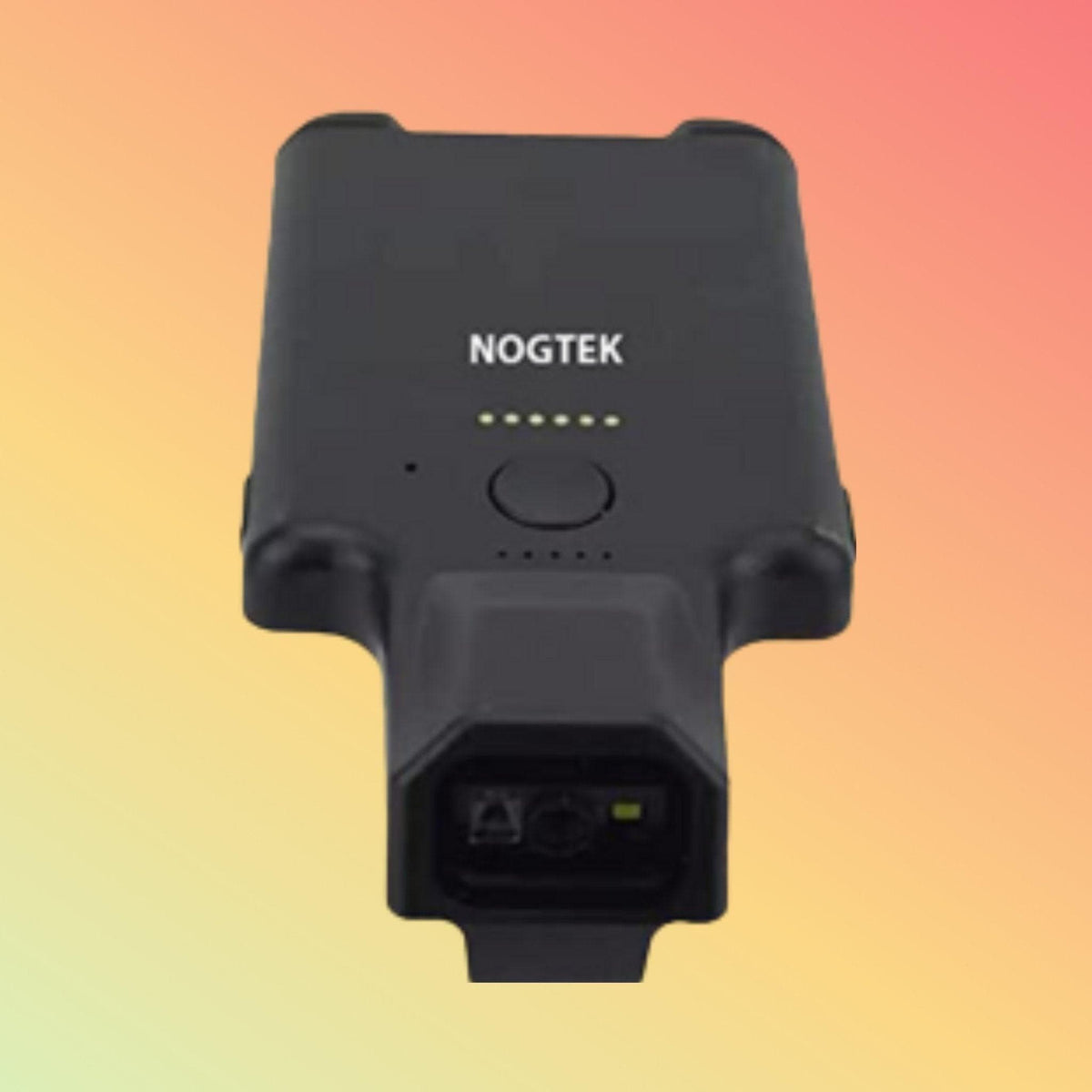
NOGTEK Mobile Clip Barcode Scanner for Retail, Warehouse, Inventory & Logistics | NT-R170-V1
NOGTEK Mobile Clip Barcode Scanner for Retail, Warehouse, Inventory & Logistics | NT-R170-V1
Couldn't load pickup availability
Compact Bluetooth 1D and 2D barcode scanning for mobile stocktaking, shelf checking, picking, receiving, inventory and asset-identification workflows.
Overview
Barcode scanning does not always happen at a checkout counter or fixed workstation.
Inventory staff may move between shelves. Warehouse operators may travel between bins and picking locations. Receiving personnel may scan cartons as goods arrive. Retail employees may need to identify products while standing directly beside the shelf.
For these workflows, mobility can be as important as barcode-reading capability.
The NOGTEK NT-R170-V1 Mobile Clip Barcode Scanner is intended for portable barcode-data-capture tasks where an operator needs to move between items or locations while remaining connected to a compatible host device.
Its compact clip-style form factor can be considered for workflows involving retail, inventory, warehousing, logistics, stocktaking and asset identification, subject to barcode and system compatibility.
This page focuses on the workflow and industry application rather than simply repeating the scanner's model specifications.
Learn First. Decide Second. Buy Only If It Is Right for Your Needs.
Why Mobile Barcode Scanning Matters
Consider two different working environments.
At a fixed checkout:
Product comes to scanner.
During warehouse stocktaking:
Scanner goes to product.
That difference changes what operators may need from their scanning equipment.
When employees regularly move between shelves, racks, cartons, bins or assets, repeatedly returning to a fixed scanning station can be impractical.
A compact wireless scanner can instead support data capture closer to the physical item.
Retail Inventory & Shelf Scanning
Retail barcode scanning extends beyond checkout.
Store employees may need to scan products while performing:
- Shelf verification
- Stock counting
- Product lookup
- Price-check workflows
- Replenishment
- Back-room inventory checks
- Product identification
- Cycle counts
A compact clip scanner may be useful where employees move continuously between shelves and need the scanner conveniently available.
The NT-R170-V1 can provide barcode data to a compatible host device, but the connected retail or inventory application determines how that information is processed.
Example Retail Workflow
Locate Product → Scan Barcode → Check Record → Take Required Action → Continue
The required action could be stock verification, replenishment, product lookup or another task determined by the customer's software.
Warehouse Inventory Counting
Warehouses can contain hundreds or thousands of storage locations.
During inventory counting, operators may move between:
- Racks
- Shelves
- Bins
- Pallets
- Cartons
- Individual products
A mobile scanner can allow the barcode to be captured at the storage location rather than moving the item to a fixed workstation.
Example Cycle-Counting Workflow
Identify Location → Scan Item → Verify Quantity → Record Result → Move to Next Location
The scanner provides the barcode input.
Inventory quantities, discrepancies and records remain functions of the connected inventory or warehouse-management application.
Order Picking
Barcode scanning can help support verification during picking operations.
A typical workflow may involve:
Receive Pick Task → Locate Item → Scan → Verify → Pick → Continue
Depending on the customer's software, scanning can help distinguish between similar-looking products or confirm that an operator has reached the intended item.
However, the scanner itself does not provide picking logic.
That functionality belongs to the WMS, ERP, inventory application or other host system.
Goods Receiving
Incoming goods may need to be identified before being entered into stock.
Potential receiving workflows include:
- Carton identification
- Product barcode capture
- Purchase-order-related checking
- Serial-number capture
- Internal stock registration
A compact mobile scanner can be useful when receiving staff need to move around incoming cartons rather than bring every package to one fixed scanning position.
Example Receiving Workflow
Goods Arrive → Identify Package → Scan → Verify in System → Accept/Process
Exact functionality depends on the customer's receiving software.
Packing & Dispatch
Barcode scanning may also support packing and dispatch workflows.
Potential tasks include:
- Item verification
- Order verification
- Carton identification
- Shipment preparation
- Serial-number capture
- Dispatch confirmation
A mobile scanner may be useful where scanning takes place across a packing bench or between multiple packing locations.
Logistics & Internal Goods Movement
Goods frequently move between locations before reaching their final destination.
Barcode scanning can provide identification during movements such as:
- Receiving to storage
- Storage to picking
- Picking to packing
- Packing to dispatch
- Internal department transfers
- Stock-location transfers
The barcode provides the identifier.
The customer's logistics software determines what that identifier means and how the movement is recorded.
Asset Identification
Barcode and QR labels are also commonly attached to physical assets.
Examples can include:
- IT equipment
- Office equipment
- Tools
- Machinery
- Furniture
- Storage equipment
- Other organisational assets
A mobile scanner can allow personnel to move between physical assets and capture their identifiers.
Example Asset Workflow
Locate Asset → Scan Identifier → Open/Update Record → Continue
The scanner should not be confused with an asset-management system.
It captures the identifier; the connected software maintains the asset information.
Stocktaking
Stocktaking is particularly suited to mobile data capture because the operator normally moves through the inventory rather than bringing all inventory to one location.
A compact scanner may assist with:
- Periodic inventory counts
- Cycle counting
- Spot checks
- Stock reconciliation
- Shelf verification
The effectiveness of the workflow depends heavily on the software being used.
A scanner alone cannot determine whether inventory records are correct.
Product & SKU Identification
Many products may look similar while representing different:
- SKUs
- Sizes
- Colours
- Variants
- Batches
- Serial numbers
Scanning the barcode can provide a more structured method of capturing an identifier than manually typing a long code.
This can help reduce manual key-entry requirements, although overall data accuracy still depends on barcode quality, system configuration and user workflow.
1D Barcode Applications
Traditional 1D barcodes remain common across retail and logistics.
They may be used for:
- Product codes
- Stock numbers
- Item identification
- Shipment identification
- Internal tracking
Available NT-R170-V1 product information identifies 1D barcode capability.
If a specific symbology is essential, it should be confirmed before deployment.
2D & QR Code Applications
2D codes can contain information in a more compact area than traditional linear barcodes.
Potential mobile applications can include:
- Asset identification
- Product tracking
- Serialised information
- Internal process codes
- QR-based identification
Available product information identifies the NT-R170-V1 as supporting 2D scanning including QR Code.
Specific symbology requirements should still be verified.
Why Bluetooth Can Help Mobile Workflows
A cable can restrict operator movement.
Bluetooth connectivity can allow a compatible scanner to communicate wirelessly with a nearby host device.
Depending on the customer's system, that host might be a:
- Smartphone
- Tablet
- Laptop
- Desktop computer
- POS terminal
- Mobile computing device
However, Bluetooth capability alone does not establish software compatibility.
The scanner, host operating system and application must work together.
Scanner + Host + Software
A useful way to understand a mobile barcode workflow is:
Barcode → Scanner → Host Device → Business Application
Each component has a different responsibility.
Barcode
Contains the encoded identifier or information.
Scanner
Reads and decodes the barcode.
Host Device
Receives the scanned data.
Business Application
Uses the data for inventory, retail, warehouse, logistics or another business process.
This is why purchasing a scanner alone does not create an inventory-management solution.
When a Clip Scanner Makes Sense
A compact clip-style scanner may be useful where:
- Employees move frequently
- Scanning occurs at different physical locations
- Carrying a large handheld scanner is inconvenient
- A scanner needs to remain easily accessible
- Wireless data capture is preferred
- Moderate mobile scanning is required
When a Larger Scanner May Be Better
Compactness should not be prioritised at the expense of application requirements.
A conventional rugged handheld or specialised scanner may be more appropriate for:
- Intensive warehouse scanning
- Long-distance rack scanning
- Forklift workflows
- Harsh industrial environments
- Frequent drops
- Dusty or wet environments
- Cold storage
- Very high daily scan counts
- Direct Part Mark codes
- Specialised healthcare environments
For these applications, documented ruggedness, scanning range and environmental specifications may matter more than physical size.
Industries & Workflows to Consider
Subject to compatibility, mobile clip scanning may be considered for:
Retail
- Shelf checking
- Product lookup
- Inventory counts
- Replenishment
Warehousing
- Cycle counting
- Picking
- Receiving
- Bin verification
Logistics
- Carton identification
- Sorting
- Dispatch preparation
- Internal movement
Inventory Management
- Stock counts
- Product verification
- Reconciliation
- Location checking
Asset Management
- Asset identification
- Equipment checks
- Serial-number capture
Light Manufacturing
- Component identification
- Work-in-process identification
- Material movement
Application suitability should be determined from the actual workflow.
NOGTEK NT-R170-V1 for Mobile Workflows
The NOGTEK NT-R170-V1 can be evaluated for these applications because its existing product information identifies:
- Compact mobile form factor
- Clip-style carrying
- Bluetooth connectivity
- 1D barcode scanning
- 2D barcode scanning
- QR Code scanning
- Rechargeable mobile operation
For exact numerical specifications such as battery runtime, wireless distance, drop resistance and environmental protection, NEOTECH® recommends verification against the exact hardware rather than relying on generic marketplace claims.
Workflow Selection Guide
Consider a mobile clip scanner when the requirement resembles:
Employee moves + Item stays in place + Barcode needs to be captured
Consider a fixed scanner when:
Scanner stays in place + Product is brought to scanner
Consider a rugged handheld scanner when:
Employee moves + High scanning volume + Demanding environment
Consider an extended-range scanner when:
Barcode may be several metres away or positioned on warehouse racks
Consider a wearable ring scanner when:
Very frequent scanning + Maximum hand availability is important
The form factor should follow the workflow.
Things to Verify Before Deployment
Before selecting the NT-R170-V1 for an industry application, confirm:
- Industry/workflow
- Required barcode types
- Typical barcode size
- Barcode surface
- Required reading distance
- Host device
- Operating system
- Business application
- Bluetooth compatibility
- Daily scan volume
- Required operating duration
- Charging arrangement
- Working environment
- Required ruggedness
- Required IP protection
- Number of users/scanners
Where possible, test the scanner with the actual barcode, host device and application.
FAQ - Mobile Clip Barcode Scanner for Retail
Q: Is a mobile clip scanner suitable for inventory counting?
A: It may be useful where inventory staff move between products or locations. The scanner captures barcode data, while the inventory application manages quantities and records.
Q: Can the NT-R170-V1 be used in a warehouse?
A: It may be considered for compatible light-to-moderate mobile warehouse workflows. For demanding warehouse conditions, compare it with rugged enterprise scanners that have documented drop and environmental ratings.
Q: Can it be used for retail stock checking?
A: Potentially. A compact wireless scanner can support product identification and stock-related data capture when compatible with the retailer's host device and software.
Q: Can it be used for order picking?
A: Potentially, if the required barcodes and host application are compatible. Picking instructions and verification logic come from the customer's WMS or other software, not from the scanner itself.
Q: Can it be used for asset tracking?
A: It can potentially capture compatible barcode or QR identifiers attached to assets. The connected asset-management system maintains the actual records.
Q: Will a barcode scanner automatically reduce inventory errors?
A: Barcode scanning can reduce the need for manual code entry, but overall accuracy also depends on correct labels, software, database records and operating procedures.
Q: Is this suitable for heavy industrial warehouses?
A: Not automatically. Where drop resistance, dust/water protection, long-range scanning or other rugged requirements are important, a scanner with documented industrial specifications may be more appropriate.
Related Solutions
Mobile Inventory Barcode Scanning
Warehouse Barcode Scanning
Retail Stocktaking
Bluetooth Barcode Scanners
2D & QR Code Scanners
Wearable Barcode Scanners
Asset Identification
Logistics Barcode Scanning
Helpful Internal Links
NEOTECH® UAE
Why NEOTECH® UAE?
Selecting a barcode scanner begins with understanding where the barcode is located, who needs to scan it, how often they scan, what device receives the data and what software uses it.
A compact scanner may be appropriate for one workflow while a rugged handheld, fixed scanner or wearable scanner may be better for another.
NEOTECH® therefore encourages customers to evaluate the complete workflow before selecting scanning hardware.
Learn First. Decide Second. Buy Only If It Is Right for Your Needs.
The NEOTECH® Learning Center is free and open to everyone. You do not need to be a NEOTECH® customer to access or benefit from our educational content. Learn at your own pace, explore the information freely, and make informed decisions based on your own needs. There is no obligation or pressure to purchase from NEOTECH®.
There is no obligation or pressure to purchase. Customers are encouraged to verify the required barcode types, scanning environment, host device, software and workflow before ordering.
Delivery – UAE
Delivery available within UAE.
Delivery timing depends on destination and order confirmation.
Availability, exact configuration, supplied accessories and applicable warranty terms should be confirmed at quotation/order stage.
Contact NEOTECH® UAE
Website: https://www.neotech.ae/
Email: support@neotech.ae
Address: Store 13, Computer Bldg, Al Fahidi, Bur Dubai, Dubai 44245, United Arab Emirates
Disclaimer - NEOTECH® UAE
Industry and workflow examples on this page describe potential barcode-scanning applications and do not represent guaranteed compatibility with any particular ERP, WMS, POS, inventory, logistics or asset-management platform.
NOGTEK NT-R170-V1 compatibility depends on the exact barcode, host device, communication environment, software and operating conditions.
No specific battery runtime, wireless range, drop rating, IP rating or specialised industry certification should be assumed unless separately verified for the supplied hardware.
There is absolutely no obligation or pressure to proceed with the purchase with us.
Last Updated: 08 September 2026 (GST, UTC+4)