POSTECH
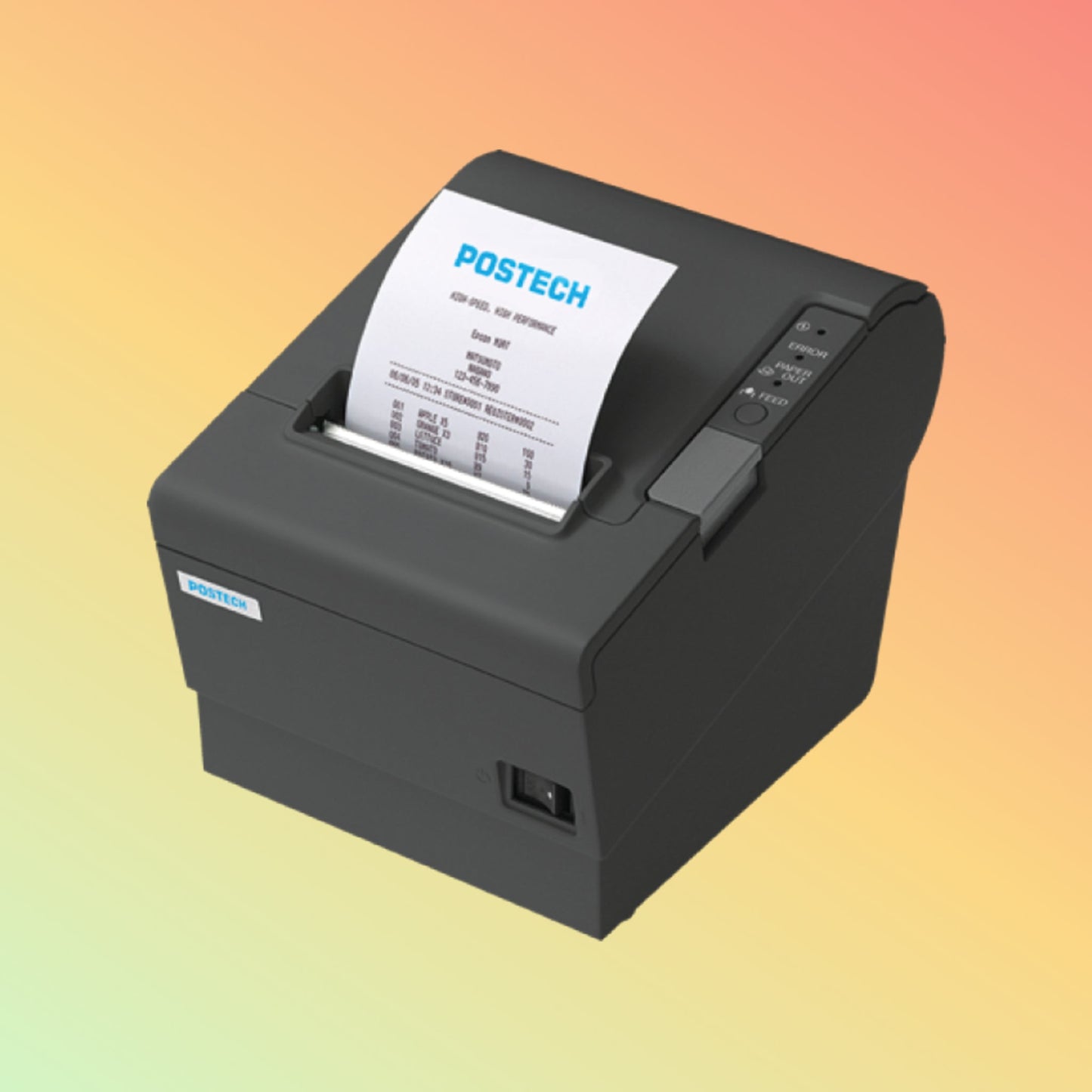
POSTECH PT-R88V 80mm Thermal Receipt Printer USB + Ethernet | NEOTECH® UAE
POSTECH PT-R88V 80mm Thermal Receipt Printer USB + Ethernet | NEOTECH® UAE
Couldn't load pickup availability
Fast 80mm direct thermal receipt printer with USB and Ethernet connectivity for compatible POS, retail and hospitality environments.
The POSTECH PT-R88V is an 80mm direct thermal receipt printer designed for compatible point-of-sale and transaction-printing environments.
It combines a stated printing speed of up to 300mm/s, 203 dpi resolution, USB and Ethernet (LAN) connectivity, and an integrated automatic cutter.
The PT-R88V can be considered for retail counters, restaurants, cafés, grocery stores, hospitality environments and other applications requiring compact receipt or transaction printing.
Before ordering, customers should verify the required interface, operating system, POS software compatibility, paper specification and installation environment.
Key Features
- 80mm thermal receipt printer
- Direct thermal printing technology
- Up to 300mm/s stated printing speed
- 203 dpi resolution
- USB connectivity
- Ethernet (LAN) connectivity
- Integrated automatic cutter
- 72mm stated maximum printing width
- Compact desktop design
- Designed for compatible POS receipt-printing applications
- Supports multiple character sets depending on driver and software configuration
- No ink cartridge or thermal-transfer ribbon required for direct thermal receipt printing
What Is the POSTECH PT-R88V?
The POSTECH PT-R88V is a desktop thermal printer intended primarily for printing receipts and transaction documents from compatible POS systems.
A typical workflow may look like:
POS Software
↓
POS Terminal / Computer
↓
USB or Ethernet Connection
↓
POSTECH PT-R88V
↓
80mm Thermal Receipt
The complete setup depends on the operating system, POS software, printer driver, network configuration and required receipt format.
80mm Thermal Receipt Printing
The PT-R88V is designed around 80mm-class thermal receipt media.
Direct thermal printing creates the printed image by applying heat to compatible heat-sensitive paper.
This means routine receipt printing does not require an ink cartridge, toner cartridge or thermal-transfer ribbon.
Customers should still verify the correct:
- Paper width
- Roll diameter
- Paper thickness
- Thermal coating
- Roll orientation
before purchasing receipt paper in quantity.
Up to 300mm/s Printing Speed
The stated maximum printing speed is:
Up to 300mm/s
Actual printing performance can depend on factors including:
- Receipt design
- Graphics
- Barcode content
- Driver settings
- Communication interface
- POS software
- Print density
- Paper characteristics
For this reason, the maximum stated speed should not be interpreted as the guaranteed speed for every receipt or application.
203 DPI Resolution
Print Resolution: 203 dpi
203 dpi is commonly used for POS receipt printing and can support text, graphics and compatible barcode printing.
Final barcode readability depends on more than printer resolution. Barcode size, symbology, software configuration, paper quality, print density and printer condition can also affect the result.
USB Connectivity
The PT-R88V provides USB connectivity for compatible local POS installations.
USB can be suitable where the receipt printer is installed close to and primarily controlled by one POS terminal or computer.
Before installation, verify:
- Available USB connection
- Operating system
- Required printer driver
- POS software support
- Cable requirements
Ethernet / LAN Connectivity
The PT-R88V also provides Ethernet (LAN) connectivity.
Network connectivity can be useful where a receipt printer needs to communicate through the business network rather than being directly attached to a single computer by USB.
A typical network configuration may involve:
POS Terminal
↓
Local Network / Switch / Router
↓
Ethernet
↓
PT-R88V
Network printing requires correct IP/network configuration and compatible POS software.
An Ethernet port alone does not guarantee compatibility with every POS application.
Automatic Cutter
The PT-R88V includes an automatic cutter for separating printed receipts.
The supplied product information states a cutter-life specification of:
Up to 1,000,000 cuts
Cutter life is a rated specification and should not be interpreted as a guarantee that every cutter will perform exactly that number of operations.
Actual service life can be influenced by paper characteristics, maintenance, operating conditions and usage.
Thermal Printhead Life
The supplied specification states a thermal printhead life of:
Up to 150 km
This is a rated specification rather than a guaranteed operational lifetime.
Actual printhead life can vary according to:
- Paper quality
- Paper surface
- Contamination
- Print density
- Operating temperature
- Printing frequency
- Cleaning and maintenance
- Physical wear
Using suitable thermal paper and keeping the paper path and printhead clean can be important for maintaining print quality.
Technical Specifications
Brand: POSTECH
Model: PT-R88V
Product Type: Thermal Receipt Printer
Printing Method: Direct Thermal
Resolution: 203 dpi
Paper Class: 80mm thermal receipt paper
Stated Printing Width: 72mm
Maximum Stated Printing Speed: Up to 300mm/s
Interface: USB + Ethernet (LAN)
Automatic Cutter: Yes
Stated Cutter Life: Up to 1,000,000 cuts
Stated Thermal Printhead Life: Up to 150 km
Power Supply: 24V DC / 2A
Stated Printer Dimensions: 196.4 × 145 × 152mm
Maximum Stated Paper Roll Diameter: 80mm
Color: Black
Operating System Considerations
The supplied product information identifies support for:
- Windows
- Ubuntu
- macOS
Operating-system support alone does not establish compatibility with a particular POS application.
Before ordering, verify the combination of:
Operating System + Driver + POS Software + Connection Interface + Receipt Requirements
This is particularly important when replacing an existing receipt printer.
POS Software Compatibility
Receipt-printer compatibility depends on how the POS application communicates with the printer.
Before replacing an existing printer with the PT-R88V, check:
- POS software name
- POS software version
- Operating system
- Existing printer model
- Existing connection type
- Required printer driver
- Receipt width
- Cash drawer requirement
- Barcode requirements
- Character/language requirements
- Network-printing requirements
A printer having USB or Ethernet connectivity does not automatically mean every POS software application will support it.
Applications
The POSTECH PT-R88V may be considered for compatible applications such as:
- POS receipt printing
- Retail receipts
- Restaurant receipts
- Café receipts
- Grocery transaction receipts
- Hospitality transaction printing
- Counter-service receipts
- Takeaway order receipts
- General transaction printing
Suitability depends on the complete POS environment and software requirements.
Industries
The PT-R88V may be relevant to businesses operating in:
- Retail
- Restaurants
- Cafés
- Grocery
- Hospitality
- Food service
- Convenience stores
- General POS environments
The printer should be selected according to the actual technical requirement rather than the industry name alone.
Purpose of Use
The POSTECH PT-R88V is intended to provide 80mm direct thermal receipt printing from compatible POS systems.
Its USB and Ethernet interfaces provide options for local or network-connected installations, subject to the capabilities of the POS software and operating environment.
How to Use
- Position the printer on a suitable stable surface.
- Connect the appropriate power supply.
- Connect the printer through USB or Ethernet according to the required installation.
- Install the appropriate printer driver where required.
- Configure the printer within the operating system or POS software.
- Insert compatible thermal receipt paper.
- Confirm paper orientation.
- Perform a test print.
- Check text, graphics, barcode and cutter operation where applicable.
- Confirm correct operation with the actual POS application before regular use.
Installation requirements may vary according to the software and network environment.
USB or Ethernet: Which Should You Choose?
USB
USB may be suitable where:
- One printer is connected directly to one POS terminal
- The printer is physically close to the computer
- A straightforward local connection is preferred
Ethernet
Ethernet may be suitable where:
- Network printing is required
- The printer is positioned away from the main POS computer
- Multiple systems need network access according to software capabilities
- Centralized network configuration is preferred
The correct choice depends on the POS system architecture.
Receipt Paper Considerations
Receipt-paper quality can affect:
- Print darkness
- Printhead wear
- Cutter performance
- Barcode readability
- Paper feeding
- Receipt durability
Use thermal paper that meets the printer's required dimensions and operating specifications.
Avoid using damaged, contaminated or unsuitable paper.
Maintenance Considerations
Regular maintenance can help preserve receipt quality and printer operation.
Depending on usage, maintenance may include:
- Cleaning the thermal printhead appropriately
- Removing paper dust
- Checking the platen roller
- Keeping the cutter area clear
- Checking paper movement
- Inspecting cables
- Checking network connectivity
- Using suitable thermal paper
Always disconnect power and follow appropriate maintenance procedures before working inside the printer.
Packaging / Weight / Dimensions
Stated Printer Dimensions: 196.4 × 145 × 152mm
Stated Single-Unit Packaging Size: 23 × 20 × 15cm
Stated Gross Weight: 2.5kg
Maximum Stated Paper Roll Diameter: 80mm
Packaging and supplied accessories may vary by shipment or production configuration. Confirm the exact package contents when required.
Things to Verify Before Ordering
Brand: POSTECH
Model: PT-R88V
Required Paper Size: 80mm class
Required Resolution: 203 dpi
Required Interface: USB / Ethernet
POS Software
POS Software Version
Operating System
Printer Driver Requirement
Network Configuration
Receipt Width
Barcode Requirements
Character / Language Requirements
Cash Drawer Requirement
Available Counter Space
Power Requirements
Required Quantity
Current Availability
Customers replacing another receipt printer should provide the existing printer model and POS software information when compatibility is uncertain.
Who Should Consider This Printer?
The POSTECH PT-R88V may be considered by businesses requiring:
- 80mm thermal receipt printing
- Up to 300mm/s stated print speed
- USB connectivity
- Ethernet connectivity
- Automatic receipt cutting
- 203 dpi printing
- Desktop POS receipt printing
- A printer for a compatible retail or hospitality POS environment
Who May Need Another Solution?
Another printer may be more appropriate where the application requires:
- Bluetooth connectivity
- Wi-Fi connectivity
- Mobile receipt printing
- Impact/dot-matrix printing
- Multi-copy paper
- Different paper width
- Specialized kitchen printing
- A specific printer language
- A printer specifically certified by the POS software developer
- Different interfaces
- Different environmental protection requirements
Compatibility should be established before selecting the printer.
Building a Complete POS Receipt Printing Solution
A complete receipt-printing environment may involve:
POS Software
↓
POS Terminal / Computer
↓
USB or Ethernet Connection
↓
POSTECH PT-R88V
↓
Compatible 80mm Thermal Paper
↓
Printed Customer Receipt
Depending on the application, the wider POS system may also include:
- Cash drawer
- Barcode scanner
- Customer display
- Payment terminal
- POS keyboard
- Touchscreen
- Network equipment
- Kitchen printer
- Label printer
Each component should be checked for compatibility with the overall POS environment.
FAQ - POSTECH PT-R88V
Q: What paper size does the POSTECH PT-R88V use?
A: The PT-R88V is designed for 80mm-class thermal receipt printing. The exact media specification should be confirmed before purchasing paper in quantity.
Q: What is the printing speed of the PT-R88V?
A: The stated maximum printing speed is up to 300mm/s. Actual performance can vary according to receipt content, software, settings and operating conditions.
Q: What is the print resolution?
A: The PT-R88V has a stated resolution of 203 dpi.
Q: Does the PT-R88V have USB connectivity?
A: Yes. The specified configuration includes USB connectivity.
Q: Does the PT-R88V support Ethernet?
A: Yes. The specified configuration includes Ethernet/LAN connectivity for compatible network-printing environments.
Q: Does the printer have an automatic cutter?
A: Yes. The PT-R88V includes an automatic cutter.
Q: Can the PT-R88V work with any POS software?
A: Compatibility should not be assumed. Verify the POS software, operating system, driver, required interface and receipt-printing requirements before ordering.
Q: Does direct thermal printing require a ribbon?
A: No. Direct thermal receipt printing uses compatible heat-sensitive thermal paper and does not normally require an ink cartridge, toner cartridge or thermal-transfer ribbon.
Q: Can I use Ethernet instead of USB?
A: Yes, where the POS software and network environment support Ethernet printing. Appropriate network configuration is required.
Q: Is the PT-R88V suitable as a replacement for another receipt printer?
A: Potentially, but interface compatibility alone is not enough. Check the existing printer model, POS software, operating system, driver requirements, receipt width, cash drawer requirements and printer command compatibility before replacement.
Related Products
POSTECH POS Terminals
80mm Thermal Receipt Paper
POS Cash Drawers
Barcode Scanners
Customer Displays
POS Accessories
Thermal Receipt Printers
Why NEOTECH® UAE?
NEOTECH® encourages customers to verify software compatibility, operating system, connection interface, receipt-paper requirements and complete POS workflow before selecting a receipt printer.
A printer should not be chosen only because it has the correct paper width or connection port.
Understanding the complete requirement first can reduce compatibility problems and unnecessary replacement costs.
Learn First. Decide Second. Buy Only If It Is Right for Your Needs.
The NEOTECH® Learning Center is free and open to everyone. You do not need to be a NEOTECH® customer to access or benefit from our educational content. Learn at your own pace, explore the information freely, and make informed decisions based on your own needs. There is no obligation or pressure to purchase from NEOTECH®.
There is absolutely no obligation or pressure to proceed with the purchase with us.
Delivery – UAE
NEOTECH® supports product requirements within the United Arab Emirates.
Product availability, lead time, quantity and exact supplied configuration should be confirmed before ordering.
Contact NEOTECH® UAE
Website: https://www.neotech.ae/
Email: support@neotech.ae
Address: Store 13, Computer Bldg, Al Fahidi, Bur Dubai, Dubai 44245, United Arab Emirates
Disclaimer - NEOTECH® UAE
POSTECH, PT-R88V and associated product names are used for product identification.
Product information on this page is provided for educational, identification and procurement-support purposes. Specifications are based on the available product information for the referenced PT-R88V configuration and may vary by production version or supplied configuration.
POS software, operating-system, driver and network compatibility should be verified before ordering. Rated printhead and cutter-life figures are reference specifications and do not constitute a guarantee of actual service life.
Images are for reference where applicable. Product appearance, packaging, accessories, availability and specifications may change.
Last Updated: 29 August 2026 (GST, UTC+4)