POSTECH
POSTECH PT-R9208 Desktop 2D Presentation Scanner (GT-9208)| NEOTECH® UAE
POSTECH PT-R9208 Desktop 2D Presentation Scanner (GT-9208)| NEOTECH® UAE
Couldn't load pickup availability
Hands-Free Barcode and QR Reading for Fixed Retail Checkout Workstations.
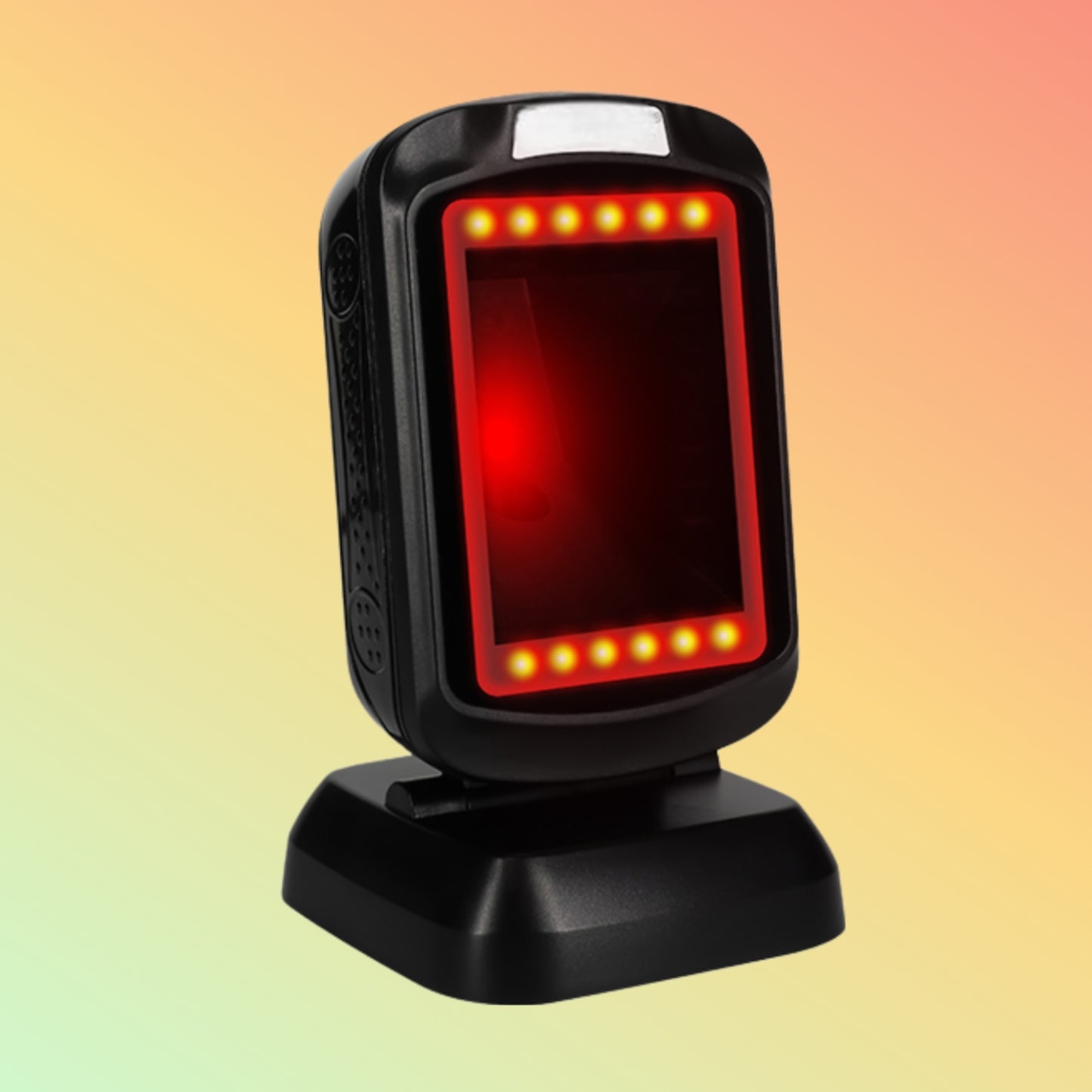
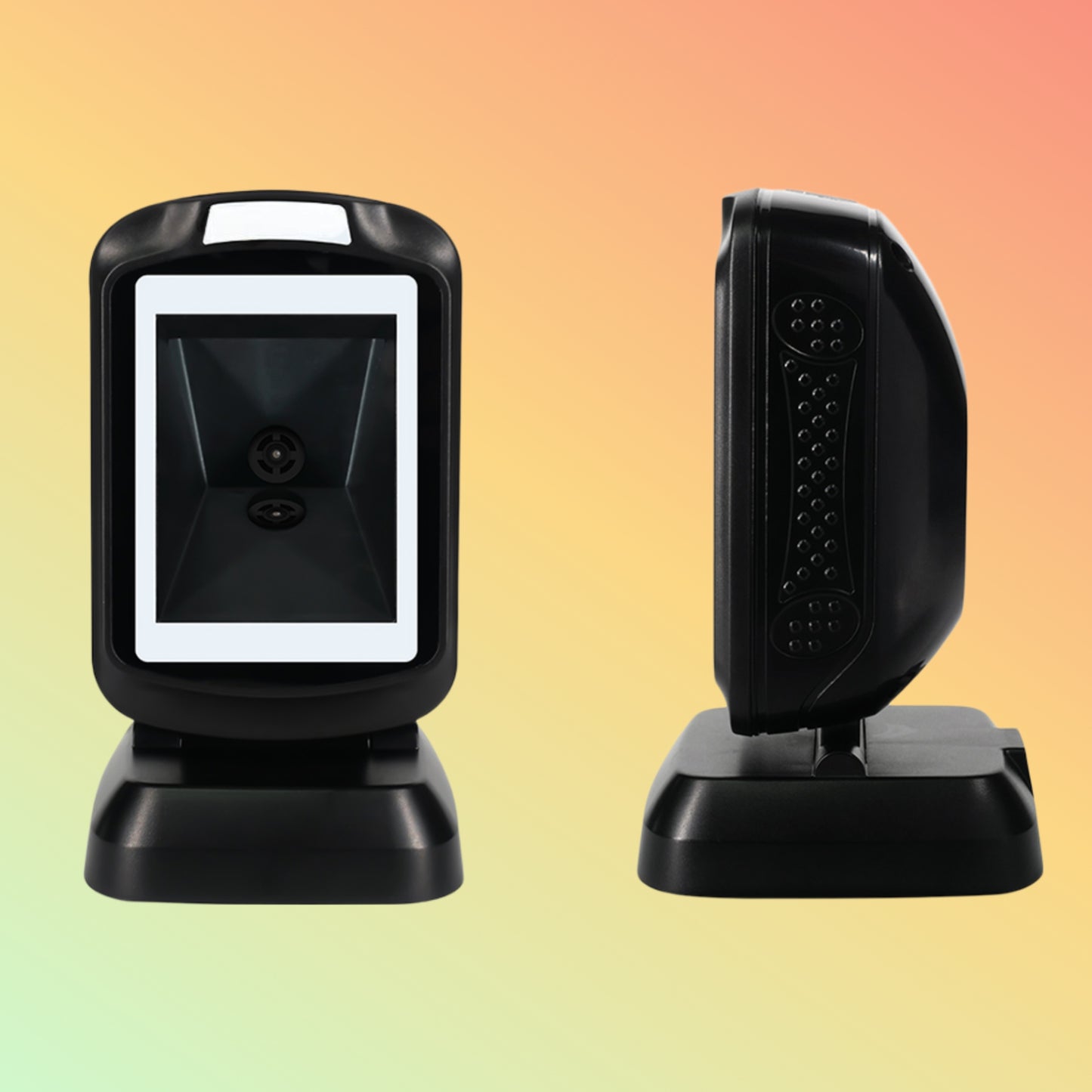
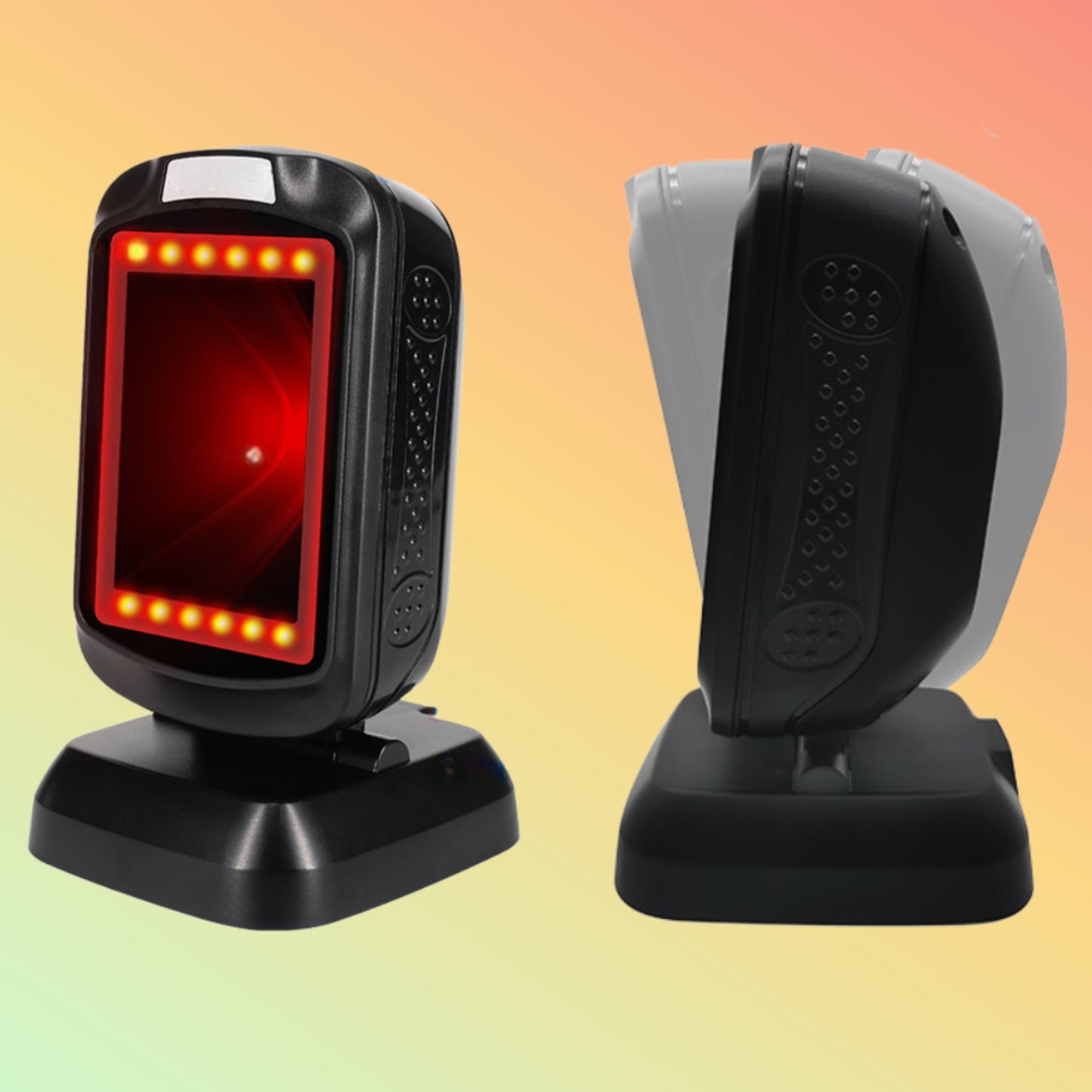
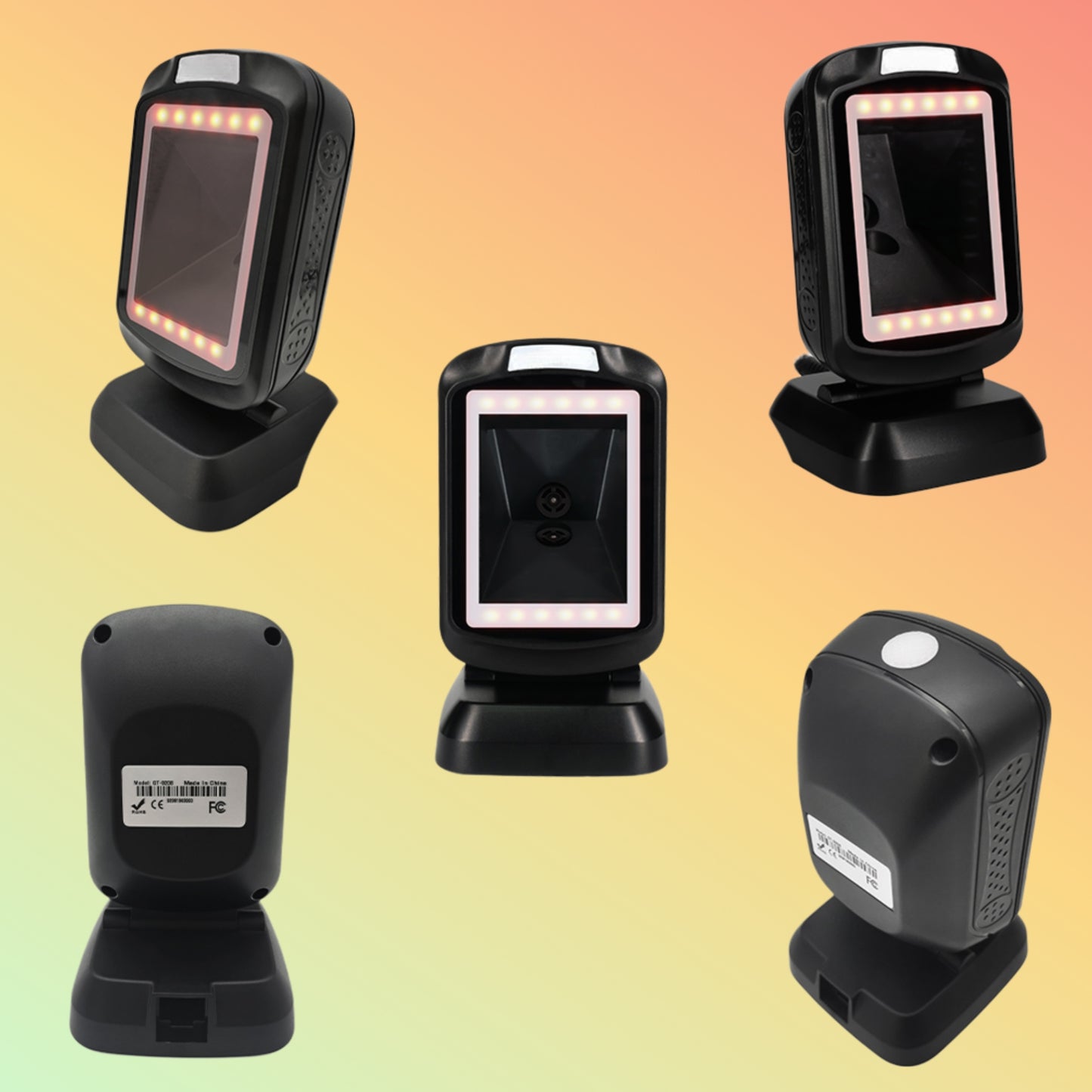
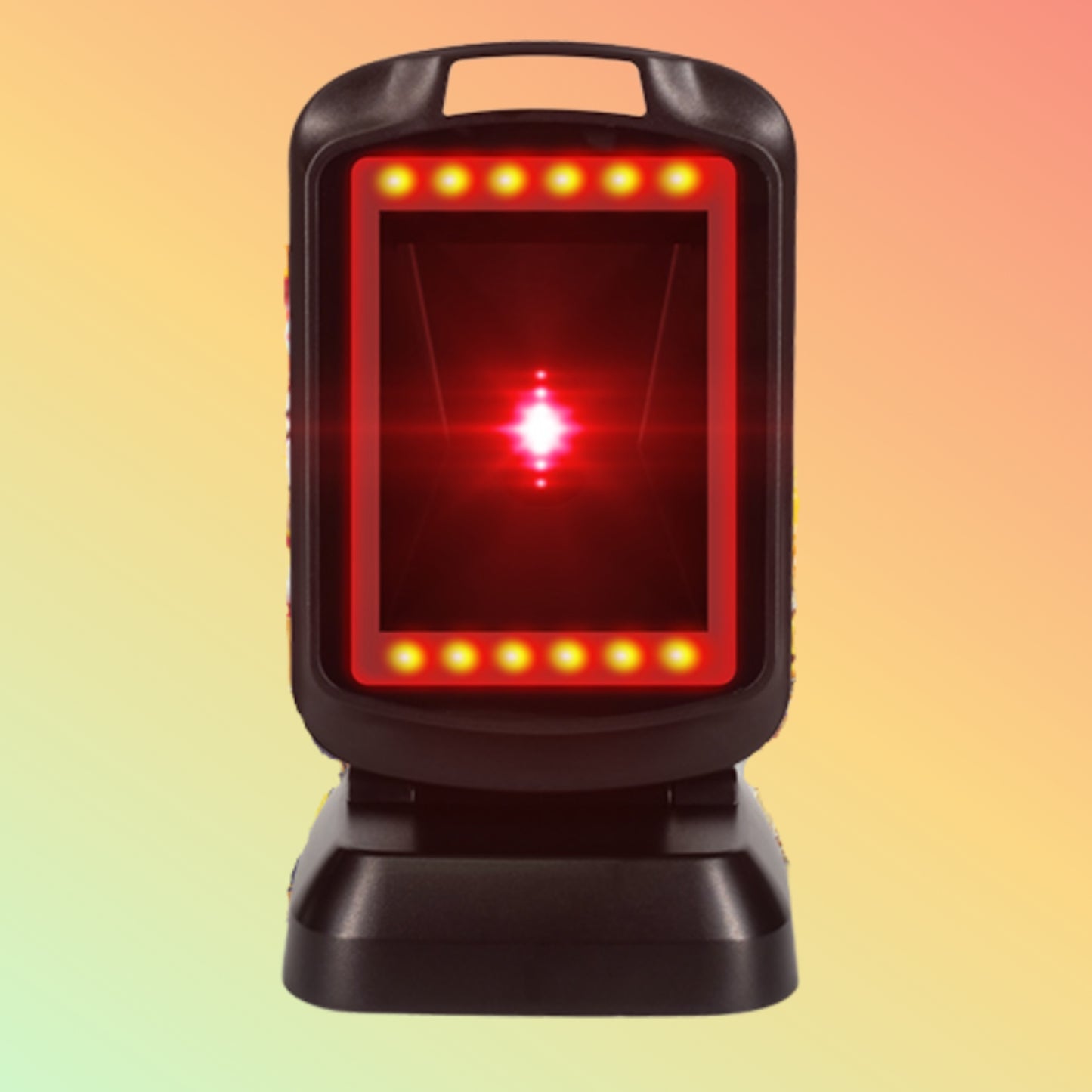
POSTECH PT-R9208 Desktop 2D Barcode Scanner for Retail Checkout The POSTECH PT-R9208, based on the GT-9208 desktop scanning platform, is a fixed presentation-style barcode reader intended for retail checkout counters and other stationary scanning environments.
Its 1600 × 900 CMOS imaging sensor supports common 1D and 2D barcode formats, including conventional retail barcodes, QR Code, Data Matrix and PDF417.
Instead of requiring the operator to repeatedly lift a handheld scanner, the PT-R9208 can remain positioned on the counter while products, printed codes or compatible screen-displayed codes are presented within its reading area.
Documented original platform: GT-9208
POSTECH OEM reference: PT-R9208
The OEM relationship and product marking should be confirmed against the supplied unit or OEM documentation.
Overview
A presentation scanner is different from a conventional handheld barcode reader.
In a fixed checkout environment, the workflow can be:
Product Barcode → PT-R9208 → USB → POS Application
or:
Customer QR Code → PT-R9208 → Host Application → Software-Defined Action
The scanner reads and transfers barcode data. Pricing, inventory, loyalty, ticket validation and payment functions are handled by the connected software.
This makes the PT-R9208 relevant for businesses that need repeated barcode capture at a fixed counter.
Retail Checkout Focus
The PT-R9208 may be considered for environments such as:
- Supermarkets
- Convenience stores
- Fashion retail
- Electronics shops
- Pharmacies
- Specialty stores
- Service counters
- Reception desks
- Selected kiosk installations
The stationary format can be useful when most scanning takes place from one consistent position.
Key Features
- Desktop presentation-style barcode scanner
- Supports 1D and 2D barcode reading
- 1600 × 900 planar CMOS imaging sensor
- 32-bit ARM MCU + DSP processing platform
- USB connection
- RS-232 available on applicable customised versions
- Auto-sensing operation
- QR Code support
- Data Matrix support
- PDF417 support
- Aztec support
- Common retail 1D barcode support
- Screen and printed-code reading
- LED and buzzer feedback
- Configurable barcode-output functions
- IP52-rated enclosure
- Compact fixed-counter design
1600 × 900 CMOS Imaging
The GT-9208 platform is specified with a 1600 × 900 planar CMOS image sensor.
An imaging scanner captures the barcode as an image rather than reading only a single laser line.
This enables the reader to process both:
1D Codes
Traditional retail and product barcodes such as:
- UPC-A
- UPC-E
- EAN-8
- EAN-13
- Code 128
- Code 39
- Code 93
- GS1-128
- Codabar
- Interleaved 2 of 5
- GS1 DataBar
2D Codes
Including:
- QR Code
- Micro QR
- Data Matrix
- PDF417
- Aztec
Specialised symbologies should be verified before deployment.
QR Codes from Smartphone Screens
The CMOS imaging platform can read supported QR and barcode formats from compatible electronic displays.
Potential uses include:
- Loyalty codes
- Digital coupons
- Order references
- Electronic vouchers
- Membership codes
- Ticket references
- Customer QR codes
Performance can vary according to:
- Screen brightness
- Barcode size
- Display reflections
- Contrast
- Viewing angle
- Screen condition
A sample code should be tested where the scanning requirement is application-critical.
Hands-Free Auto-Sensing
The GT-9208 platform supports automatic sensing.
This allows the scanner to remain at the checkout counter while the barcode is presented within its reading field.
For many retail workflows, this can be preferable to repeatedly handling a trigger scanner.
The most appropriate mounting angle and working distance depend on:
- Product size
- Barcode dimensions
- Counter height
- Lighting
- Operator workflow
USB Connectivity for POS Workstations
USB is the standard interface for the GT-9208 platform.
This allows the reader to connect to compatible:
- POS terminals
- Desktop computers
- Android commercial terminals
- Kiosks
- Business workstations
The scanner can provide barcode input to a compatible host application.
However, USB connectivity does not guarantee compatibility with every POS system. The required input mode and application behaviour should be verified before deployment.
Optional RS-232 Configuration
The technical information supplied for the GT-9208 identifies RS-232 as a configurable interface option.
This may be useful where the scanner must connect to:
- Legacy POS systems
- Embedded terminals
- Kiosks
- Industrial workstations
If serial connectivity is required, confirm that the actual PT-R9208 supplied includes the required RS-232 configuration.
Retail Barcode Reading
For normal checkout use, the scanner can read supported product barcodes such as:
Product → Barcode → Scanner → POS Software
The POS system—not the scanner—then determines:
- Product description
- Price
- Tax
- Stock status
- Transaction information
This distinction prevents the hardware from being incorrectly marketed as a complete POS solution.
Customer QR Code Workflows
A second common workflow is:
Customer Presents QR → PT-R9208 Reads Code → Application Receives Data
The connected application may then use that data for functions such as:
- Loyalty
- Coupon redemption
- Membership
- Order lookup
- Ticket verification
Whether any specific function is available depends entirely on the application.
Payment QR Codes – Important Clarification
The PT-R9208 can read supported QR codes, but this does not make it a payment terminal.
QR payment acceptance may require:
- Payment application
- Merchant account
- Acquiring service
- Payment gateway
- Approved integration
- Applicable regional or banking requirements
The scanner only captures barcode information.
Invoice Barcode Reading
Supplier material for the GT-9208 platform references an “Invoice Function.”
The available technical information does not establish that the scanner performs:
- OCR
- Invoice text extraction
- Accounting
- Tax validation
- Invoice-field recognition
A safer interpretation is that the scanner may be used to capture compatible barcodes or QR codes appearing on invoices or documents.
Any invoice-processing function belongs to the connected software unless separately documented.
Configurable Barcode Output
The platform supports configurable barcode-data behaviour on documented versions.
Possible settings can include:
- Prefixes
- Suffixes
- Character formatting
- Keyboard-language selection
- Barcode-mode configuration
These functions can be useful where the POS application requires barcode data in a particular format.
The configuration should be tested against the actual application.
Technical Specifications
OEM Model: PT-R9208
Original Platform: GT-9208
Product Type: Desktop 1D/2D Presentation Barcode Scanner
Scanning Technology: Planar CMOS imager
Sensor Resolution: 1600 × 900
Processor: 32-bit ARM MCU + DSP
Light Source: Red LED
Interface: USB
Optional Interface: RS-232 on applicable customised configuration
Scanning Mode: Image / Auto-sensing
Documented Optical Resolution: Code 39 at 4 mil under specified conditions
Motion Tolerance: Up to 3.24 m/sec under stated test conditions
Feedback: LED indicator + buzzer
Print Contrast: ≥25% in supplied specification
Scan Angle: Roll 360°, Pitch 45°, Yaw 45°
Housing Material: ABS + PC
Power Supply: DC 5V / 2A stated in the supplied platform specification
Ingress Protection: IP52
Dimensions: Approximately 146.99 × 85.27 × 89.97 mm
Weight: Approximately 294 g ±5 g without cable
Operating Temperature: 0°C to 50°C
Operating Humidity: 20%–85%, non-condensing
Drop Test Reference: 1.5 m onto concrete stated in supplier specifications
Individual parameters should be verified against the exact PT-R9208 unit being supplied.
Example Reading Distances
The GT-9208 technical material provides example reading distances under defined test conditions, including:
Code 39 – 5 mil: approximately 1–12 cm
UPC-A – 13 mil: approximately 2–30 cm
Code 39 – 20 mil: approximately 1–30 cm
PDF417 – 6.7 mil: approximately 1–6 cm
Data Matrix – 10 mil: approximately 1–9 cm
These are laboratory/reference figures rather than guaranteed working distances.
Real-world performance depends on barcode quality, contrast, print surface, orientation and ambient conditions.
Multilingual Keyboard Output
The supplied GT-9208 specification identifies configurable keyboard layouts for multiple languages, including examples such as:
- English
- Arabic
- French
- German
- Italian
- Spanish
- Russian
- Portuguese
- Turkish
- Japanese
This relates to barcode data output / keyboard configuration.
It should not be interpreted as translation or multilingual OCR.
PT-R9208 vs GT-9208
This page deliberately keeps both model references because customers may encounter either designation.
GT-9208
The documented original scanning platform/model reference.
PT-R9208
The POSTECH OEM reference supplied for this product.
NEOTECH® recommends confirming the actual label or packaging whenever the exact model identity matters for replacement or fleet-standardisation purposes.
Applications
The PT-R9208 may be considered for:
- Retail POS checkout
- Supermarket counters
- Convenience stores
- Pharmacy checkout
- Product barcode scanning
- Membership QR codes
- Digital coupons
- Order lookup
- Reception points
- Ticket and voucher scanning
- Selected self-service kiosks
When to Choose a Desktop Scanner
A desktop presentation scanner may be appropriate when:
- Scanning takes place at one fixed counter
- Hands-free operation is preferred
- Both 1D and 2D barcodes are used
- QR codes are presented from phones
- Operators process repeated scans throughout the day
A handheld scanner may be more appropriate when employees need to move between products, shelves or warehouse locations.
Buyer Guidance
Before ordering, confirm:
- PT-R9208 OEM reference
- GT-9208 platform requirement
- USB or RS-232
- Required 1D barcodes
- Required 2D barcodes
- Smartphone-screen scanning
- POS application
- Host operating system
- Keyboard layout
- Required prefixes/suffixes
- Counter placement
- Required reading distance
- Package contents
- Warranty terms
For unusual barcodes or POS systems, testing with a real sample is preferable to assuming compatibility.
Why Choose NEOTECH® UAE
NEOTECH® can assist with hardware-level guidance for:
- Desktop presentation scanners
- Handheld vs fixed scanner selection
- 1D vs 2D requirements
- QR Code workflows
- USB and serial interface requirements
- Retail POS hardware
- Receipt printers
- Barcode and data-capture products
Our aim is to help customers identify the appropriate hardware before purchasing.
Learn First. Decide Second. Buy Only If It Is Right for Your Needs.
There is absolutely no obligation or pressure to proceed with the purchase with us.
UAE Delivery
NEOTECH® supplies within the United Arab Emirates.
Shipping: Free Standard Shipping
Order Cut-Off: 2:00 PM GST
Handling: 1–2 business days
Transit: 3–5 business days
Estimated Total Delivery: 4–7 business days
Availability and exact OEM configuration should be confirmed before time-sensitive orders.
FAQ - PT-R9208 GT-9208
Q: Is the PT-R9208 suitable for a fixed retail checkout counter?
A: It may be suitable where a desktop presentation scanner is required for repeated 1D and 2D barcode reading. Compatibility with the particular POS software and host system should be confirmed before deployment.
Q: Can the PT-R9208 read QR codes displayed on a smartphone?
A: The GT-9208 imaging platform supports QR Code and screen-based barcode reading. Actual performance depends on the code, display brightness, size, reflections and scanning conditions.
Q: Are PT-R9208 and GT-9208 the same model number?
A: GT-9208 is the documented original platform reference. PT-R9208 is used here as the POSTECH OEM reference supplied for the product. The actual model label or OEM documentation should be checked when exact product identification is required.
Helpful Internal Links
- Desktop & Presentation Barcode Scanners
- Retail POS Barcode Scanners
- 2D QR Code Readers
Contact NEOTECH® UAE
NEOTECH®
Operated by NEOLYN TECHNOLOGY LLC
Email: support@neotech.ae
Address:
Store 13, Computer Building
Al Fahidi, Bur Dubai
Dubai 44245
United Arab Emirates
Disclaimer – NEOTECH® UAE
PT-R9208 is presented as the POSTECH OEM reference for the supplied product, while GT-9208 is retained as the documented original platform/model reference. The OEM relationship should be supported by the actual product label, packaging or supply documentation.
Specifications, firmware, interfaces, barcode support, language settings, scanning ranges, accessories and package contents may vary by production or OEM configuration.
References to retail, POS, invoice, payment, loyalty or kiosk applications describe possible barcode-reading workflows only. The scanner does not independently provide POS, payment, invoice-processing, authentication or business-management functionality.
Customers should verify the exact product marking, barcode requirements, interface, software compatibility and package contents before ordering.
POSTECH, GT-9208, PT-R9208 and related names should be used according to their respective documented ownership and product identification.
Last Updated: 12 August 2026 (GST, UTC+4)