Zebra
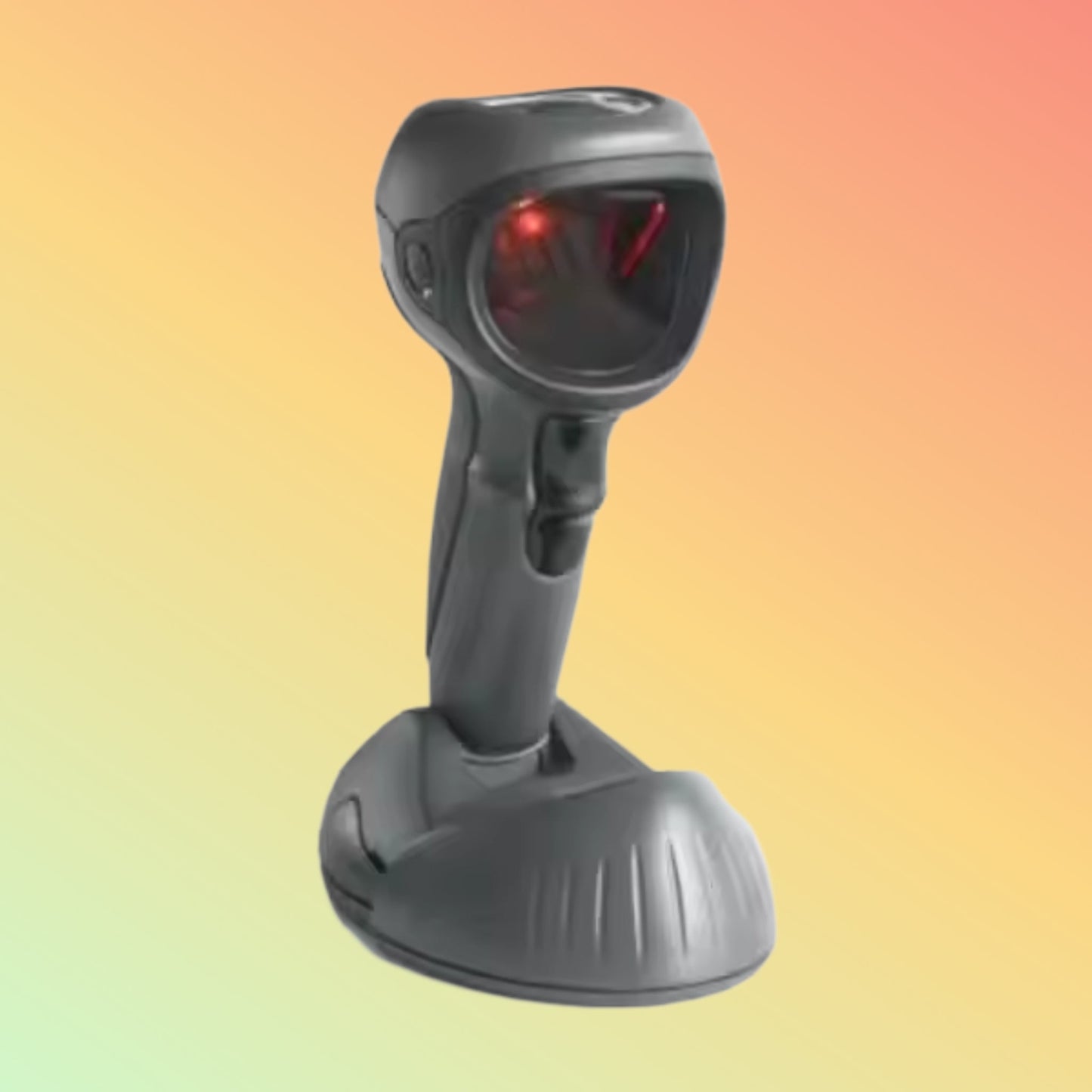
Zebra DS9908 2D QR Barcode Scanner | Hybrid Hands-Free & Handheld Scanner | NEOTECH® UAE
Zebra DS9908 2D QR Barcode Scanner | Hybrid Hands-Free & Handheld Scanner | NEOTECH® UAE
Couldn't load pickup availability
Hybrid presentation scanner designed for fast scanning of 1D barcodes and 2D codes including QR codes in retail and service environments.
The Zebra DS9908 Barcode Scanner is a hybrid presentation scanner that supports both hands-free and handheld scanning. It is designed for environments requiring fast barcode capture at checkout counters, service desks, and retail points of sale.
The scanner reads 1D barcodes and 2D codes including QR codes from printed labels and electronic screens such as mobile phones.
Professional Highlights
✅ Reads 1D and 2D barcodes including QR codes
✅ Hybrid design for handheld or hands-free scanning
✅ Suitable for retail POS and service counters
✅ Fast image-based scanning for printed and digital barcodes
✅ USB connectivity for easy installation
Product Description
The Zebra DS9908 hybrid barcode scanner is designed for point-of-sale environments where both presentation scanning and handheld scanning are required.
When placed on its base, the scanner operates in hands-free mode, allowing fast scanning of items during checkout. When removed from the base, it functions as a handheld scanner for scanning larger or awkwardly positioned items.
The imaging engine enables the scanner to read traditional barcodes and modern 2D codes such as QR codes, including codes displayed on mobile screens used for digital payments, loyalty programs, or ticketing.
Technical Specifications
Scanner Type: Hybrid Presentation / Handheld Barcode Scanner
Scanning Capability: 1D and 2D barcodes including QR codes
Connectivity: USB (other interfaces may depend on configuration)
Dimensions: Approx. 132 × 98 × 185 mm
Weight: Approx. 330 g
Specifications may vary depending on the manufacturer configuration.
Typical Applications
The Zebra DS9908 scanner is commonly used for:
- Retail checkout counters
- Supermarkets and convenience stores
- Hospitality and quick-service restaurants
- Digital coupon or mobile payment scanning
- Inventory verification
Purpose of Use
The Zebra DS9908 barcode scanner is designed for businesses that require quick scanning of product barcodes and QR codes at checkout counters or service desks.
Its hybrid design allows both counter scanning and handheld scanning, supporting flexible workflows in busy retail environments.
How to Use
- Connect the scanner to the system using the USB cable.
- Place the scanner in its base for hands-free presentation scanning.
- Remove the scanner from the base when handheld scanning is required.
- Scan barcodes or QR codes from product labels or screens.
Most POS systems recognize the scanner automatically as a USB HID keyboard device.
Supported Systems & Industries
Operating Systems
Compatible with most POS systems and computers supporting USB input devices.
Industries
- Retail
- Hospitality
- Logistics
- Warehousing
- Healthcare registration counters
Delivery Information (UAE)
Service Area: United Arab Emirates
Order Cutoff: 2:00 PM GST
Handling Time: 1–2 business days
Transit Time: 3–5 business days
Estimated Delivery: 4–7 business days
International buyers may arrange forwarder collection from Dubai.
FAQ - Zebra DS9908
Q: Can the Zebra DS9908 scan QR codes?
A: Yes. The scanner reads both traditional 1D barcodes and 2D barcodes including QR codes.
Q: Does the scanner work in hands-free mode?
A: Yes. When placed in the base it operates as a presentation scanner, and it can also be used as a handheld scanner.
Q: Can it scan barcodes from mobile phone screens?
A: Yes. The imaging technology allows scanning from printed labels and digital screens.
Contact NEOTECH® UAE
For product inquiries or compatibility assistance:
Email: support@neotech.ae
WhatsApp: +971 50 739 1234
Disclaimer - NEOTECH® UAE
Product specifications, compatibility, and availability may change based on manufacturer updates. Product images are for reference only and may differ from the actual product supplied. Customers should verify compatibility with their POS or software systems before purchase.
Last Updated: 6 March 2026